Spot Map
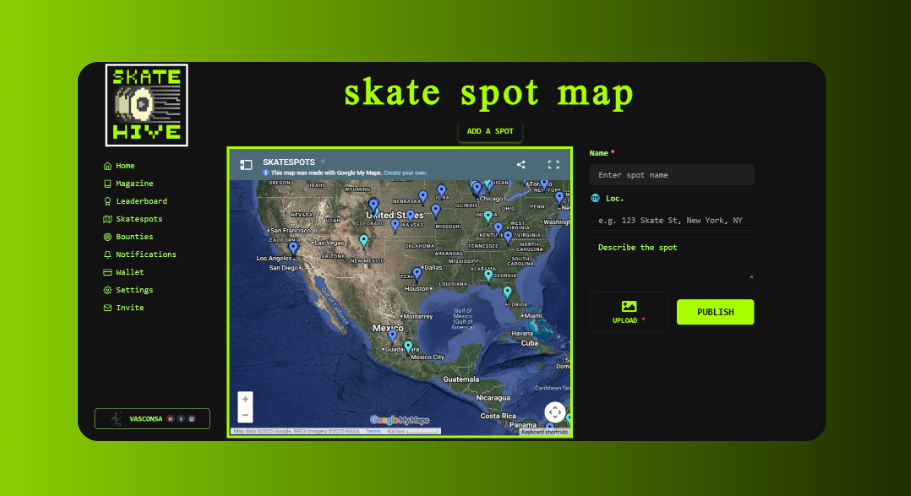
The Skatehive Spot Map lets the community share and discover skateboarding spots. It uses an embedded Google Maps with community-contributed locations, plus a Snaps-based spot list.
Access it at skatehive.app/map
🗺️ Overview
The spot map page has two main sections:
- Embedded Google Map: A collaborative Google Maps with pins for skate spots worldwide
- Spot List: Recent spot submissions from the community as Snaps
🔍 Using the Map
Browse Spots
- Go to skatehive.app/map
- The embedded Google Map shows all community-added spots
- Zoom and pan to explore different areas
- Click on pins to see spot names and details
Spot List
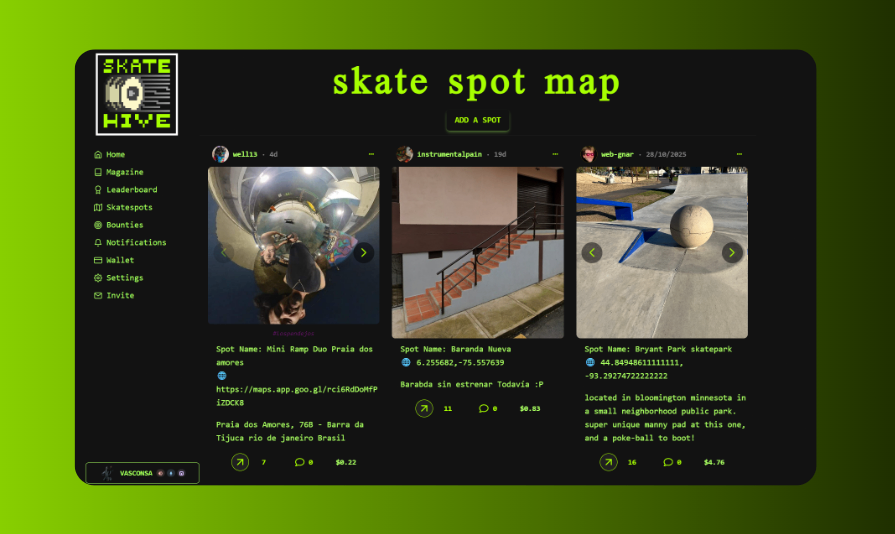
On the side (or below on mobile), you'll see recent spot submissions:
- Photos and descriptions from the community
- Posted as Snaps to the main community container
- Tagged with
#skatespot
➕ Adding a New Spot
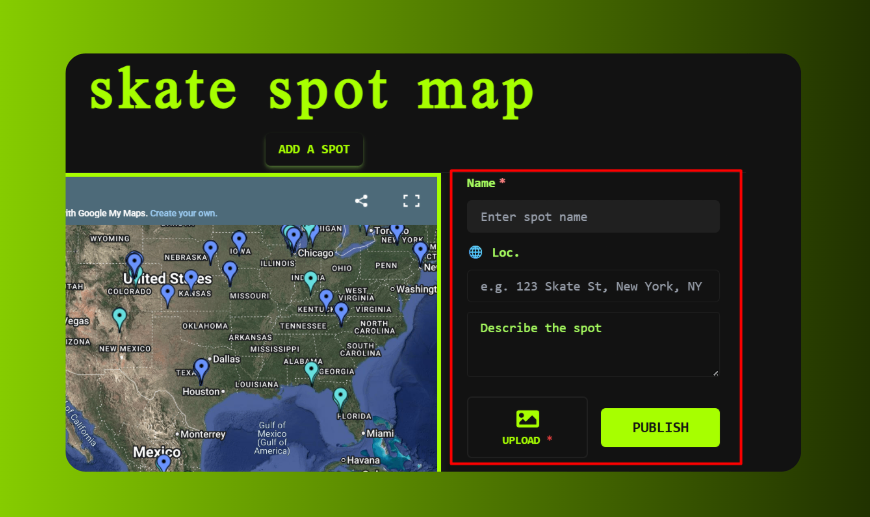
Use the SpotSnapComposer to add a new spot:
Required Info
| Field | Description |
|---|---|
| Spot Name | Give the spot a recognizable name |
| Description | What's there? Ledges, rails, gaps? |
| Photos | Upload images of the spot |
Location Data (Optional but Recommended)
The composer can extract GPS coordinates from your photos automatically:
- Latitude/Longitude: Extracted from photo EXIF data
- Address: Can be auto-detected or manually entered
💡 Tip: Photos taken with GPS enabled on your phone will automatically populate the coordinates.
Posting a Spot
- Click the composer button on the map page
- Enter the Spot Name (required)
- Add a description or upload photos (at least one required)
- Location data is optional - you can add it later by editing
- Click Publish to post to the community
The spot appears as a Snap in the spot list. It's posted to the main Snaps container with the skatespot tag.
📸 Photo Features
GPS Extraction
When you upload a photo:
- The app reads EXIF GPS data if available
- Coordinates auto-fill the lat/lon fields
- Works with most smartphone photos
Image Upload
- Images are compressed and uploaded to Hive Images
- Multiple images supported per spot
- Captions can be added to each image
📝 Spot Post Format
When you publish, the post is formatted as:
Spot Name: [Your Spot Name]
🌐 [Lat], [Lon] ([Address])
[Your description]

🔗 How Spots Work
Spots are posted as Snaps (comments on the main Snaps container):
- They appear in the spot list on the map page
- Tagged with
hive-173115(Skatehive community) andskatespot - The Google Maps embed is separate and manually curated
Note: Currently, new spot submissions appear in the Snaps list but need to be manually added to the Google Maps by community maintainers.
📱 Mobile Usage
The map page is responsive and works on mobile:
- Google Maps is interactive on mobile
- Spot composer available from the page
- GPS extraction from photos works on mobile
💡 Tips for Great Spot Submissions
- Take clear photos - Show the main features and overall layout
- Enable GPS on your camera - This auto-fills location data
- Include useful details - Ledge heights, security info, best times
- Add context - What city/neighborhood is it in?
Go explore and share your favorite spots with the community! 🗺️🛹