# Docs
> Knowledge base for Skatehive Community
This file contains all documentation content in a single document following the llmstxt.org standard.
## Skatehive Intro
{() => {
const Animation = require('../src/components/frames.js').default;
return ;
}}
## What is Skatehive?
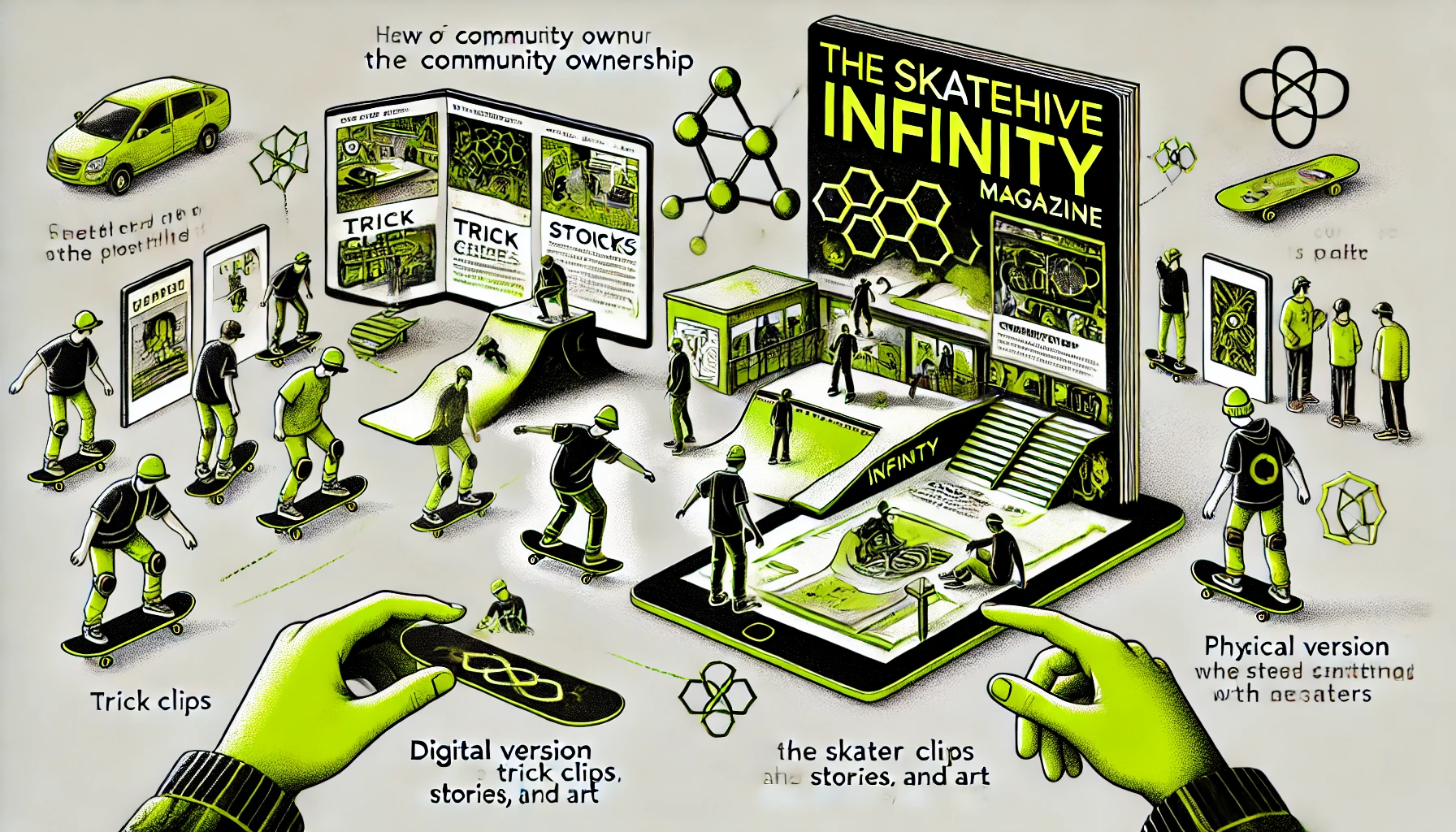
**A decentralized magazine by skaters, for skaters.** No corporate overlords, no algorithm bs. Every skater owns Skatehive.
When you post, you're writing a page in **Infinity Mag** — our collective digital zine. Your tricks, your spots, your voice. Forever.
---
## Why It Matters
Skateboarding media has been controlled by corporations and Big Tech platforms that:
- Take your content
- Control the narrative
- Keep the rewards
**Skatehive changes this.** You own your content. You earn from your posts. The community decides what's valuable.
---
## How It Works
### Post & Earn
Share clips, photos, and stories. Get rewarded directly by the community through upvotes. No middlemen.
### Community-Owned
Built on Hive blockchain. Open-source. Decentralized. Anyone can fork it, build on it, or create their own skateboard frontend.
### Infinity Mag
Every post becomes a page in our living magazine. Skaters curate it, skaters read it, skaters own it.
---
## A Legacy of Tech + Skateboarding
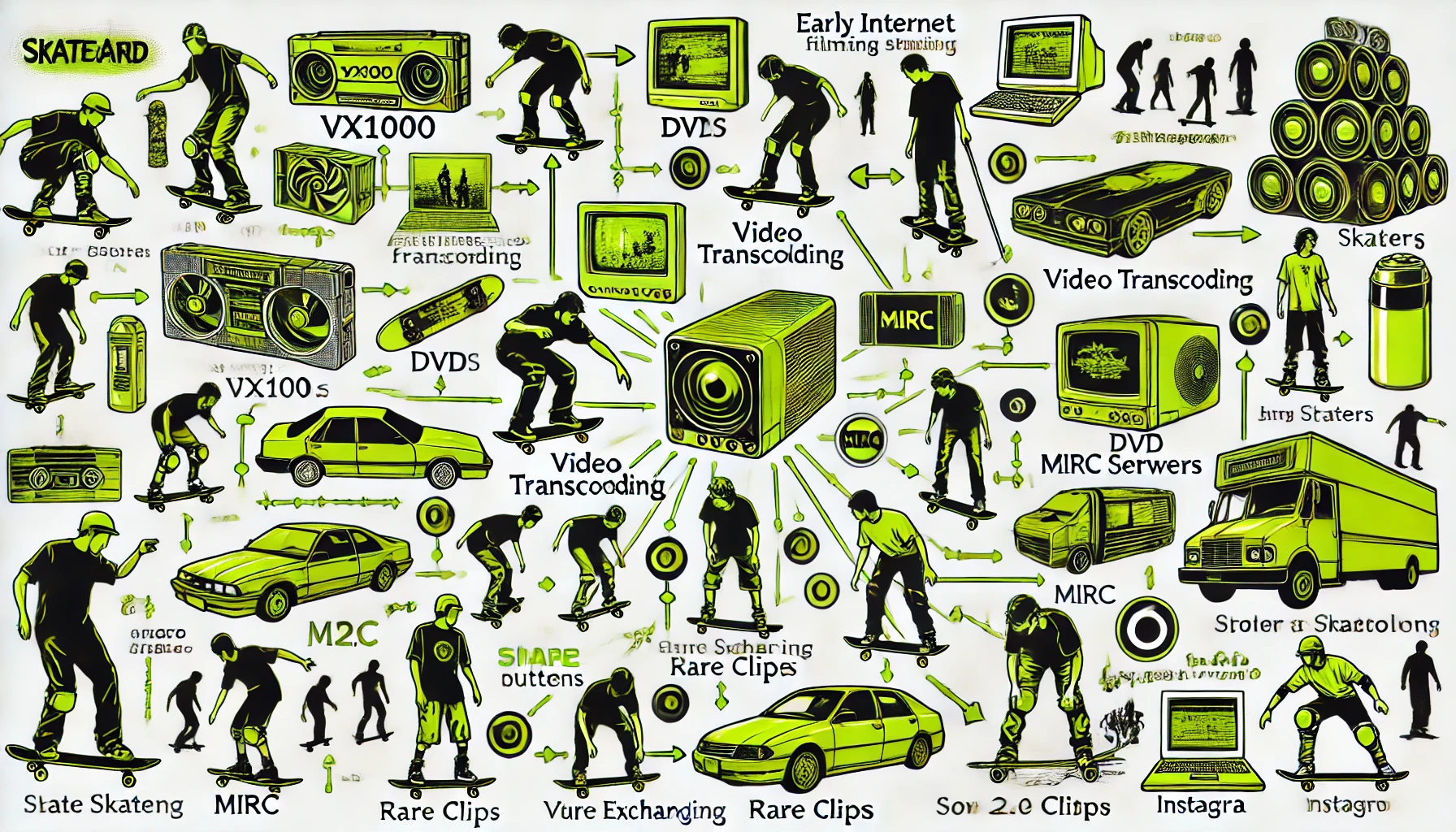
Technology has always pushed skateboarding forward:
- **VX1000** brought cinema to the streets
- **DVDs** distributed skate videos globally
- **mIRC servers** let us share rare clips
- **Web 2.0** gave us the share button
**Skatehive is the next evolution:** Own your content. Earn from your creativity. Build with your crew.
---
## Open-Source Network
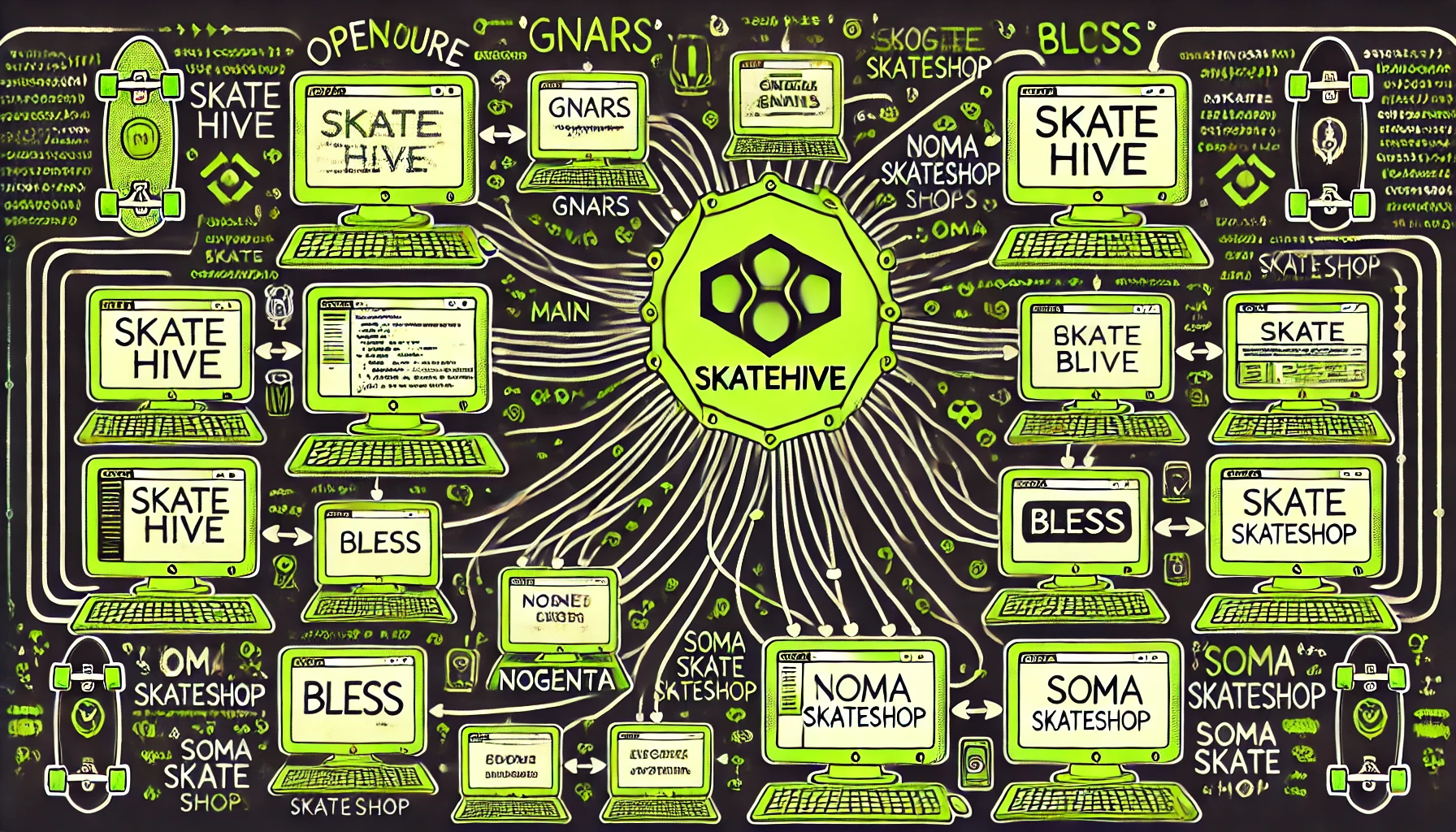
Skatehive is open-source. Any skate shop, crew, or community can:
- Clone the code
- Build their own frontend
- Join the network
All posts broadcast across the network. More visibility, more support, more opportunities.
---
## Join the Movement
Skatehive isn't just a platform — it's skaters taking control of their own media.
**Start today:**
- [Create Account](./Get%20Started/create-account.md)
- [Download Mobile App](./Get%20Started/mobile-app.md)
- [Make Your First Post](./Get%20Started/make-posts-great-again.md)
---
*"Skateboarding is art. Make your post your page."*
---
## Create Account
# Join Skatehive
Skatehive is a global movement of skateboarders building together on the web.
To join, you’ll need a web3 identity—either an Ethereum or Hive wallet. While Ethereum wallets are quick to set up, a Hive wallet unlocks the full Skatehive experience.
We know the process can feel a bit complex right now, but we’re actively working on ways to make joining even easier. For now, just follow the steps below—it’s worth it!
> 🛹 How to get an Hive Account
---
## Option 1: Buy an Account
If you don’t have a friend to invite you, don’t worry — you can **buy your own Skatehive account** right now.
👉 Go to [base.skatehive.app](https://base.skatehive.app) and purchase your account using crypto.
You’ll receive your credentials by email and be ready to join the cult.
---
## Option 2: Create an Invite
If you’re already a Skatehive member, you can invite friends to join.
1. **Click the Invite icon** on the top bar of [skatehive.app](https://skatehive.app) or go directly to [skatehive.app/invite](https://www.skatehive.app/invite)
2. Choose a **username** and enter their **email address**
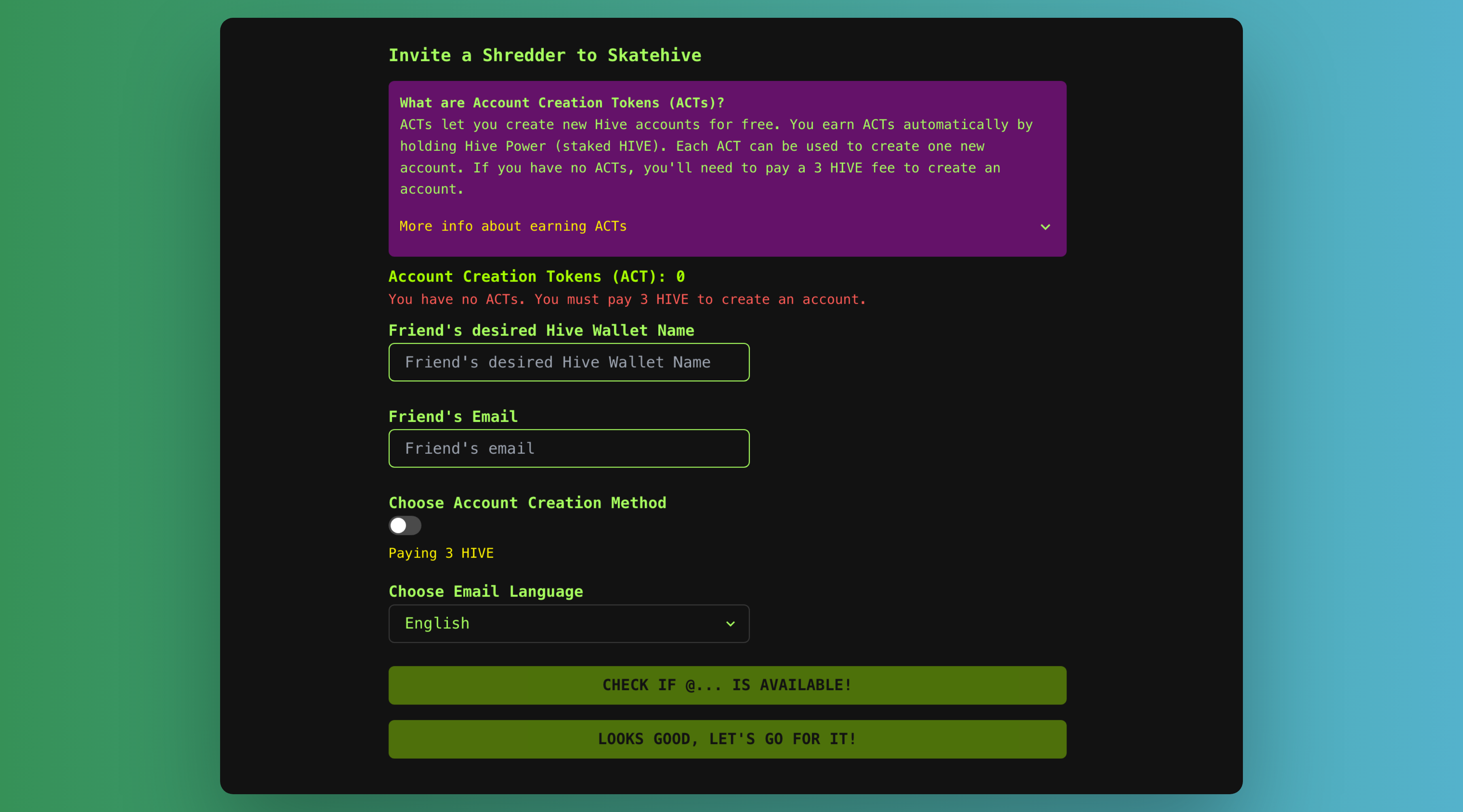
3. Click **"Looks Good, Go For It"** and approve the Keychain transaction
Your friend will get an email with their Hive credentials.
---
## Step-by-Step: Logging In After Receiving the Email
Your friend will receive an email like this with their **Hive keys**:
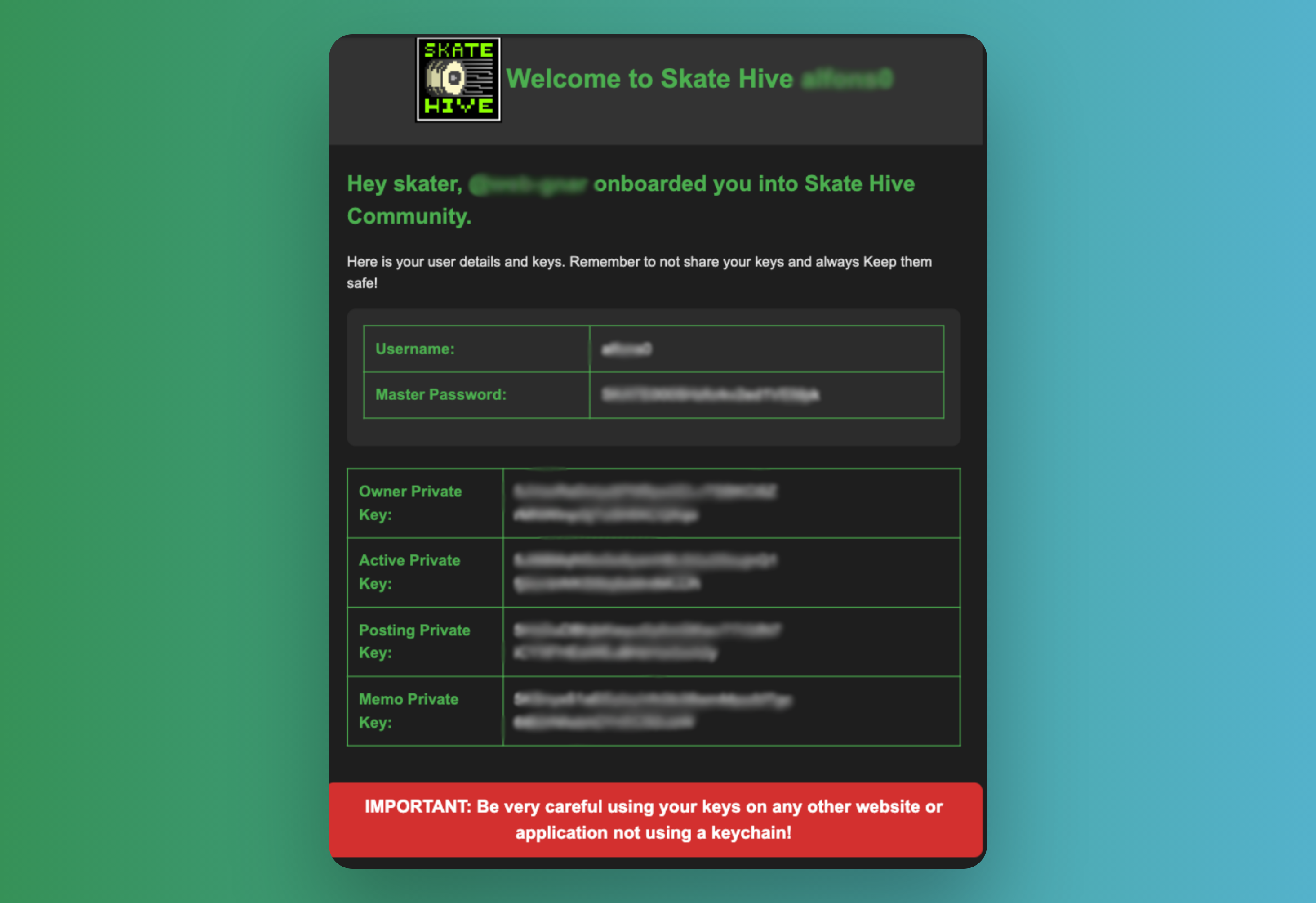
### 🔐 Keep Your Keys Safe
- These keys give full access to the account.
- If lost, they **cannot be recovered**.
- Skatehive does **not** store backups. You are responsible for them.
---
## Set Up Hive Keychain (Recommended)
We recommend using **Hive Keychain** for the most secure and smooth login experience.
- Download Hive Keychain here ->. https://hive-keychain.com/
### Set Up Keychain on Mobile
1. Create a PIN to unlock the app
2. Tap **Use Keys/Password** and enter your **Master Password**
3. Enter your **username** to log into Skatehive
After approval in Keychain, you're in.
---
## Alternative: Create a Hive Account Yourself
Want to bring your own Hive wallet?
1. Install **Hive Keychain**
2. Visit [hiveonboard.com/create-account](https://hiveonboard.com/create-account)
3. Follow the steps to create your Hive account
4. Use your new account to log into Skatehive
---
## Watch the Video
Here’s a quick video walkthrough if you prefer learning visually:
---
**Now you’re ready to skate the web. Welcome to the Hive.**
---
## Curation Trail
## How to Join the Skatehive Curation Trail on the Hive Blockchain
The Skatehive curation trail is a way to support skateboarding-related content on the Hive Blockchain by automatically upvoting posts that the Skatehive community values. Joining the trail ensures your voting power helps amplify the voices of skaters and creators within the ecosystem. This tutorial will guide you through the process.
***
#### Step 1: Log in to Hive.vote
Hive.vote is a platform that allows you to automate your voting activity on the Hive Blockchain.
1. Go to [Hive.vote](https://hive.vote).
2. Log in using your Hive credentials (you can use Hive Keychain for a secure login).
***
#### Step 2: Find the Skatehive Curation Trail
1. Once logged in, click on the "Curation Trails" tab in the Hive.vote dashboard.
2. Use the search bar to look for **Skatehive**.
3. Click on the Skatehive trail to view its details.
***
#### Step 3: Join the Skatehive Curation Trail
1. On the Skatehive trail page, click the "Follow" button.
2. Adjust your voting settings:
* **Voting weight**: Set the percentage of your vote to allocate to the trail (e.g., 50%, 75%, or 100%).
* **Delay**: Decide if you want your votes to be delayed after the trail votes.
3. Confirm your preferences and save the settings.
***
#### Step 4: Verify Your Participation
1. Return to the Hive.vote dashboard and navigate to "My Trails."
2. Ensure Skatehive appears in your list of followed trails.
***
### Why Join the Skatehive Curation Trail?
#### What Does the Curation Trail Do?
By joining the Skatehive curation trail, your account automatically upvotes the same posts that Skatehive upvotes. This means your voting power contributes to supporting skateboarding-related content that the Skatehive community values. Essentially, you "copy" the likes of the Skatehive account, ensuring you help reward quality creators without needing to manually vote on each post.
#### What Do You Gain?
* **Support the community**: Your votes help grow the skateboarding community on Hive by rewarding creators.
* **Earn curation rewards**: As part of the trail, you earn a portion of the curation rewards generated by upvoting valuable content.
* **Save time**: Instead of manually searching for content to vote on, the trail automates the process, ensuring consistent engagement with the community.
#### Technical Explanation:
The curation trail automates your upvotes to align with Skatehive’s voting activity. This maximizes the distribution of rewards to valuable content while optimizing your voting power. By participating, you contribute to a decentralized and community-driven curation process that highlights skateboarding content within the Hive ecosystem.
***
### Final Tips
* **Engage with the community**: Check out the Skatehive tag on Hive to discover new content.
* **Monitor your voting power**: Keep an eye on your voting power to ensure it doesn’t drop too low.
* **Adjust settings as needed**: You can leave or modify your trail preferences at any time through Hive.vote.
By joining the Skatehive curation trail, you’re actively supporting the skateboarding community and helping Hive grow as a platform for decentralized content. 🛹
---
## Hive Witness
# How to Vote for the Skatehive Witness on the Hive Blockchain
The Hive Blockchain is a decentralized platform that operates with witnesses to keep the network secure and functional. Voting for a witness, such as Skatehive, helps support initiatives that promote decentralization and creativity within the skateboarding community.
***
## Step 1: The Easiest Way—Vote with Skatehive App
**New users can now vote for the Skatehive witness using a much simpler method:**
1. Visit [skatehive.app/witness](https://skatehive.app/witness)
2. Log in with your Hive account using your preferred sign-in method (Hive Keychain, Ecency, etc.).
3. Click the vote button next to the Skatehive witness to cast your vote.
4. Follow any prompts to authorize the transaction using Hive Keychain or your chosen wallet.
5. Done! Verify your vote on the same page.
> **Tip:** This method is recommended for new users because it’s streamlined, mobile-friendly, and guides you through the process directly.
***
## Alternative Methods
If you prefer using other Hive platforms or clients, you can still vote for Skatehive witness via PeakD, Hive Blog, or directly with Hive Keychain.
### Option A: Using PeakD or Hive Blog
1. Go to [PeakD](https://peakd.com) or [Hive Blog](https://hive.blog).
2. Click on the menu or look for the "Witnesses" option.
* On PeakD, it's in the left-hand sidebar.
* On Hive Blog, access [https://hive.blog/~witnesses](https://hive.blog/~witnesses)
3. Search for "**skatehive**" in the witness list (Ctrl + F for quick search).
4. Or use this direct link (must be logged in): [https://peakd.com/me/witnesses](https://peakd.com/me/witnesses)
5. Click the vote button next to "skatehive" and confirm your action (Hive Keychain will prompt you to authorize).
6. Verify your vote in your active witness votes.
### Option B: Hive Keychain Extension
- Download and install Hive Keychain (browser extension).
- Log in and navigate to a witness voting platform (such as skatehive.app/witness, PeakD, or Hive Blog).
- Search for "skatehive," click vote, and authorize via Hive Keychain.
***
### Final Tips
* **Why vote for Skatehive?** Skatehive is a witness that promotes the skateboarding community on the Hive Blockchain, fostering decentralization and creativity.
* **Vote limit:** Each account can vote for up to 30 witnesses. Use your votes wisely.
* **Get involved:** Join the Skatehive community and help strengthen the project.
Now that you know how to vote, support Skatehive and become part of this amazing community! 🛹
---
## Learn Hive Tokens
## Manage Hive
#### Manage Your Hive Tokens
You can easily manage your Hive tokens directly from your wallet. When you click on your wallet, you will see five key terms: **Hive**, **Hive Power**, **Hive Dollars**, **Savings**, and **Estimated Account Value**.

***
## 1. **Hive (HIVE)**
HIVE tokens are tradeable and can be transferred at any time. You can also convert HIVE into Hive Power through a process called **Powering Up**.
* **What is Powering Up?**
* Powering Up is the process of converting HIVE tokens into Hive Power, which is essentially "staking" your tokens. This gives you increased influence and rewards within the Hive ecosystem.
***
## 2. **Hive Power (HP)**
Hive Power represents your stake in the Hive network. The more Hive Power you have, the more influence you have over the platform.
* **Benefits of Hive Power:**
* **Voting Power:** More Hive Power gives you larger voting power on posts and proposals.
* **Curation Rewards:** Increased rewards for curating content.
* **More Resource Credits:** Additional resource credits to perform transactions on the Hive Blockchain.
* **Hive Governance:** More say in supporting witnesses and projects on Hive.
To increase your Hive Power, you can **Power Up** your HIVE tokens.
***
## 3. **Hive Backed Dollars (HBD)**
HBD is a stablecoin pegged to the US Dollar. Each HBD token is generally worth about **$1.00 USD** in HIVE.
* **Note:** HBD can be converted into HIVE or used within the Hive ecosystem for transactions.
***
## 4. **Savings**
You can transfer your HIVE or HBD to **Savings** for added security. Tokens in savings are subject to a **3-day withdrawal waiting period**.
* **Why use Savings?**
* Savings provides a safer way to store your tokens, while also offering a **20.00% APR** on your HBD, as defined by the network's witnesses.
***
## 5. **Estimated Account Value**
The **Estimated Account Value** gives you an approximate USD value of the tokens in your wallet based on their average market value. This helps you track the worth of your Hive assets in terms of real-world value.
***
By understanding these five key terms, you can effectively manage your Hive tokens and make the most of the features available on the Hive Blockchain.
---
## Zora Coins
# SkateHive + Zora Integration Guide
## Overview
SkateHive now connects to Zora's platform, letting you turn posts into coins that people can trade.
---
## What is this integration?
SkateHive runs on Hive blockchain. Now it also connects to Ethereum's Base network. Here's what you can do:
- **Post content** on Hive as usual
- **Create coins** from your posts on Base blockchain
- **Trade coins** with ETH or USDC
- **Support creators** by buying their coins
---
## How to create a coin
### What you need
- Ethereum wallet (Base wallet, Metamask, Farcaster wallet...)
- Access to Base network (auto-switches)
- Small amount of ETH for gas (~$0.5-1)
### Steps
1. **Connect wallet** at skatehive.app
2. **Choose method**:
- Create new coin from scratch
- Convert existing post to coin
3. **Fill details**:
- Name and symbol for your coin
- Description
- Upload image or video
4. **Confirm transaction**
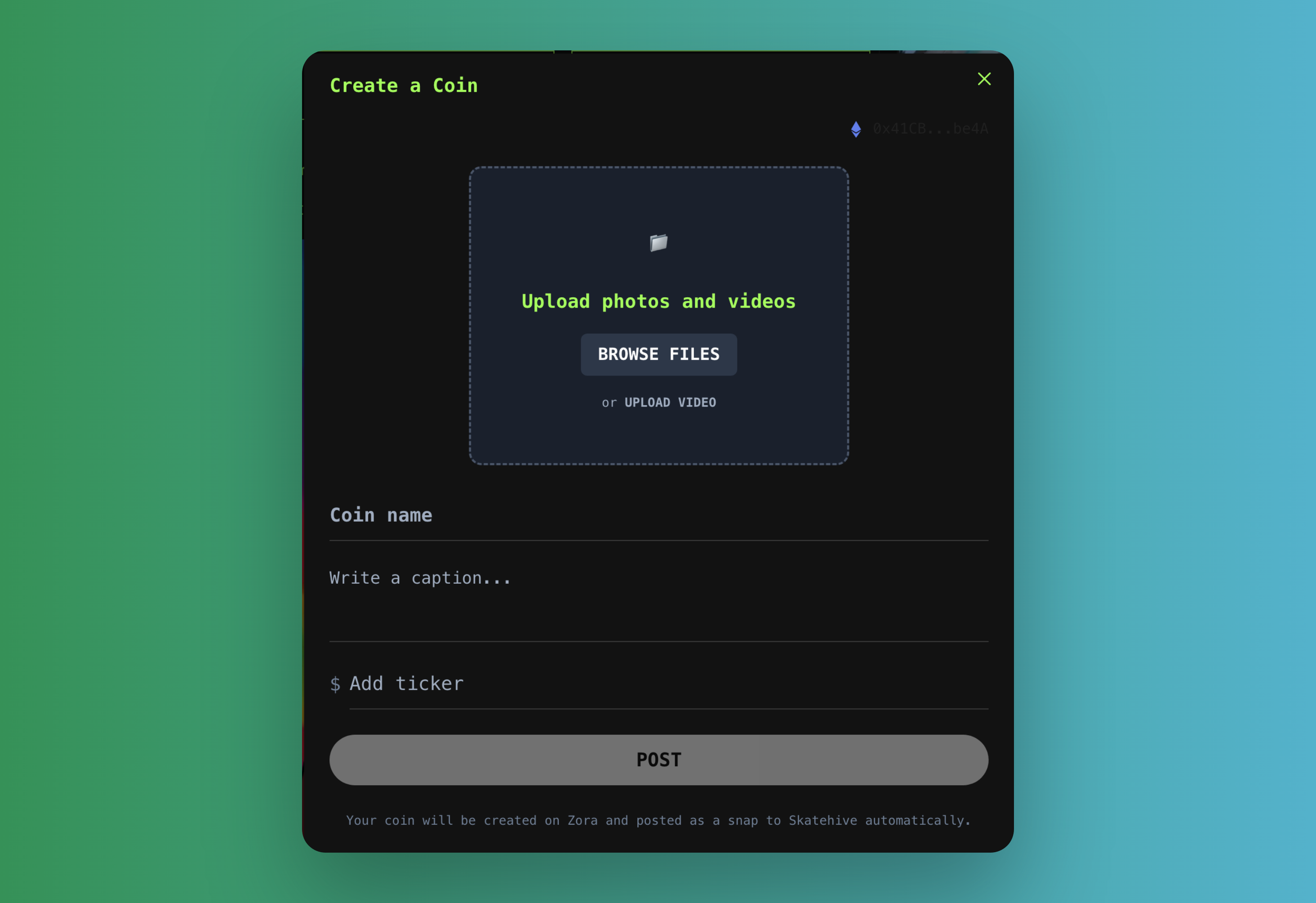
The system handles the rest - uploads to IPFS, creates the coin contract, posts to Hive.
---
## Media support
### Supported files
- **Images**: JPG, PNG, GIF, WebP
- **Videos**: MP4, WebM, MOV, AVI
- **Storage**: Files stored on IPFS
### Features
- Automatic video thumbnail generation
- Multiple IPFS gateways for reliability
- File compression and optimization
---
## What does "post to coin" mean?
### The basic idea
When you create a coin from a post, you're making that content into something people can buy and sell. Think of it like shares in that specific content.
### How it works
1. You post skating content
2. Community likes it (votes, comments)
3. You or someone else creates a coin from it
4. People can now trade that coin
5. If the content stays popular, coin value might go up
> If user had Ethereum and Hive wallet the coins is posted or edited under user Hive and Ethereum accounts. All your posts will be visible on Zora, Skatehive and all the other hive websites. If the user only has an Ethereum wallet, @SkateDev account will register the Coining on Hive blockchain automatically
---
## How trading works
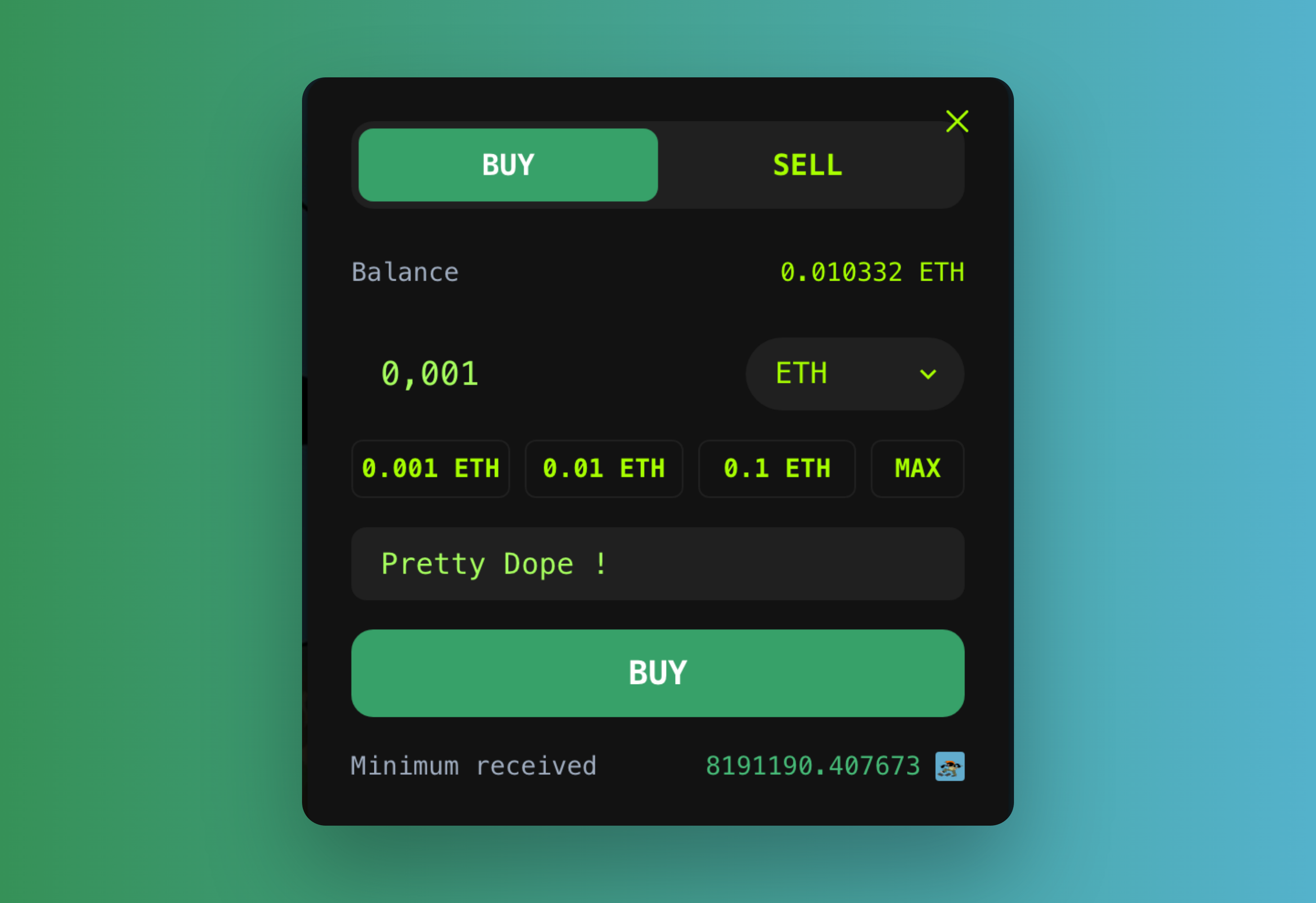
### For creators
- Make money when people buy your coins
- Earn from price increases if your content stays popular
- SkateHive gets small fee (2.5%) from trades that helps fund the platform
> **(this fee comes from zora fee not from the creator)**
- Coin holders become more invested in your content
### For coin buyers
- Support creators you believe in
- Might make profit if creator becomes popular
- Get in early on promising skaters
- Future: might get special access or voting rights
### For the platform
- Small fees from trades help keep SkateHive running
- More trading means more activity
- Connects Hive community to Ethereum ecosystem
- Creates new ways for skaters to make money
---
## What's currently working
- Create coins from posts or from scratch
- Upload images/videos (auto-generates thumbnails)
- Trade with ETH or USDC via Zora
- Connect any Ethereum wallet
- Coins show up as previews in posts
- Works with both Hive and Base networks
## Getting started
1. Connect your Ethereum wallet at skatehive.app
2. Browse existing coins to see how it works
3. Try buying a small amount of someone's coin
4. Post some content and create your first coin
**Tips**: Start small, build a following first, focus on quality content
---
---
## Devs
Building on or contributing to SkateHive? Start here.
SkateHive 3.0 is open source (Next.js 15 + Chakra UI, Hive blockchain, with
Farcaster and Ethereum/Base integrations). This section covers how to run, fork,
and extend the app.
- **[Fork SkateHive 3.0](./fork-skatehive)** — beginner-friendly guide to clone,
configure, and run the app locally.
- **[Application Overview](./app-features)** — a tour of the platform's features
and how the pieces fit together.
Want to help? Jump into the [repo](https://github.com/SkateHive/skatehive3.0) and
say hi in the community channels.
---
## App Features
# Skatehive 3.0 Application Overview
Skatehive 3.0 is a comprehensive community platform for skaters, built with Next.js 15 and Chakra UI. The application enables users to publish content to the Hive blockchain while seamlessly integrating with Farcaster and Ethereum ecosystems. This overview showcases the key features and functionality available in the platform.
## Posting Composer
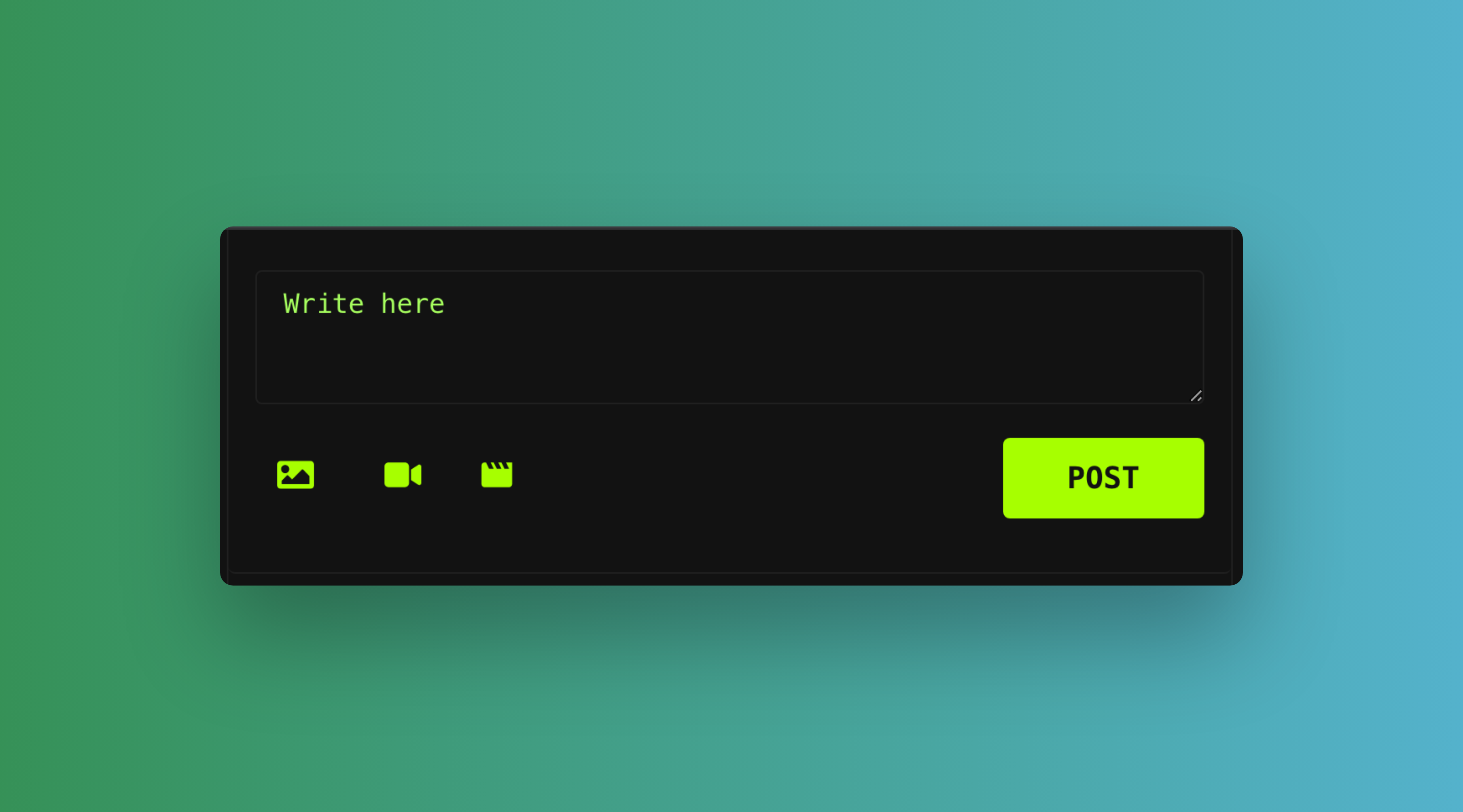
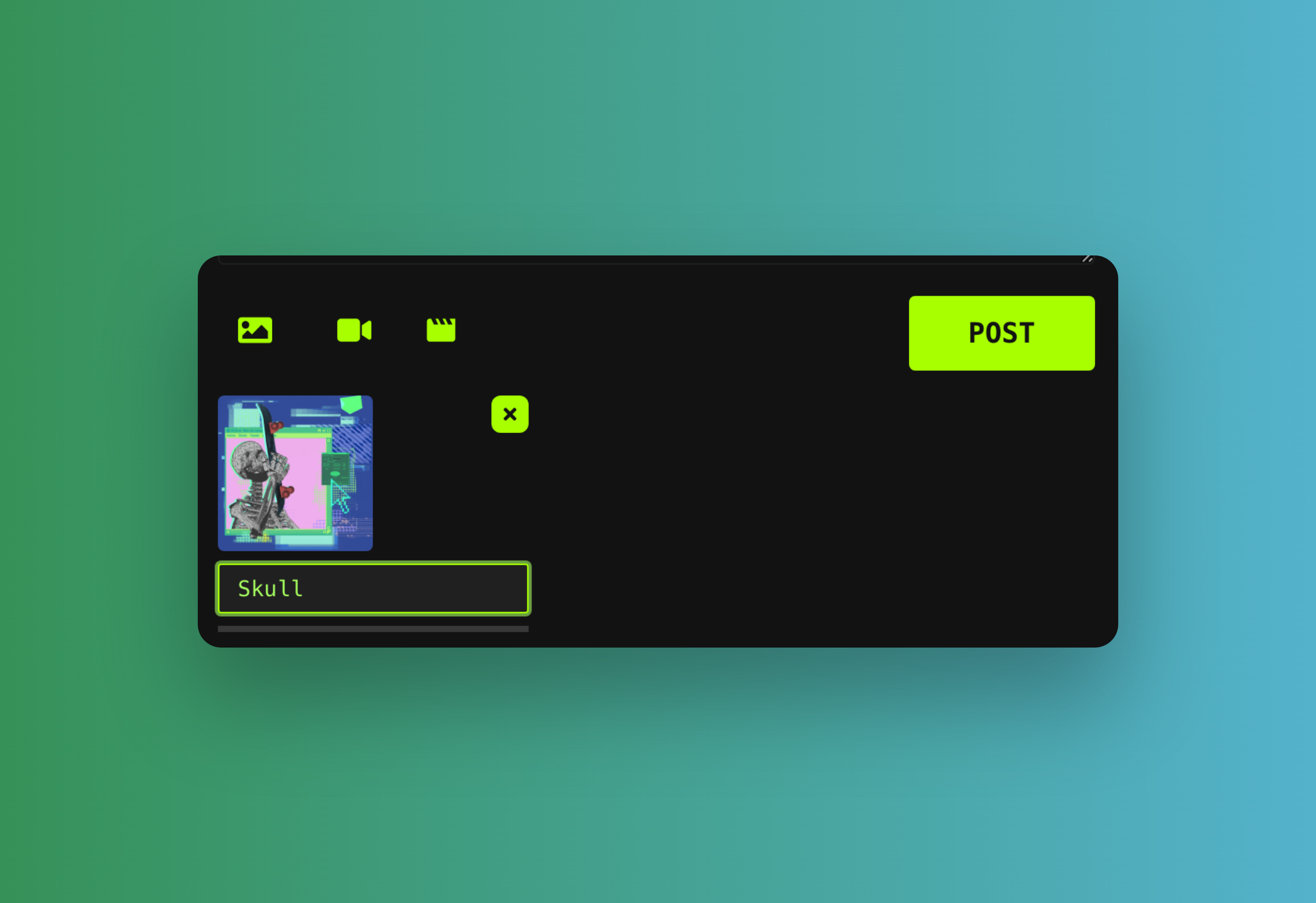
The posting composer allows users to create rich content using Markdown syntax, upload multimedia files, and publish directly to the Hive blockchain. The component features real-time preview capabilities and handles image/GIF uploads with integrated media processing hooks.
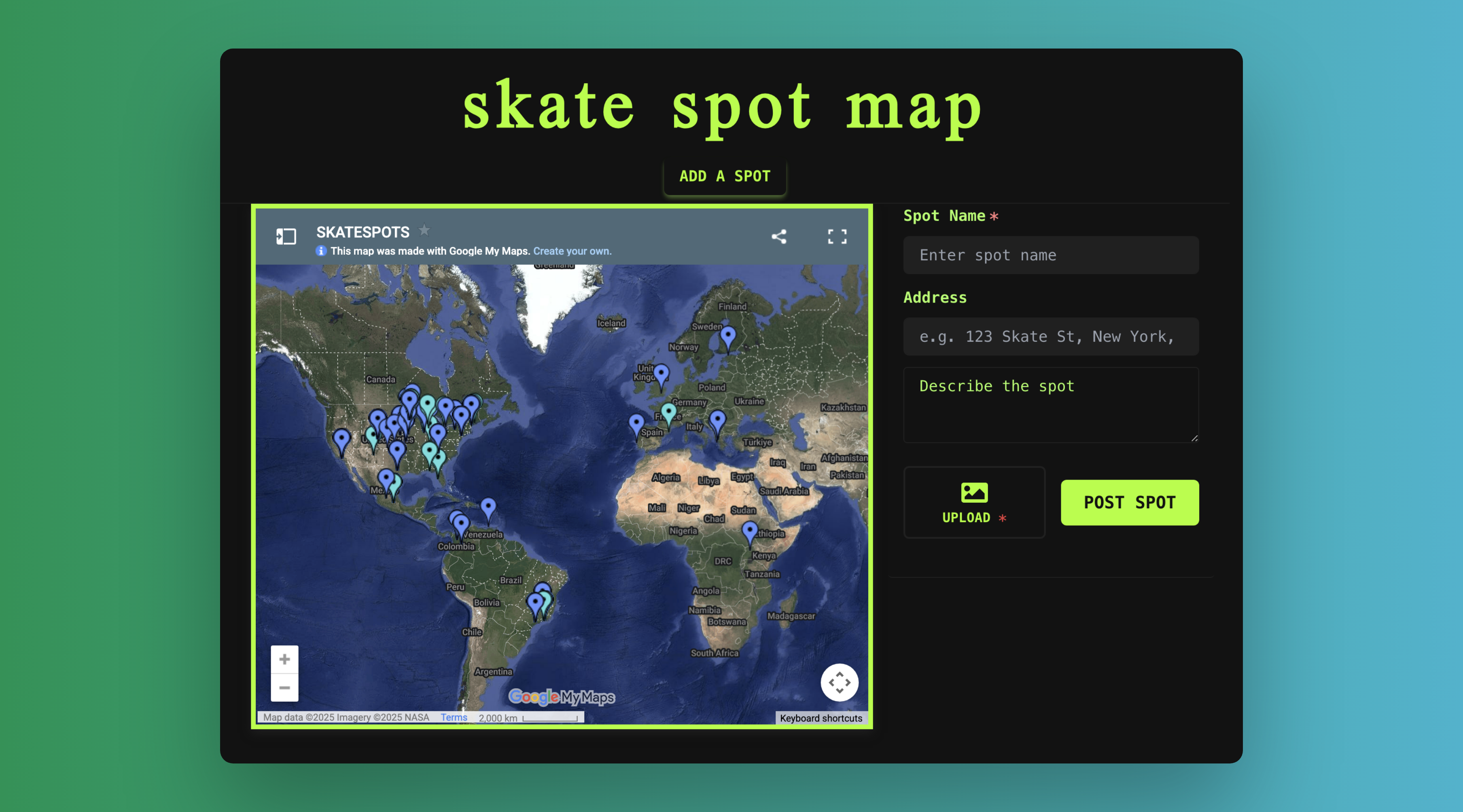
## Skate Spot Map
An interactive map displays community-submitted skate spots. Skaters submit a spot straight from the Snaps composer on a spot page, and it appears on the map. The map uses dynamic loading to maintain optimal page performance until users access the feature.
## Bounties
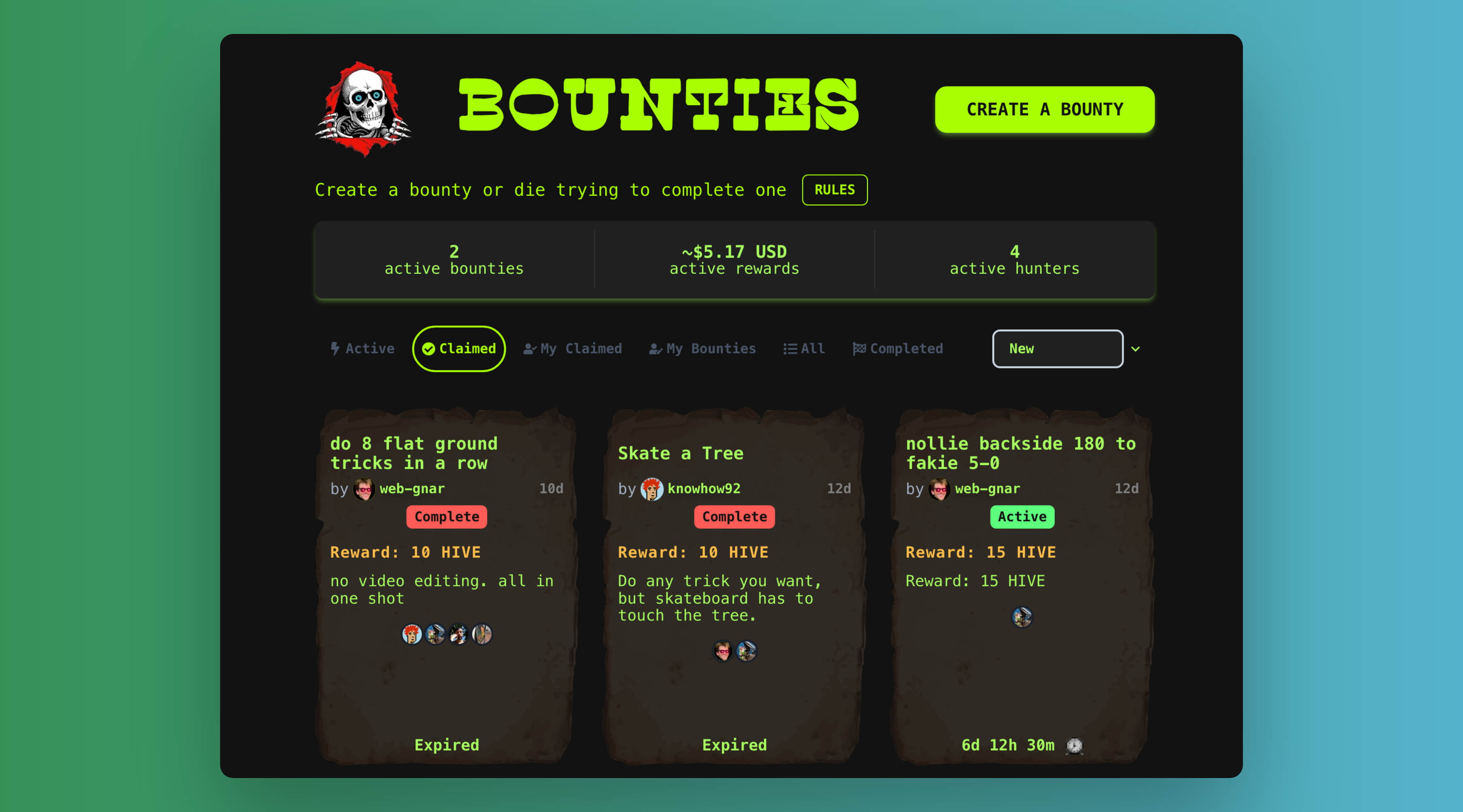
The bounty system gamifies trick challenges where users submit video clips to earn community rewards. Submitting a bounty creates a Snap, while claiming bounties works through upvoting mechanisms. The bounty creator triggers payments when challenges end, automatically generating winner announcements.
## Magazine Mode
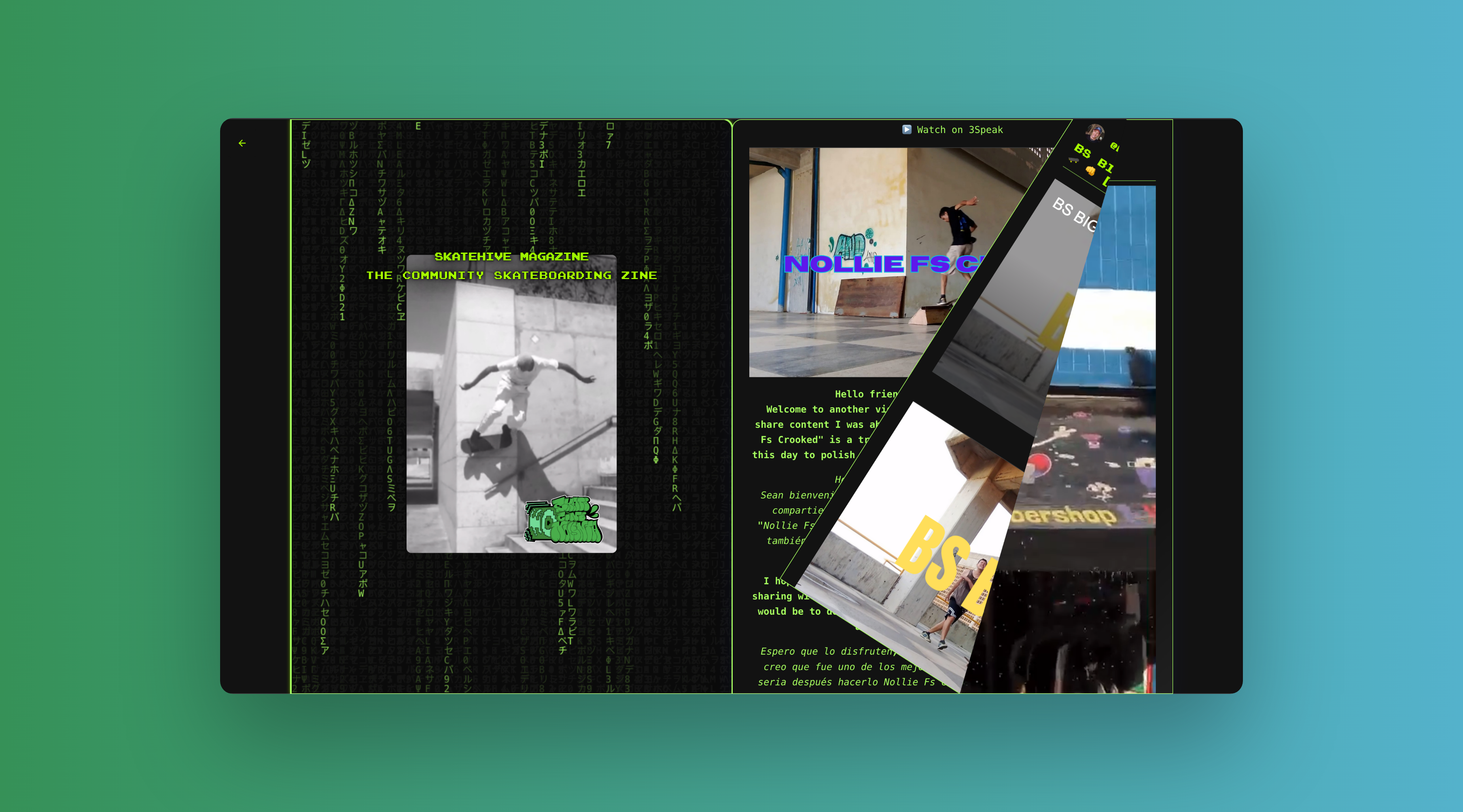
Magazine mode transforms community posts into an elegant flipbook-style presentation, highlighting trending content within the Skatehive ecosystem for an immersive reading experience.
## Leaderboard
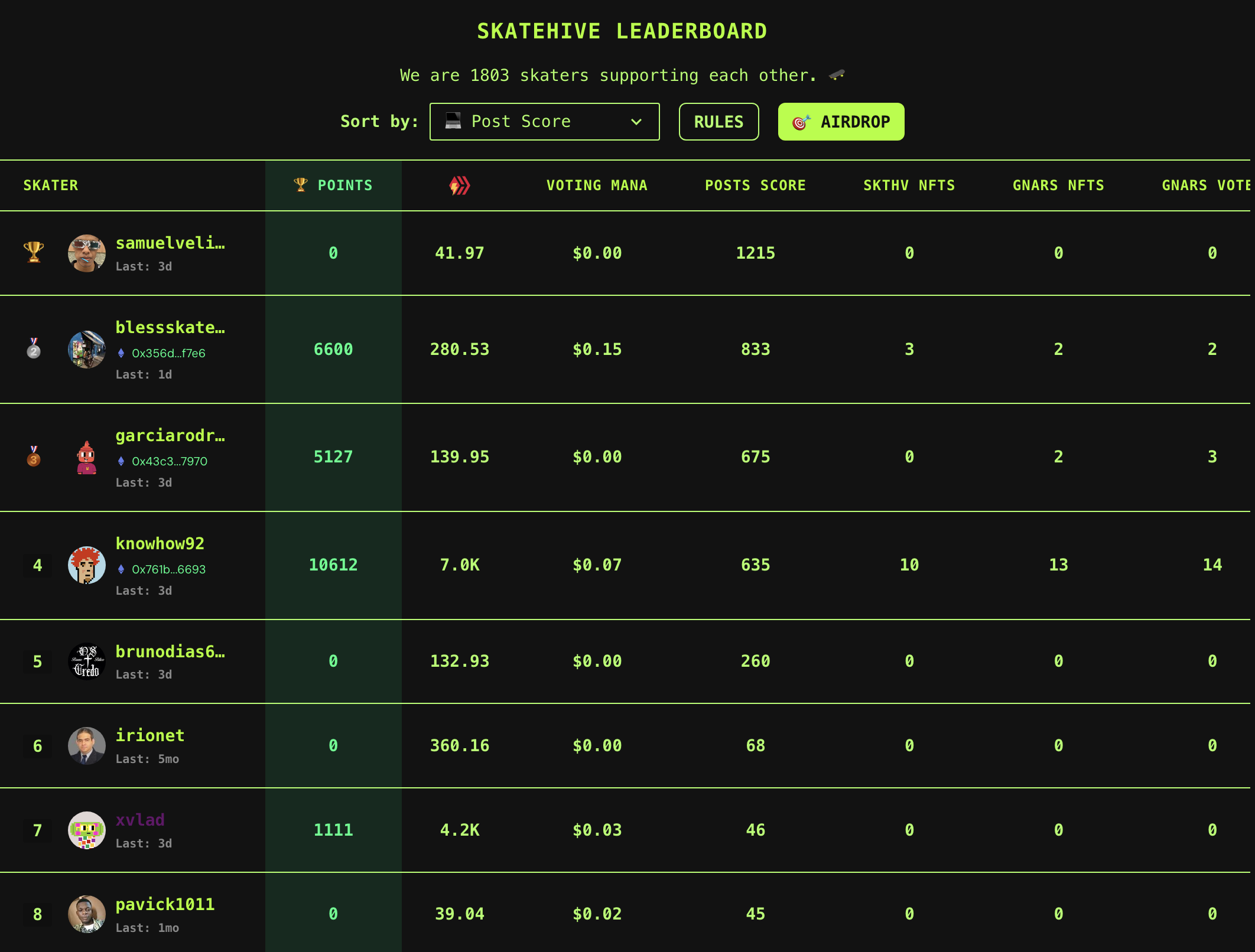
The leaderboard ranks SkateHive users based on engagement, posting, Hive Power, NFT holdings, treasure donations, witness voting etc.
## Invite System
Authenticated users can invite friends by creating new Hive accounts through email invitations. The system constructs and broadcasts the required Hive operations using Keychain integration for secure account creation.

## Airdrop
Any user can create airdrops with Hive tokens or whitelisted ERC20 tokens to support or encourage user behavior by filtering the airdrops by leaderboard category.
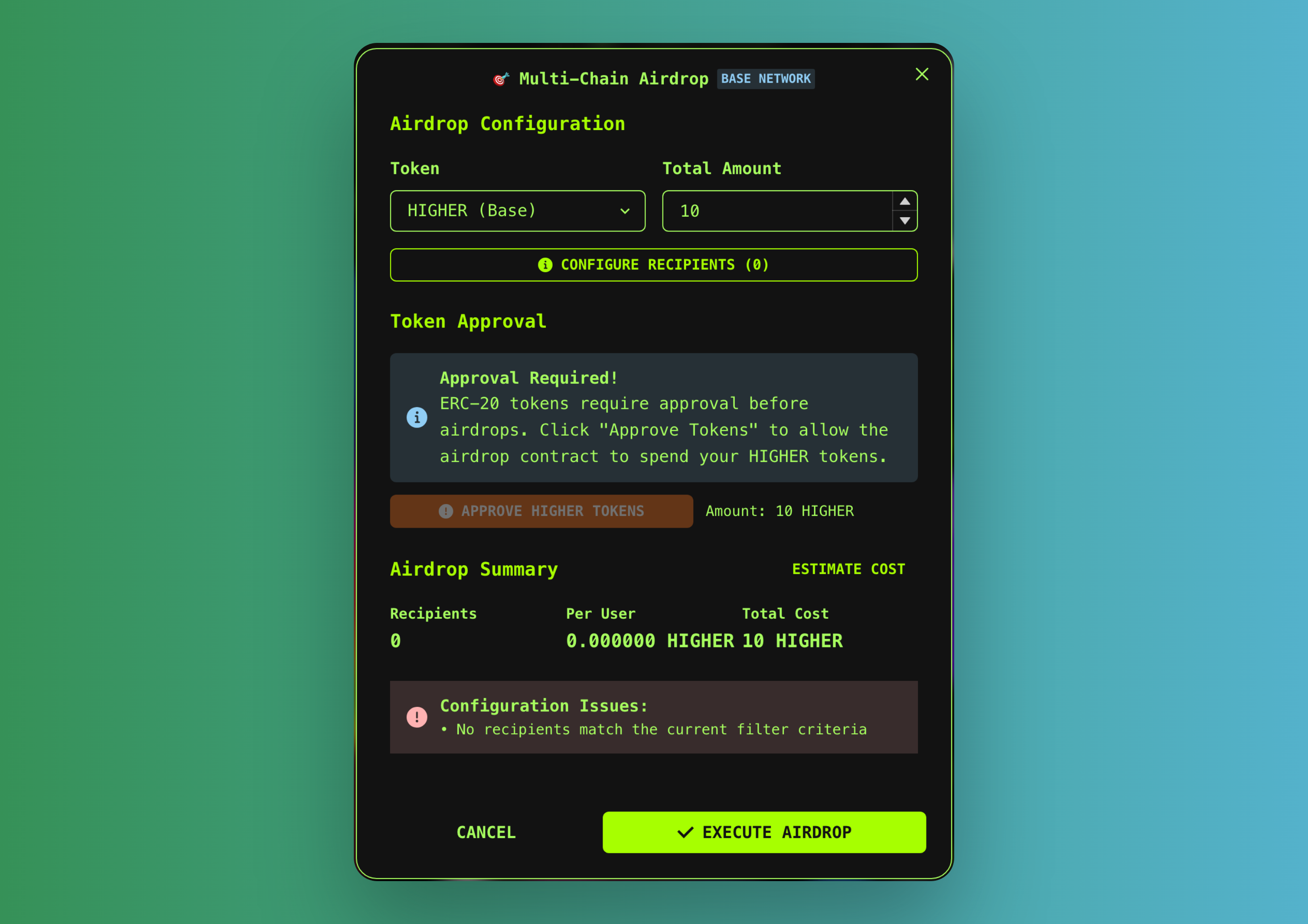
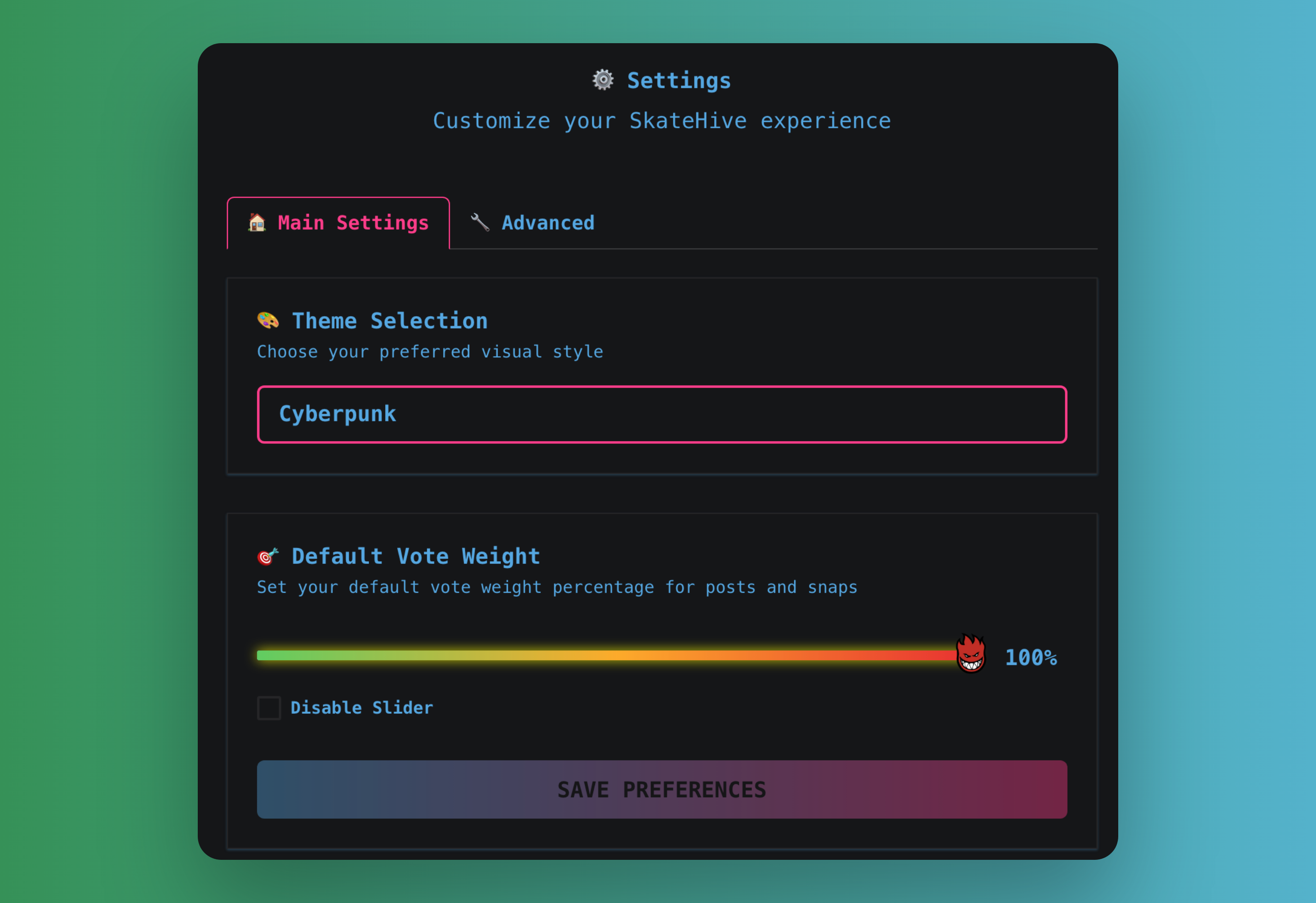
## Settings and Theme Selection
The platform offers customization through multiple theme options. Creating custom Skatehive themes is straightforward, and while some themes may have minor quirks, they all provide unique visual experiences. Community contributions for new themes are encouraged!
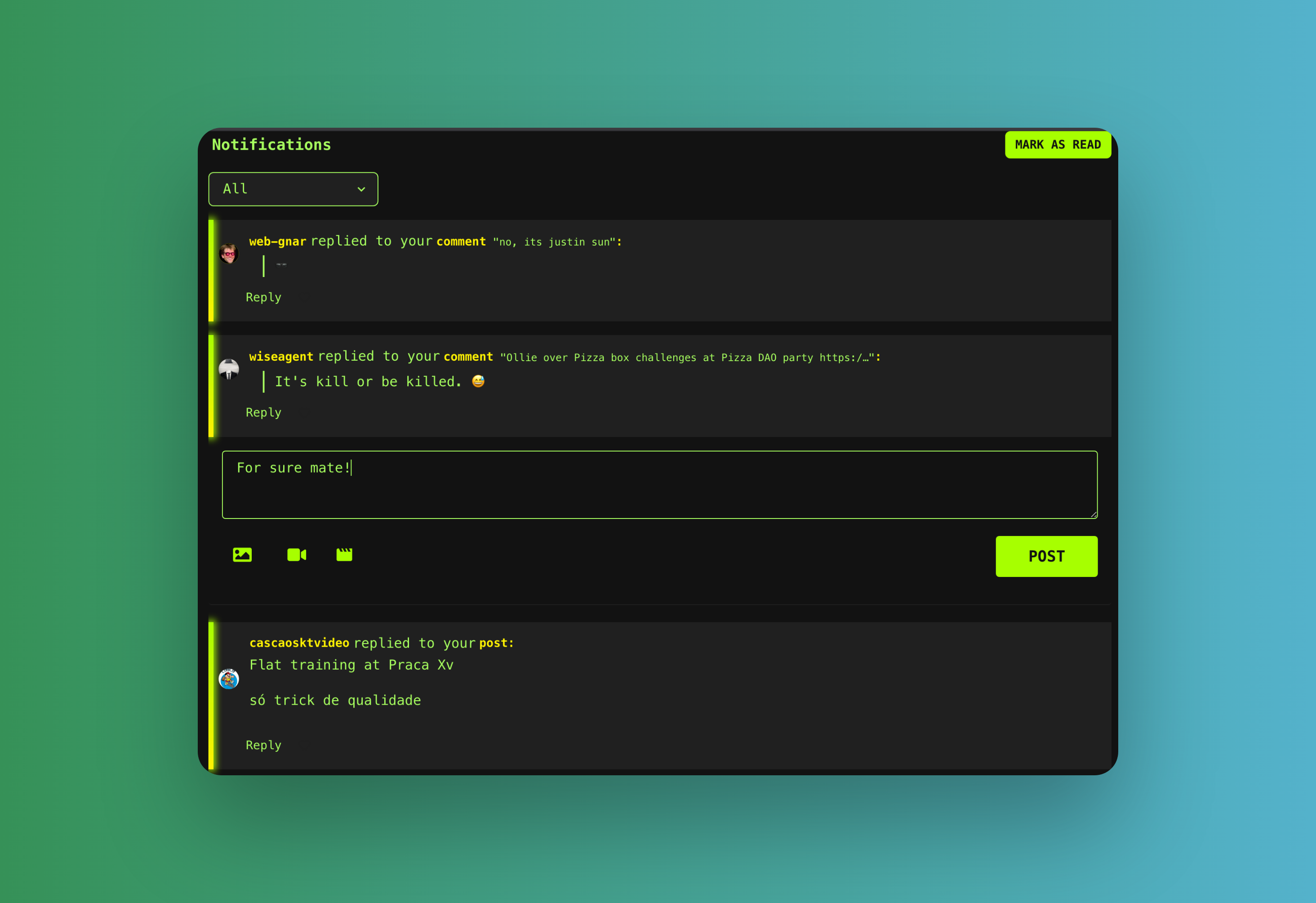
## Fast Reply Notification System
The notification page features an integrated SnapComposer for quick replies directly from notifications. This functionality extends to the Farcaster miniapp, enabling seamless communication across platforms.
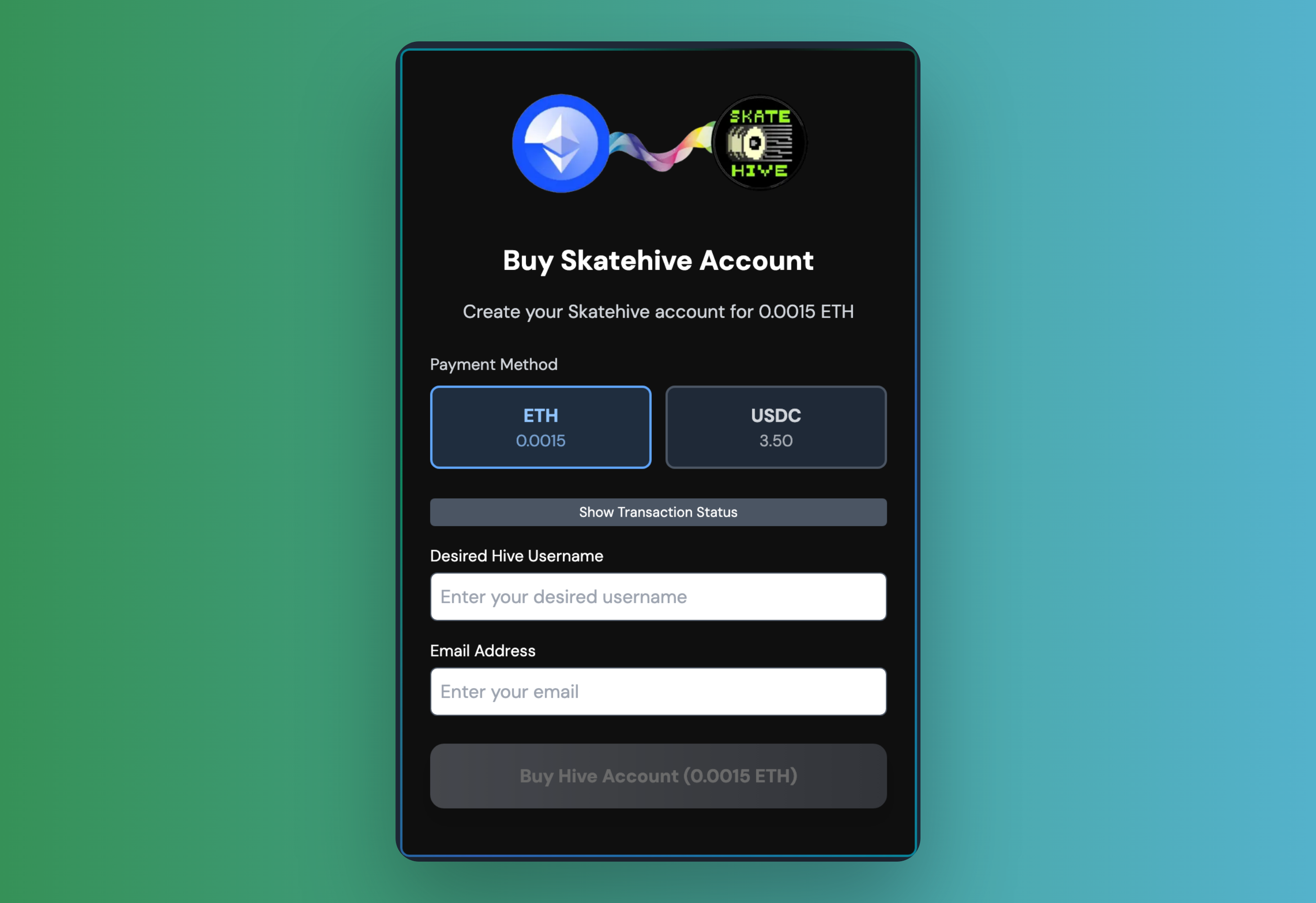
## Buy Hive Account with ETH
Our OnchainKit-powered webapp (compatible as a Farcaster miniapp) enables users to purchase Hive accounts using ETH or USDC on Base network. All proceeds are directed to the skatehive.eth wallet to support platform development.
## Multichain Wallet
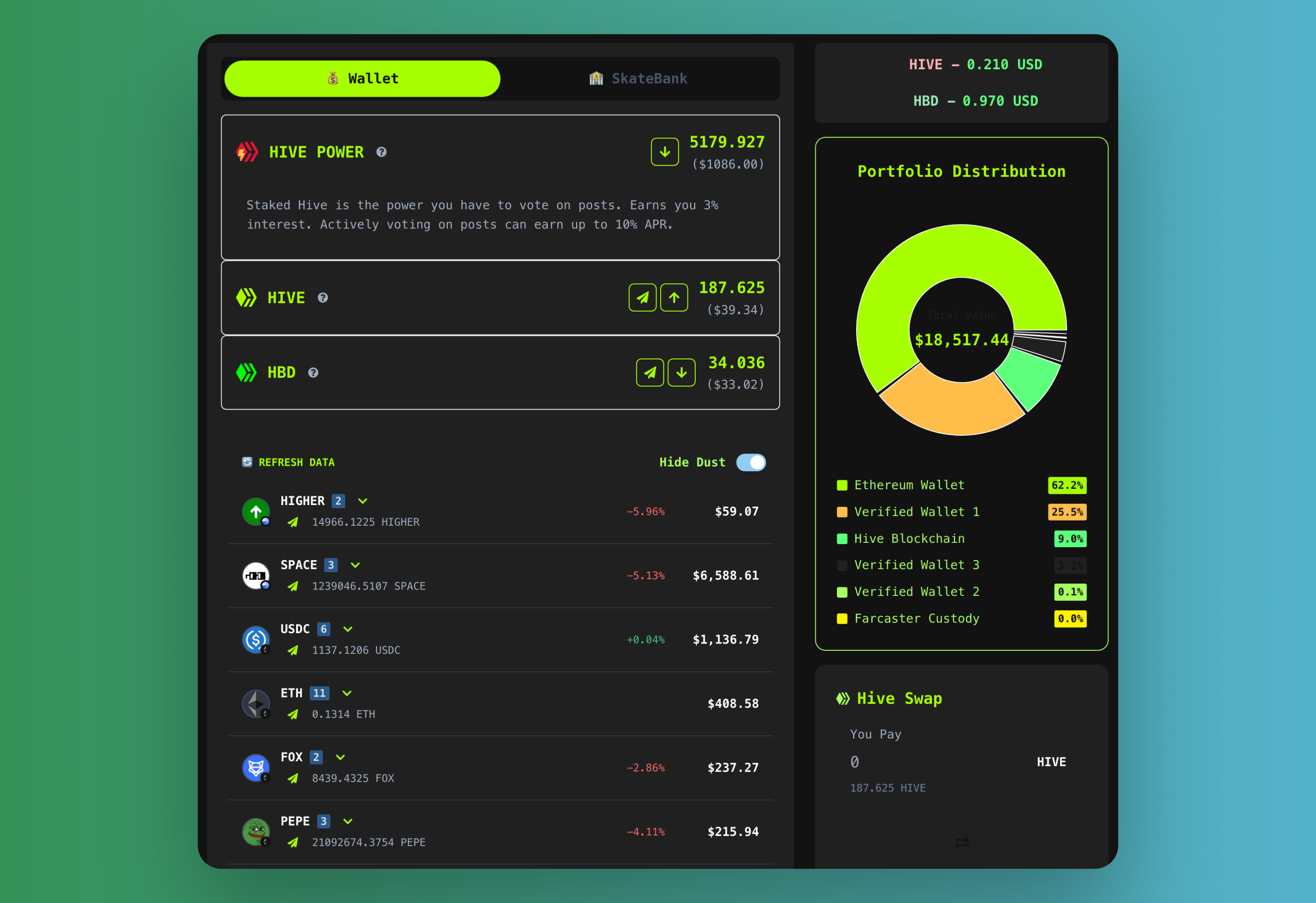
The [`/wallet`](https://skatehive.app/wallet) page provides a unified dashboard for managing balances across Hive, Ethereum, and Farcaster wallets. The SkateBank section offers advanced features including HBD savings, token staking, and Pix integration, creating a comprehensive financial management hub within the application.
## Farcaster Notifications
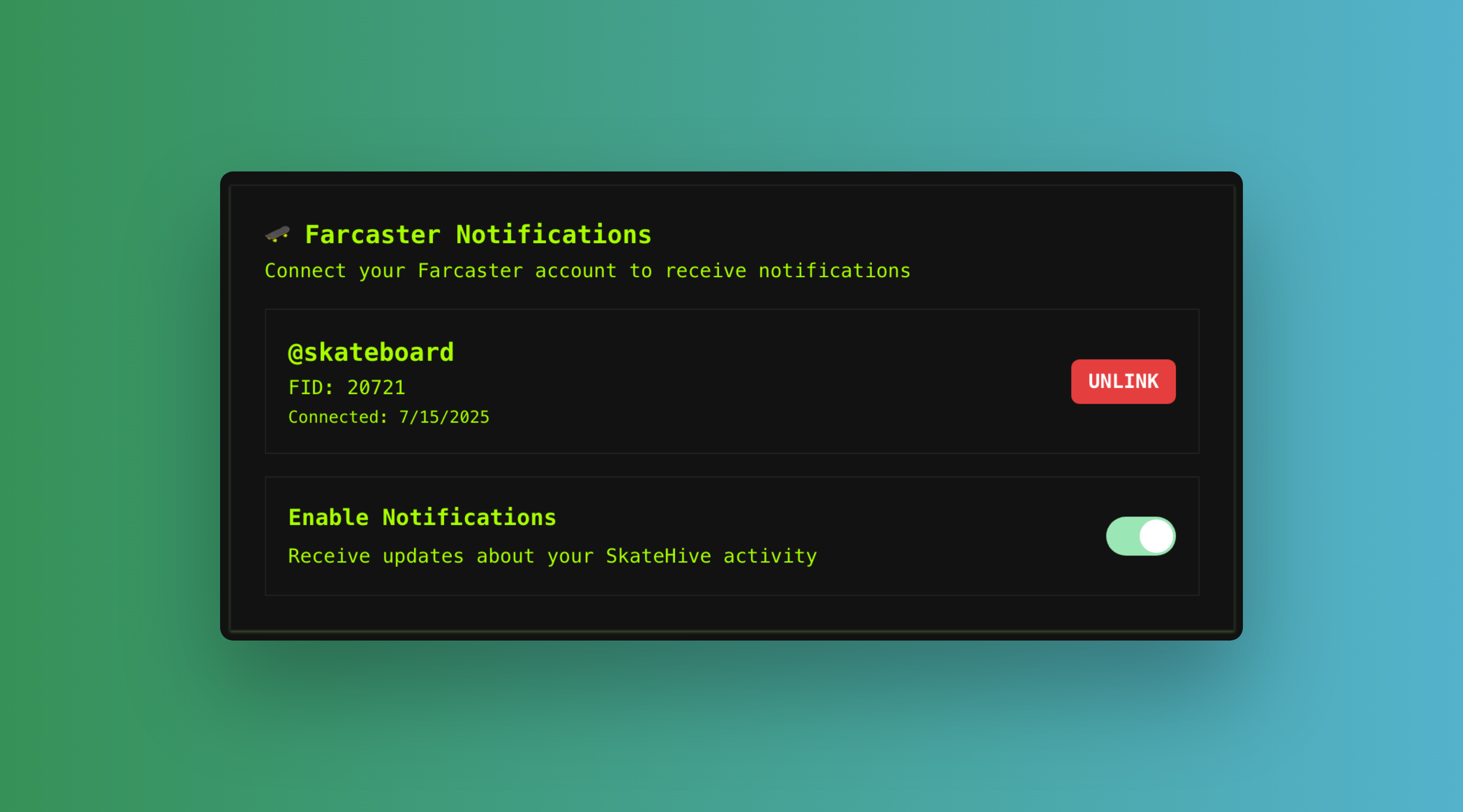
The platform bridges Hive blockchain events to Farcaster miniapp users through push notifications. Users first add the miniapp in Farcaster to register in our PostgreSQL database via webhook, then visit [`/settings`](https://skatehive.app/settings) to link their Hive account with Farcaster and enable cross-platform mobile notifications.
## Auction Platform
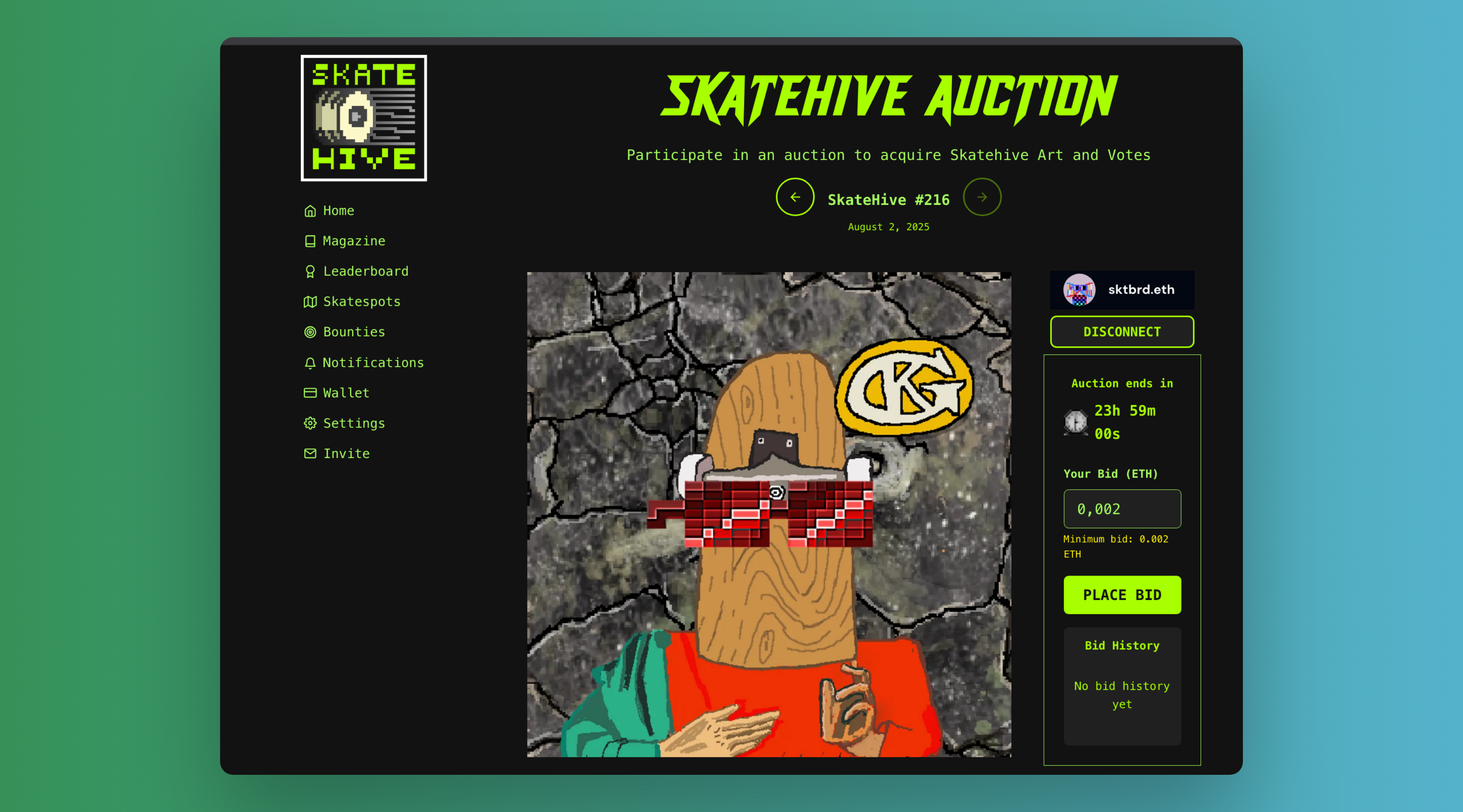
As a [Builder DAO](https://docs.nouns.build/), Skatehive operates an [`/auction`](https://skatehive.app/auction) marketplace that fetches auctions from Nouns Builder contracts. The platform includes Farcaster frame metadata, enabling users to collect digital art directly through Farcaster frames for seamless NFT interactions.
## Miniapp Integration
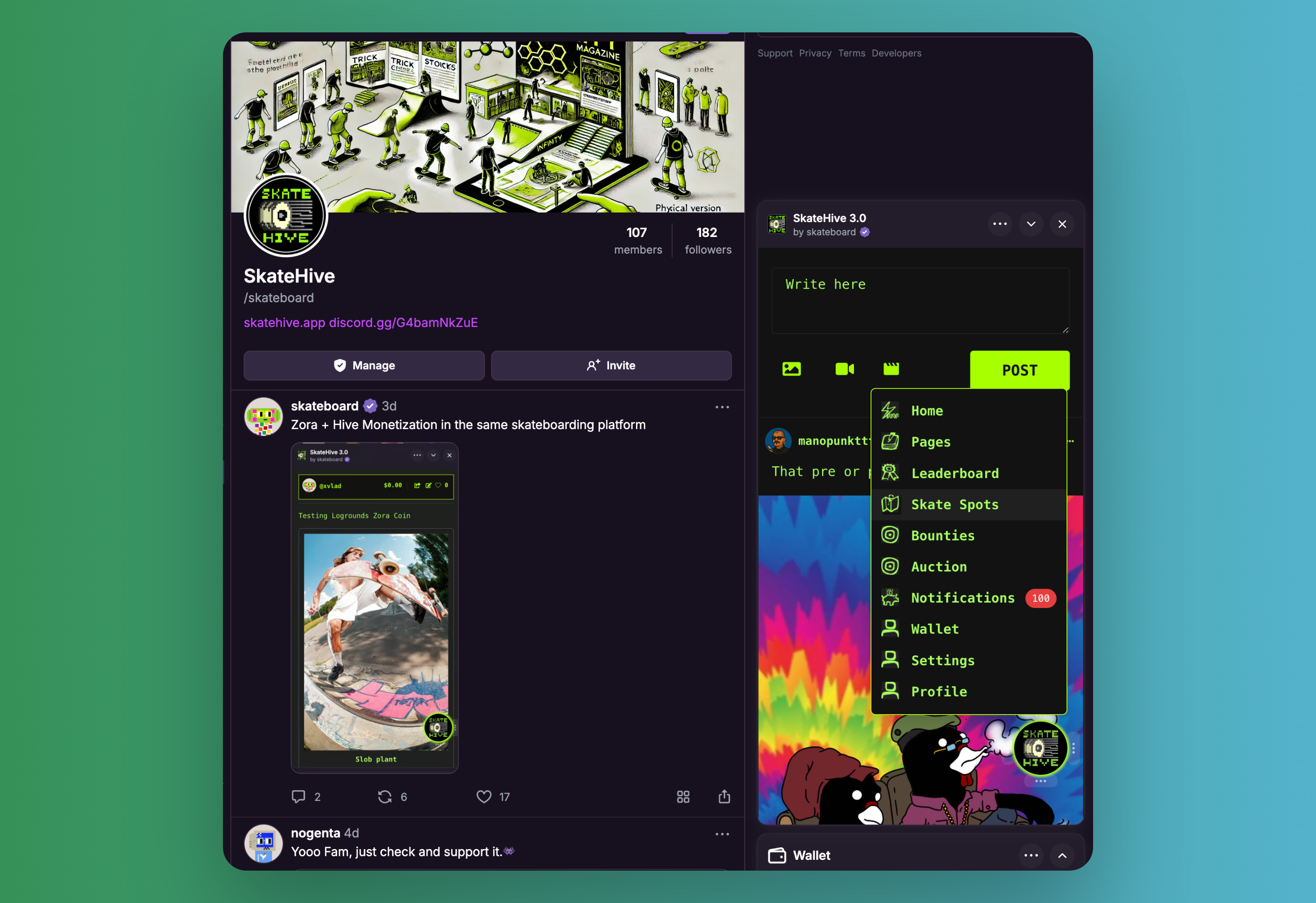
Skatehive functions as a native Farcaster miniapp with intelligent client detection and automatic user authentication. The miniapp components handle seamless account linking without requiring additional sign-in processes, sending welcome notifications upon successful linking.
## Media Upload Infrastructure
The platform utilizes a hybrid approach for media hosting: Hive Images service for standard uploads, and our dedicated IPFS endpoint (ipfs.skatehive.app) for magazine posts and videos. Our Pinata Basic plan ($20/month) ensures optimal video loading performance but public gateways will work as well. Future plans include reintegrating 3Speak functionality as previously implemented.
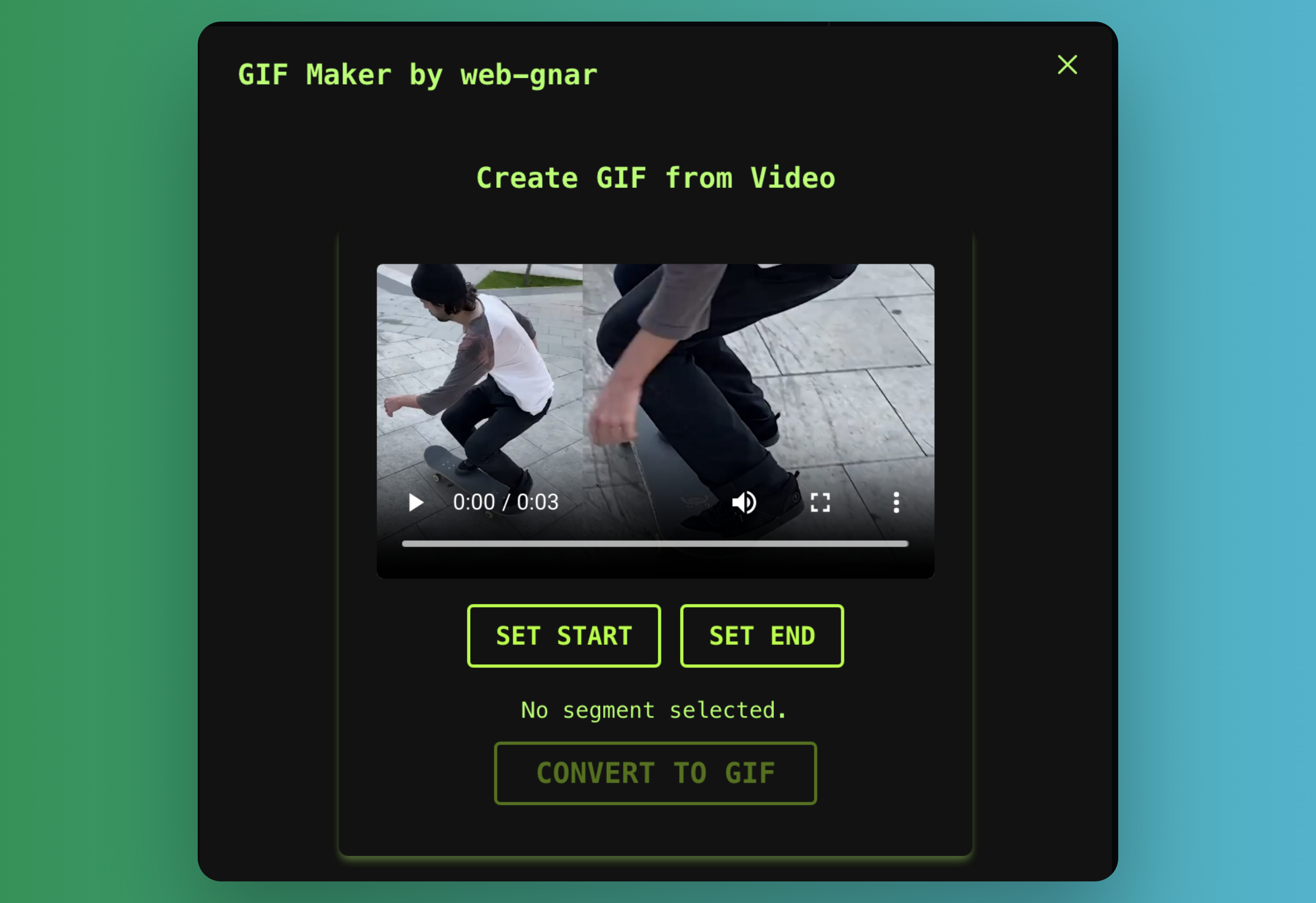
## GIF Creation Tool
The integrated GIF maker allows users to upload videos and create custom GIFs with up to 30 seconds duration.
## Zora Integration
Ethereum-connected users can mint Zora coins on Base network and promote Hive posts to Zora collectibles. This feature bridges traditional social content with NFT monetization. For detailed implementation information, refer to the dedicated Zora integration documentation.

## Ethereum Features
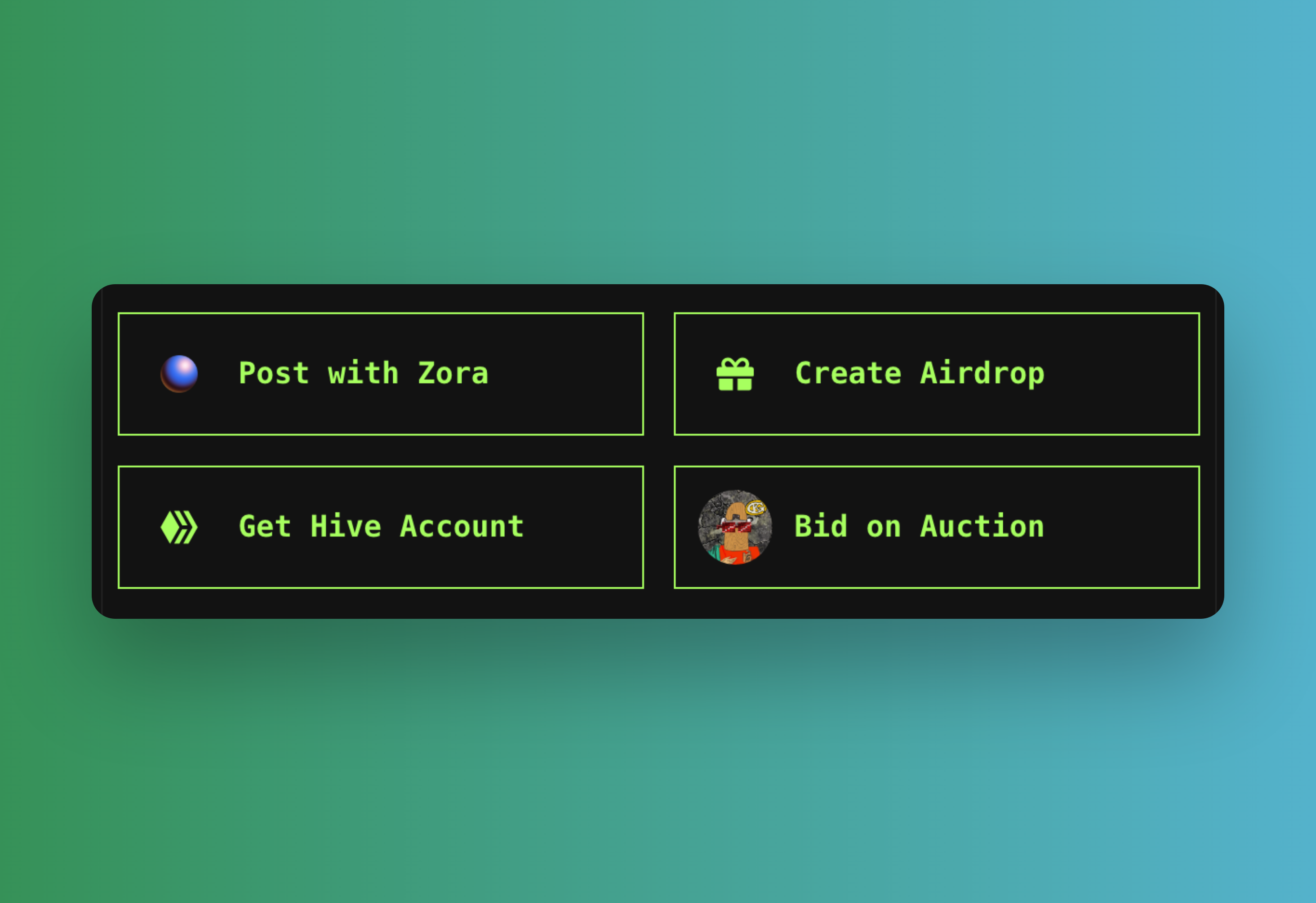
If a user is connected solely with their Ethereum wallet and does not have a Hive account, the SnapComposer adapts to display Ethereum-specific actions. This allows users to interact with the platform using their Ethereum identity, providing relevant features and options available on the Ethereum network.
---
---
## Fork Skatehive Guide
# Fork Skatehive 3.0 Guide (Beginner Friendly)
This guide explains how to fork the Skatehive 3.0 repository, run it locally, and optionally enable advanced features.
## 1. Fork the repository on GitHub
1. Sign in to GitHub and visit [`Skatehive/skatehive3.0`](https://github.com/Skatehive/skatehive3.0).
2. Click **Fork** to create your own copy of the repo.
3. Clone your fork:
```bash
git clone https://github.com//skatehive3.0.git
cd skatehive3.0
```
4. (Optional but recommended) keep the original repo as an upstream remote:
```bash
git remote add upstream https://github.com/Skatehive/skatehive3.0.git
```
5. Create a feature branch before making changes:
```bash
git checkout -b my-feature
```
6. After committing your work, push to your fork and open a pull request.
## 2. Minimal local installation
Skatehive now uses a centralized configuration system where sensible defaults are committed to version control.
1. Copy the example environment file:
```bash
cp .env.local.example .env.local
```
2. Edit `.env.local` and set the **only** required variable for basic operation:
- `HIVE_POSTING_KEY` – your Hive posting key
All other values (Hive tags, app account, theme, URLs, DAO addresses) are pre-configured in `config/app.config.ts`.
3. Install dependencies and start the dev server:
```bash
pnpm install
pnpm dev
```
## 3. Customizing your fork
The application configuration is centralized in `config/app.config.ts`. This file contains:
- `HIVE_CONFIG` – community tags, search tags, default app account
- `DAO_ADDRESSES` – Base Mainnet DAO contract addresses
- `ETH_ADDRESSES` – known Ethereum addresses (multisig, tokens, NFTs)
- `APP_CONFIG` – app name, domain, theme, IPFS gateway, vote weight
- `EMAIL_DEFAULTS` – SMTP configuration defaults
- `EXTERNAL_SERVICES` – DAO GraphQL, Hive signer, signup signer
To fully customize your fork, edit `config/app.config.ts` with your values:
```typescript
export const HIVE_CONFIG = {
COMMUNITY_TAG: 'hive-your-community',
SEARCH_TAG: 'your-tag',
APP_ACCOUNT: 'your-account',
// ...
};
export const APP_CONFIG = {
NAME: 'Your Community',
DOMAIN: 'your-community.app',
BASE_URL: 'https://your-community.app',
DEFAULT_THEME: 'your-theme',
// ...
};
```
Environment variables in `.env.local` are only needed for:
- Secrets (API keys, posting keys)
- Deployment-specific overrides
- Optional feature flags
## 4. Optional advanced configuration
Add these to `.env.local` as needed:
### Supabase / Database
- `NEXT_PUBLIC_SUPABASE_URL`, `NEXT_PUBLIC_SUPABASE_PUBLIC_KEY`, `SUPABASE_SERVICE_ROLE_KEY`
### Web3 / Ethereum
- `NEXT_PUBLIC_WALLETCONNECT_PROJECT_ID`
- `NEXT_PUBLIC_ALCHEMY_KEY`
- `ETHERSCAN_API_KEY`
### Zora
- `NEXT_PUBLIC_ZORA_API_KEY`
### Farcaster Notifications
- `FARCASTER_HUB_URL`
- `FARCASTER_INIT_PASSWORD`
- `ADMIN_USERS`
### Signup / Signer System
- `SIGNER_URL`, `SIGNER_TOKEN`
- `VIP_PEPPER`, `JWT_SECRET`
### Email / SMTP
- `EMAIL_USER`, `EMAIL_PASS`, `EMAIL_RECOVERYACC`
### IPFS / Pinata
- `PINATA_JWT`
See `.env.local.example` for the complete list of optional variables.
EOF
---
## Features
Everything SkateHive can do, in one place. Browse the guides for each feature:
- **[Wallet](./wallet)** — your multi-chain wallet: Hive, EVM and Farcaster
balances, send/receive, swaps, savings, PIX and more.
- **[Earn in Bitcoin](./earn-in-btc)** — turn your HBD rewards into real BTC.
- **[Snaps](./snaps)** — the short-form skate feed and composer.
- **[Cross-posting](./cross-posting)** — share your Snaps to Instagram and
Farcaster.
- **[Spot Map](./spot-map)** — find and submit skate spots.
- **[Leaderboard](./leaderboard)** — how skaters are ranked.
- **[Bounties](./bounties)** — trick challenges with crypto rewards.
- **[Video Upload](./video-upload)** — share your clips.
- **[DAO & Governance](./dao-governance)** — community treasury and voting.
---
## Airdrop System
Distribute tokens to community members based on leaderboard rankings.
---
## 🎁 What is it?
Reward top contributors with crypto airdrops:
- Select recipients from leaderboard
- Choose token (HIVE, HBD, USDC, HIGHER)
- Set total amount
- Execute distribution
---
## 💰 Supported Tokens
**Hive Blockchain:**
- HIVE
- HBD (stablecoin)
**Ethereum (Base Network):**
- HIGHER
- USDC (stablecoin)
**Connect your wallet to see available tokens.**
---
## 🚀 How to Airdrop
### 1. Select Token
Choose which token to distribute.
### 2. Configure
Set parameters:
- **Sort by:** Points, Hive Power, NFTs, etc.
- **Limit:** How many users (top 10, 50, 100...)
- **Total amount:** How much to distribute
- **Distribution:** Equal split or weighted by score
### 3. Preview
Review:
- Who gets how much
- Total cost (including gas)
### 4. Execute
Sign the transactions and distribute!
**Progress shown in real-time.**
---
## 📊 Distribution Methods
**Equal:** Everyone gets same amount
**Weighted:** Higher-ranked users get more
Example weighted (100 HIVE, 3 users):
```
User A (50 points) → 50 HIVE
User B (30 points) → 30 HIVE
User C (20 points) → 20 HIVE
```
---
## 🔔 Announcement
After airdrop, a post is automatically created announcing:
- Total distributed
- Number of recipients
- Optional network visualization
**Builds community engagement!**
---
## 💡 Use Cases
**Weekly Rewards:**
"Top 20 contributors this week - 500 HIVE"
**Contest Prizes:**
"Best clips of the month - 1000 HIGHER"
**Community Support:**
"Active community members - 200 HBD"
**Special Events:**
"Contest winners - 500 USDC"
---
## ⚠️ Notes
**Ethereum (Base):**
- Requires gas fees (~$0.50)
- Need to approve token spending first
- Transactions batched for efficiency
**Hive:**
- No gas fees
- Instant transfers
- Direct wallet-to-wallet
---
## ❓ FAQ
**Can I airdrop to specific users?**
Yes, use the leaderboard filters and limits.
**What's the minimum amount?**
No minimum, but consider gas costs for Ethereum.
**Can I undo an airdrop?**
No, transactions are permanent.
**Do recipients get notified?**
Yes, via wallet notifications and the announcement post.
**Can I schedule recurring airdrops?**
Not yet, but coming soon!
---
**Start an airdrop:** [skatehive.app/airdrop](https://skatehive.app/airdrop)
**Need help?** [Discord #help](https://discord.gg/skatehive)
---
## Bounties
**Get paid to land tricks!** SkateHive Bounties lets you create trick challenges and earn crypto rewards on two blockchains.
🎯 **View bounties:** [skatehive.app/bounties](https://skatehive.app/bounties)
---
## 🌐 Two Blockchain Systems
SkateHive supports bounties on two different networks:
### Hive Bounties
- **Currency:** HBD or HIVE
- **Platform:** Hive blockchain
- **Payment:** Creator manually approves winners
- **Best for:** Community challenges, social rewards
### POIDH Bounties (Ethereum)
- **Currency:** ETH
- **Platform:** Base or Arbitrum (Layer 2)
- **Payment:** Smart contract (on-chain verification)
- **Best for:** Decentralized verification, ETH rewards
---
## 📋 How to Browse Bounties
Go to [skatehive.app/bounties](https://skatehive.app/bounties) and you'll see:
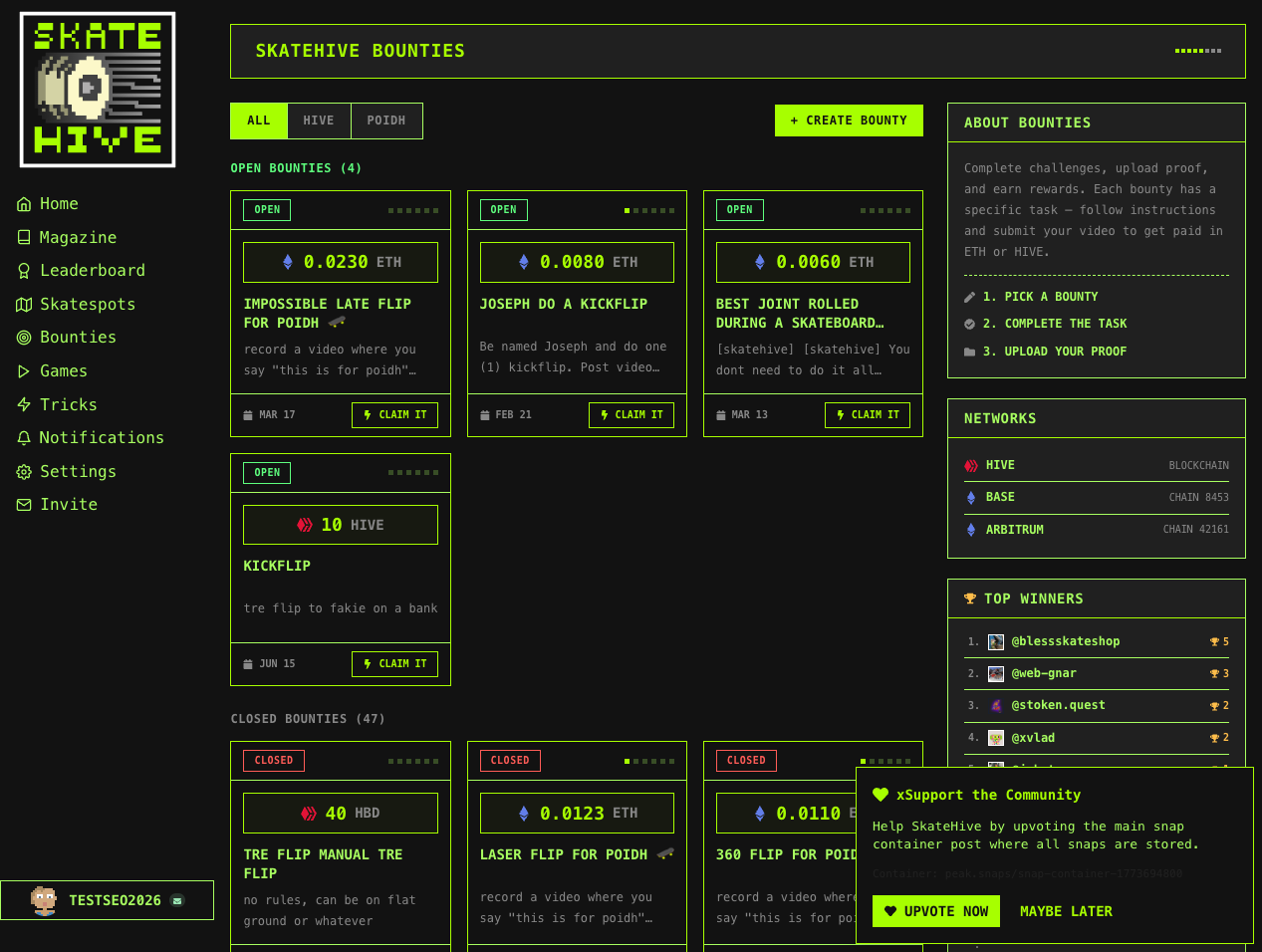
**Filter by source:**
- **ALL** — Shows bounties from both Hive and POIDH
- **HIVE** — Only Hive bounties (HBD/HIVE rewards)
- **POIDH** — Only Ethereum bounties (ETH rewards)
Each bounty card shows:
- 🟢 **OPEN** or 🔴 **CLOSED** status
- 💰 Reward amount (+ USD equivalent)
- 📝 Trick description
- 📅 Deadline (if set)
- 🎯 **CLAIM IT** or **PROOF** button
---
## 💎 How to Create a Bounty
### Step 1: Click "+ CREATE BOUNTY"
On the main bounties page, click the **"+ CREATE BOUNTY"** button (top right).
### Step 2: Choose Your Blockchain
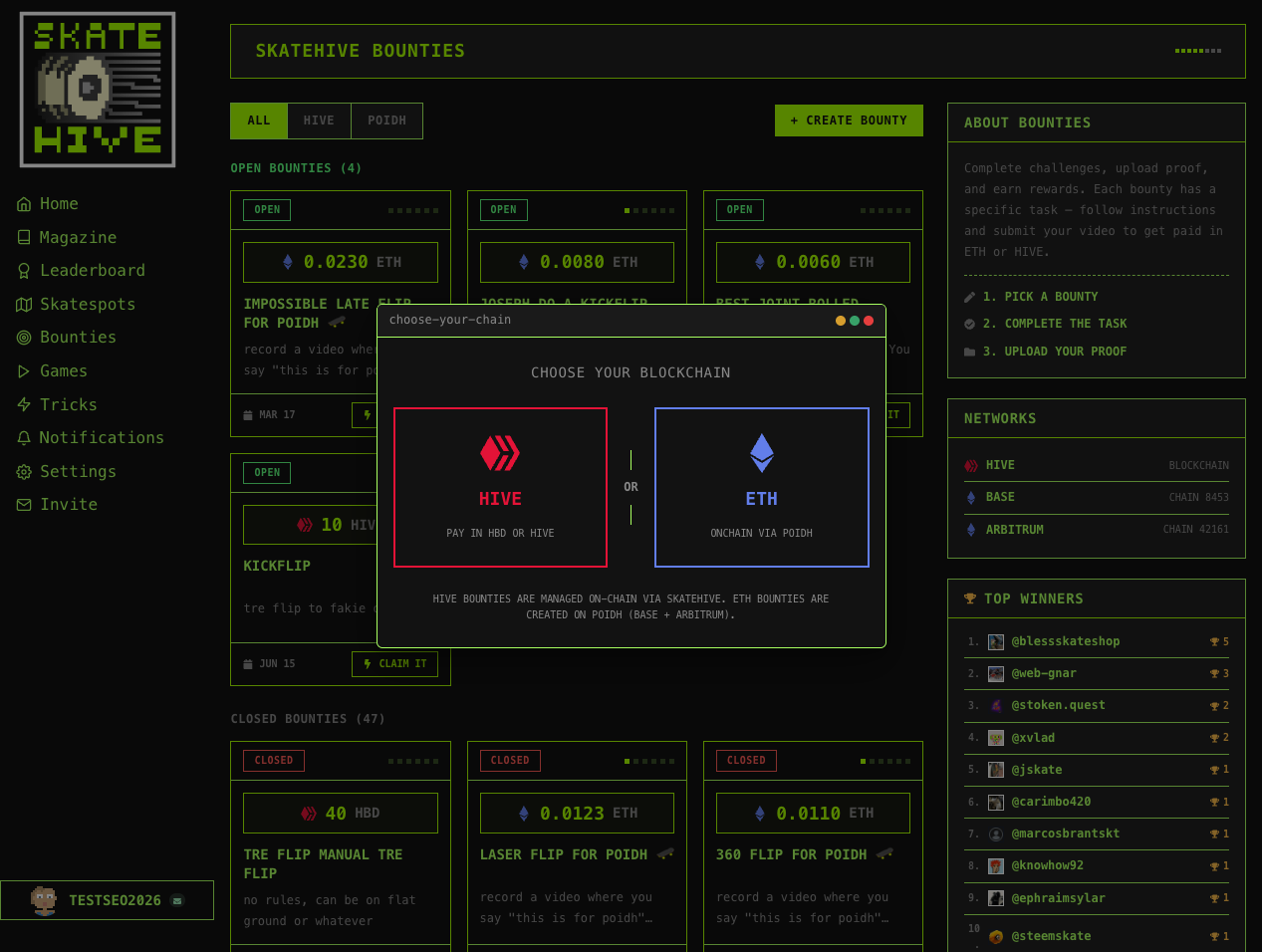
You'll see two options:
- **HIVE** (left) — Pay in HBD or HIVE
- **ETH** (right) — Pay on-chain via POIDH
---
### Creating a Hive Bounty
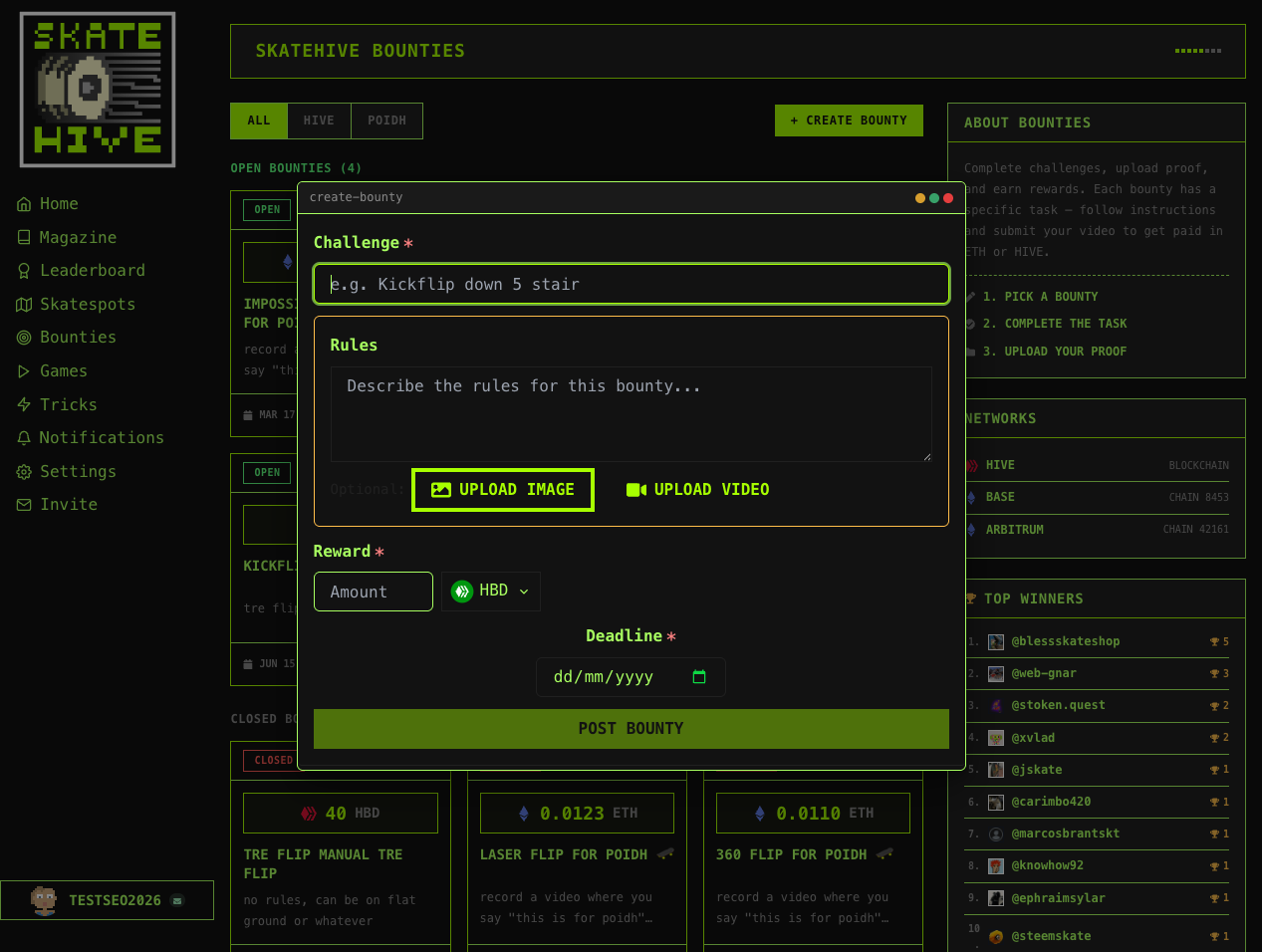
**Requirements:**
- Hive Keychain extension installed
- Account with posting key
**Fill the form:**
1. **Challenge** — Short trick description (e.g., "Kickflip down 5 stair")
2. **Rules** — Detailed requirements (supports markdown)
- Example: "Must be flat ground, no cuts, say 'this is for skatehive' before trick"
3. **Upload media** (optional):
- **Upload Image** — Thumbnail for the bounty
- **Upload Video** — Reference video
4. **Reward:**
- Enter amount
- Select currency (HBD or HIVE dropdown)
5. **Deadline** (optional) — Pick a date to create urgency
6. **POST BOUNTY** — Approve with Hive Keychain popup
**✅ Done!** Your bounty goes live instantly.
**Reward Split (Hive):**
- 1 winner: 100%
- 2 winners: 70% / 30%
- 3 winners: 50% / 30% / 20%
---
### Creating a POIDH Bounty
**Requirements:**
- Wallet with ETH on Base or Arbitrum
- MetaMask, Rainbow, or compatible wallet
**Steps:**
1. Click **"+ CREATE BOUNTY"** → Select **"ETH"**
2. **Connect wallet** (if not connected)
3. Fill form:
- **Bounty name** — Short title
- **Description** — Trick requirements
- **Reward** — Amount in ETH
- **Chain** — Base (cheaper gas) or Arbitrum
4. **Create Bounty** → Approve transaction in wallet
5. Wait ~30 seconds for indexer sync
**✅ Done!** Bounty appears on the list 🚀
:::tip Gas Fees
**Base** has lower fees (~$0.01-0.05). **Arbitrum** is also cheap but slightly higher.
:::
---
## 🏆 How to Claim a Bounty
### Claiming a Hive Bounty
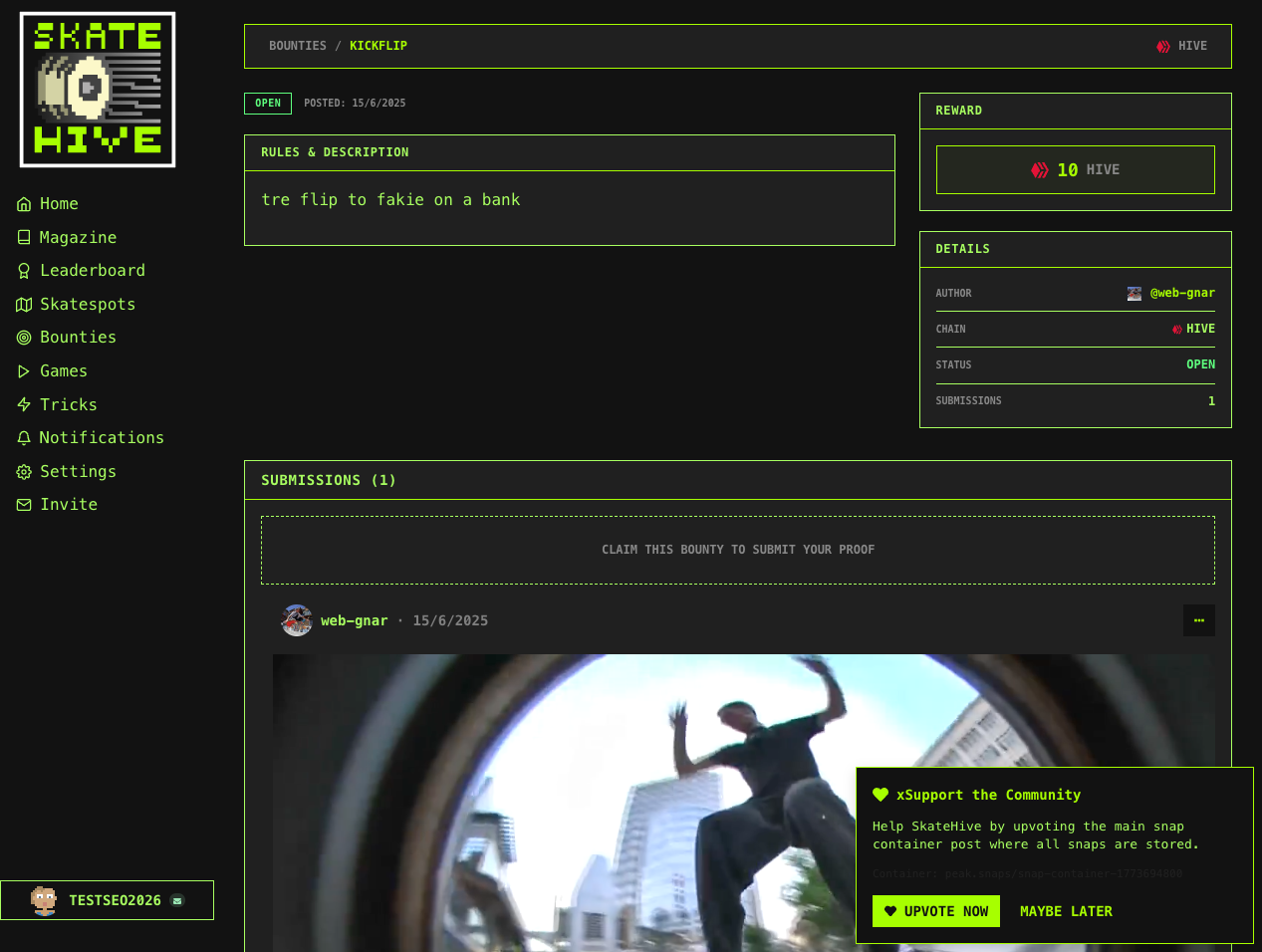
**Steps:**
1. **Click bounty card** → Detail page opens
2. Scroll down to **"CLAIM THIS BOUNTY TO SUBMIT YOUR PROOF"**
3. **Click "CLAIM IT"** button
4. Fill claim form:
- **Title** — Your submission name
- **Description** — Video link (YouTube, Streamable, IPFS)
- **Upload proof** — Video or image of you landing the trick
5. **Sign with Hive Keychain**
6. **Wait for creator review** — Check back on the bounty page
**Hive bounties are paid after creator manually approves your claim.**
---
### Claiming a POIDH Bounty
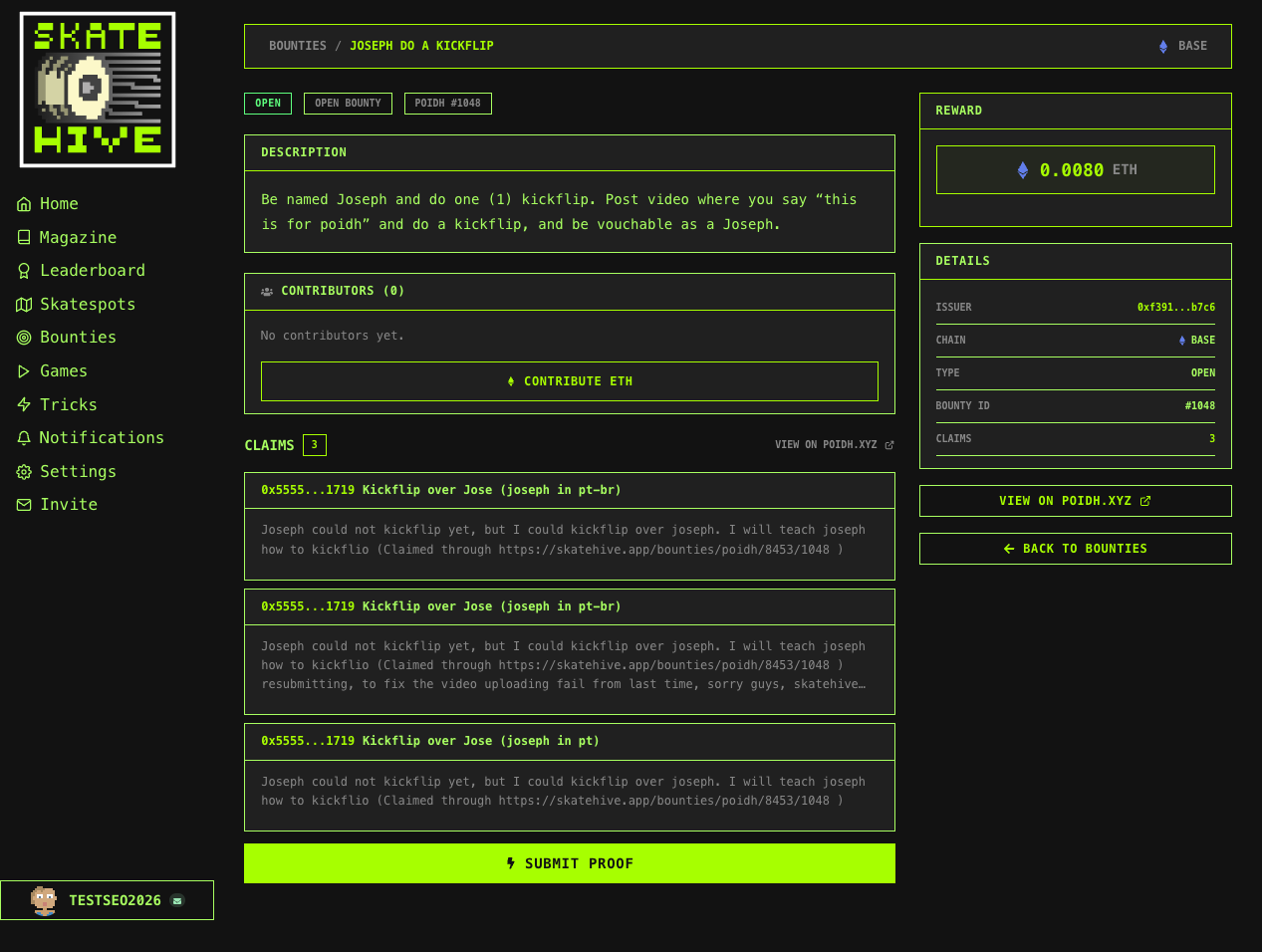
**Steps:**
1. **Connect wallet** (top-right corner)
2. **Click bounty card** → Detail page opens
3. **Click "SUBMIT PROOF"** button (bottom)
4. Fill claim form:
- **Claim name** — Short description
- **Description** — Video link or upload
- **Attach media** — Upload to IPFS automatically
5. **Approve transaction** in wallet
6. **Voting phase** (if enabled) or instant approval
7. **Get paid** when claim is accepted! 💸
**POIDH bounties are paid automatically via smart contract.**
---
## 💰 How Payment Works
### Hive Payment
- **Method:** Hive transfers (automatic after approval)
- **Check:** Your Hive wallet (Keychain or [PeakD](https://peakd.com))
- **Shows in:** Transaction history
### POIDH Payment
- **Method:** Smart contract (instant on approval)
- **Check:** Your connected wallet
- **View on:** Blockchain explorer (Basescan, Arbiscan)
---
## 💡 Bounty Ideas
- **Trick challenges:** "Hardflip down 5-stair — 0.05 ETH"
- **Spot challenges:** "Any trick at [skatepark name] — 20 HBD"
- **Style challenges:** "Best line under 30 seconds — 50 HIVE"
- **Team challenges:** "Best clip from your crew — 0.1 ETH"
- **Monthly contests:** "Best trick of March — 100 HBD"
---
## 🔥 Pro Tips
### For Sponsors
✅ **Set clear rules** — Avoid disputes with specific requirements
✅ **Choose fair rewards** — Higher rewards = more participants
✅ **Engage with claims** — Comment and encourage skaters
✅ **Pay promptly** — Don't leave winners waiting
✅ **Add deadlines** (Hive) — Creates urgency
### For Participants
✅ **Read rules carefully** — Know what's expected
✅ **Film clearly** — Good quality increases your chances
✅ **Show full trick** — Setup → landing, no cuts
✅ **Submit early** — Avoid last-minute technical issues
✅ **Follow up** — Check bounty page for results
---
## ❓ FAQ
**Q: Can I claim my own bounty?**
A: No — bounties are for other skaters to complete.
**Q: How long until I get paid?**
A: **Hive:** When creator approves your claim
**POIDH:** When vote passes or instantly (depends on bounty config)
**Q: What if my claim is rejected?**
A: Try again if the bounty is still open. Review the rules and improve your submission.
**Q: Can I cancel a bounty?**
A: **Hive:** Edit post metadata to mark as closed
**POIDH:** Use cancel function in contract (returns ETH minus gas)
**Q: What's the difference between Hive and POIDH?**
A: **Hive** = social blockchain, manual approval, community feel
**POIDH** = Ethereum smart contracts, on-chain verification, automatic payment
**Q: Which blockchain should I use?**
A: **Hive** for community engagement
**POIDH** for Ethereum users and decentralized verification
**Q: Can I sponsor multiple bounties?**
A: Yes, unlimited on both platforms!
**Q: What currencies work?**
A: **Hive:** HBD or HIVE only
**POIDH:** ETH only (on Base or Arbitrum)
**Q: What if no one lands the trick?**
A: **Hive:** You keep your crypto (extend deadline or repost)
**POIDH:** Cancel bounty to get ETH back (minus gas)
---
## 🔗 Quick Links
| Resource | URL |
|----------|-----|
| **Live Bounties** | [skatehive.app/bounties](https://skatehive.app/bounties) |
| **POIDH Protocol** | [poidh.xyz](https://poidh.xyz) |
| **Hive Keychain** | [Chrome Extension](https://chrome.google.com/webstore/detail/hive-keychain) |
| **Help/Support** | [Telegram](https://t.me/skatehive) |
---
## Cross-posting
Post once on SkateHive, share everywhere. When you publish a [Snap](./snaps), you
can also send it to **Farcaster** and **Instagram** — without leaving the app.
---
## 🟣 Farcaster
Link your Farcaster identity (in **Settings → App Account**) and approve a signer
once. After that, when you post a Snap you can choose where it goes:
- **Hive** only
- **Farcaster** only
- **Both**
Your Snap is cast to Farcaster with the right text and media embeds, and replies
link back to the related post so conversations stay connected.
:::note
Farcaster cross-posting needs a linked Farcaster account with an approved signer.
Set it up once and it just works from then on.
:::
---
## 📸 Instagram
Selected Snaps can be cross-posted to the **SkateHive Instagram** to give skaters
reach beyond the app. Before it publishes, a review dialog lets you:
- **Edit the caption** (legenda).
- **Add collaborators** (Instagram Collab), so the post appears on their profiles
too.
- Toggle the **SkateHive logo overlay**.
The app also suggests smart caption ideas when it detects tricks or spots in your
post.
---
## 👀 Unified preview
Before anything goes out, a single **preview dialog** shows how your post will look
on **Hive, Instagram and Farcaster** side by side — so you can confirm everything
in one place.
The cross-post options live right in the [Snap composer](./snaps) — the media, GIF
and Instagram icons below the text box:

Only snaps are cross-posted to Instagram; long-form magazine posts with multiple
media can be published as an Instagram **carousel**.
---
## DAO & Governance
Skatehive operates as a decentralized autonomous organization (DAO) with treasuries on both Hive and Ethereum. The community collectively manages resources and makes decisions.
***
## 🏛️ Overview
Skatehive governance spans two blockchains:
* **Hive**: Community voting, rewards, witness
* **Ethereum (Base)**: NFT auctions, treasury, proposals
The DAO page shows treasury assets and governance links.
***
## 💰 Treasury Accounts
### Hive Accounts
| Account | Purpose |
| ------------ | ---------------------- |
| `skatehive` | Main community account |
| `steemskate` | Legacy OG account |
| `gnars` | Gnars DAO integration |
These accounts hold HIVE, HP, and HBD for community use.
### Ethereum Addresses
| Address | Purpose |
| --------------- | ------------------------------ |
| `skatehive.eth` | Hot wallet for operations |
| Base Multisig | Cold storage (multi-signature) |
ETH and ERC-20 tokens are held for cross-chain initiatives.
***
## 🗳️ Nouns Builder
Skatehive uses **Nouns Builder** on Base network for NFT-based governance:
### How It Works
1. **Daily Auctions**: One NFT auctioned every 24 hours
2. **NFT = Vote**: Each NFT gives 1 vote in proposals
3. **Treasury**: Auction proceeds go to DAO treasury
4. **Proposals**: NFT holders can create and vote on proposals
### Participating
1. Win an NFT in a daily auction
2. Hold the NFT in your wallet
3. Vote on active proposals
4. Create proposals (if threshold met)
***
## 🔗 Governance Links
* **Nouns Builder**: [nouns.build/dao/base/0x...](https://nouns.build)
* **Base Network**: Proposals and voting on Base
* **Hive Witness**: Vote for `skatehive` witness
***
## 📊 DAO Assets Page
The webapp DAO page (`/dao`) shows:
### Current Display
* Treasury wallet addresses
* Links to view balances
* Governance portal links
> Note: The DAO assets page is marked "under construction" and may have limited functionality.
***
## 👁️ Witness Voting
On Hive, you can support Skatehive infrastructure:
1. Go to [Hive witness page](https://hivesigner.com/witnesses)
2. Find `skatehive` in the list
3. Vote for the witness
4. Your vote helps secure the network
Witness voters get a **+1,000 point boost** on the leaderboard!
***
## 💎 How to Contribute
### Financial
* **Donate to treasury**: Send to `skatehive` on Hive or `skatehive.eth` on Ethereum
* **Participate in auctions**: Bid on daily NFTs
* **Giveth donations**: Tracked and rewarded on leaderboard
### Governance
* **Vote on proposals**: If you hold NFTs
* **Create proposals**: Suggest community initiatives
* **Vote for witness**: Support Hive infrastructure
***
## 🏆 Gnars Integration
Skatehive integrates with **Gnars DAO**:
* Gnars NFT holders get leaderboard points
* Gnars votes contribute to your score
* Cross-community collaboration
***
## 💡 Tips
1. **Hold NFTs for voting power** - More NFTs = more votes
2. **Vote for witness** - Easy leaderboard boost
3. **Donate via Giveth** - Gets tracked on leaderboard
4. **Participate in proposals** - Shape the community
***
## ❓ FAQ
### How do I get voting power?
Win NFTs in daily auctions on Nouns Builder.
### What's the witness vote for?
Witnesses run Hive nodes that process transactions. Voting supports network security.
### Where do auction proceeds go?
100% to the DAO treasury for community use.
### Can I submit a proposal?
NFT holders can create proposals if they meet the threshold.
### Is there a token?
Skatehive uses NFTs for governance, not a separate token. HIVE/HBD are used for rewards.
***
**Join the DAO and help shape Skatehive's future! 🏛️🛹**
---
## Earn in Bitcoin
SkateHive pays its best skaters in **real Bitcoin**. Turn the HBD you earn from
your posts into on-chain BTC — sent straight to your own Bitcoin wallet — without
leaving SkateHive.
---
## ₿ What is it?
Your posts earn **HBD** (a stable dollar-pegged token on Hive). With Earn in
Bitcoin you can convert that HBD into **real BTC** on the Bitcoin network, powered
by [Magi](https://magi.eco) (a cross-chain DEX built on Hive/VSC).
It works **both ways**:
- **Sell → BTC** — turn your HBD (or HIVE) into real BTC.
- **Buy BTC →** — send real BTC and receive HBD/HIVE on your Hive account.
:::tip One signature, real Bitcoin
The whole thing is native to Hive — no bridges to babysit, no third-party
exchange account. You approve it in your Hive wallet and Magi settles BTC to your
address.
:::
---
## 🚀 Claim your rewards to BTC
The fastest path for creators:
1. Open your **Wallet** and find the **Rewards** card.
2. Tap **Claim to BTC** (or **Earn in BTC** if you're setting up ahead of time).
3. Follow the short checklist — the app guides you through anything missing.
4. Approve the signature. Magi converts your reward HBD and sends BTC to your
address.
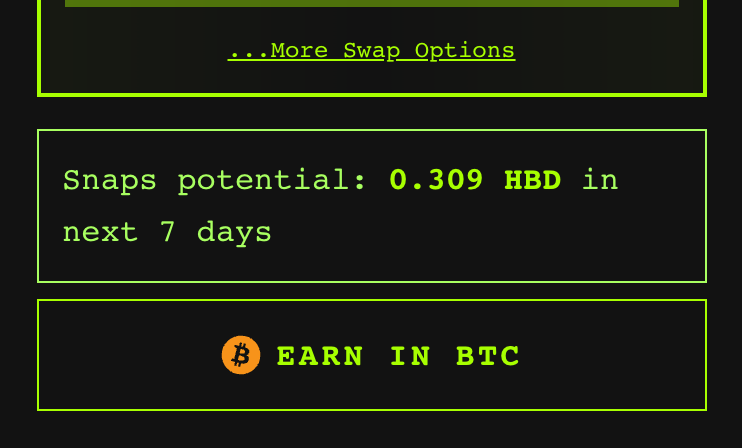
You keep your Hive Power staked — only your **liquid HBD** is converted.
---
## ✅ What you need (and how to get it in-app)
Everything below can be set up **inside SkateHive** — the checklist offers a fix
for each item.
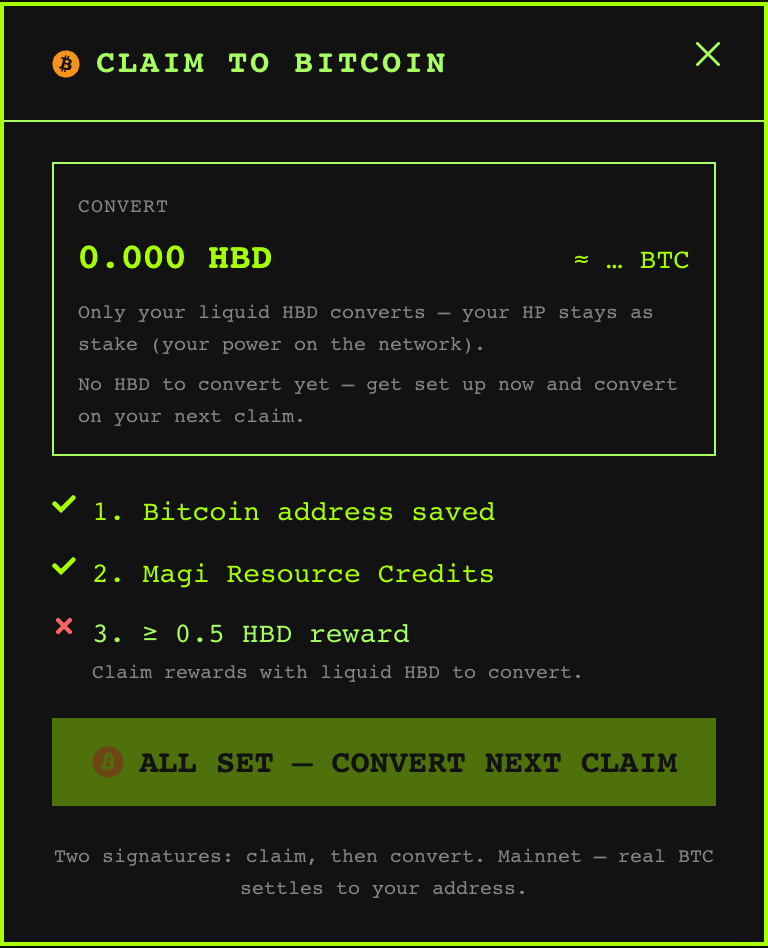
| Requirement | How to get it |
|---|---|
| **A Bitcoin address** | Add it in **Settings → Bitcoin address** (or via the checklist). |
| **Magi Resource Credits (RC)** | Every account starts with enough base RC for a small swap. Need more? The app offers **Enable Magi RC** (see below). |
| **Liquid HBD to convert** | Claim your post rewards — the HBD portion is what converts. |
:::note
Converting to BTC needs your own Hive account with active-key access (e.g. Hive
Keychain). The **Buy BTC →** direction, on the other hand, only requires sending
BTC — no signature and no RC.
:::
---
## ⚡ Enable Magi RC
Swaps on Magi consume **Resource Credits (RC)** on the VSC network. This RC is
**not** from Hive Power — it comes from **HBD you keep parked in Magi/VSC**:
> **RC ceiling = 10,000 (base) + 1,000 × (HBD held in Magi)**
Two things to know:
- **Every account already has ~10,000 base RC**, which covers a small swap out of
the box — most first swaps need no deposit at all.
- RC **recharges over time**. If yours is low (e.g. right after a swap), just wait
a bit, or raise your ceiling by parking some HBD.
When RC is the blocker, the app shows an **Enable Magi RC** button. It deposits a
small amount of HBD into Magi to lift your RC ceiling. That HBD stays **your own
balance in Magi** — it's a refundable RC stake, not a fee.
:::tip Rule of thumb
Keep roughly as much HBD parked in Magi as the size of the swaps you want to do.
A swap of `X` HBD reserves about `X × 1000` RC, and the base 10k covers the rest.
:::
---
## 🔁 Buy BTC → HBD/HIVE
Want to go the other way and bring Bitcoin **into** Hive?
1. Open the **Bitcoin** tab in your wallet and switch to **BTC →**.
2. Choose what to receive: **HBD** or **HIVE**.
3. The app shows your **personal BTC deposit address** (with a QR code).
4. Send any amount of BTC to it. Magi converts it and settles HBD/HIVE to your
Hive account after Bitcoin confirmations.
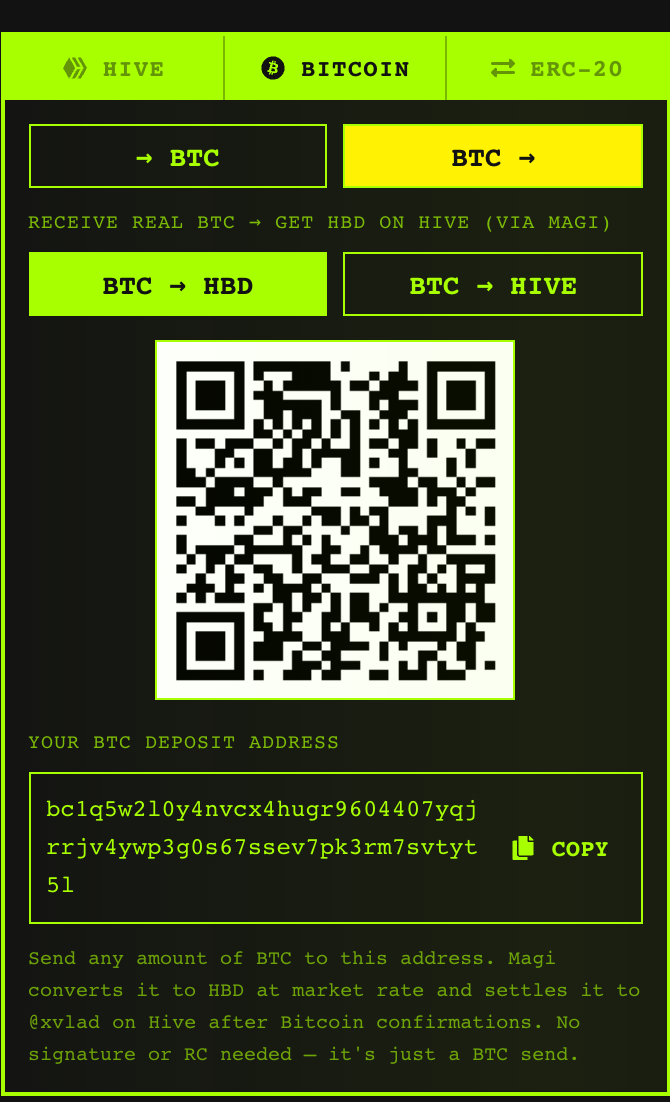
No signature and no RC needed — it's just a Bitcoin send.
---
## 💸 Fees & good to know
- A small **1% referral fee** supports SkateHive on each conversion to BTC.
- The **Bitcoin network mining fee** is deducted from the BTC you receive (as with
any on-chain withdrawal), so the amount that lands is slightly below the quote.
- Amounts are **real mainnet funds** — start small on your first swap.
:::warning Double-check your address
BTC transactions are irreversible. Make sure your Bitcoin address is correct
before converting.
:::
---
## Leaderboard
The Skatehive Leaderboard ranks community members based on their engagement, holdings, and contributions. Data is stored in Supabase and updated regularly.
View it at [skatehive.app/leaderboard](https://skatehive.app/leaderboard)
---
## 🏆 Overview
The leaderboard tracks Skatehive community subscribers and ranks them by **points**. Points are calculated from multiple factors including:
- Hive holdings (HIVE, HP, HBD)
- Ethereum assets (Gnars votes, Skatehive NFTs)
- Activity (posts, snaps)
- Community support (witness votes, donations)
---
## 📊 Data Tracked
Each user on the leaderboard has the following data:
| Field | Description |
|-------|-------------|
| `hive_author` | Hive username |
| `hive_balance` | Liquid HIVE balance |
| `hp_balance` | Hive Power |
| `hbd_balance` | HBD balance |
| `hbd_savings_balance` | HBD in savings (15% APR) |
| `has_voted_in_witness` | Whether user voted for Skatehive witness |
| `eth_address` | Linked Ethereum address |
| `gnars_balance` | Gnars NFT holdings |
| `gnars_votes` | Gnars DAO voting power |
| `skatehive_nft_balance` | Skatehive NFT count |
| `max_voting_power_usd` | User's max vote value in USD |
| `post_count` | Combined posts/snaps score |
| `giveth_donations_usd` | Total donated via Giveth |
| `points` | Calculated ranking score |
---
## 📈 Points Calculation
Points are calculated with the following multipliers and caps:
### Positive Factors
| Factor | Multiplier | Cap |
|--------|------------|-----|
| HIVE Balance | 0.1 | 1,000 HIVE |
| HP Balance | 0.5 | 12,000 HP |
| HBD Savings | 0.2 | 1,000 HBD |
| Gnars Votes | 30 | - |
| Skatehive NFTs | 50 | - |
| Max Voting Power (USD) | 1,000 | - |
| Post Count (activity score) | 0.1 | 3,000 |
| Witness Vote | +1,000 points | - |
| ETH Wallet Linked | +5,000 points | - |
| Giveth Donations | 5 per USD | 1,000 USD max |
### Penalties
| Condition | Penalty |
|-----------|---------|
| No ETH wallet linked | -2,000 |
| Zero HIVE balance | -1,000 |
| Zero HP balance | -5,000 |
| Zero Gnars votes | -300 |
| Zero Skatehive NFTs | -900 |
| Zero HBD savings | -200 |
| Zero post count | -2,000 |
| Inactivity | Up to -100 (days since last post) |
> Minimum points is 0 - users can't have negative scores.
---
## 📡 Data Sources
### Hive Blockchain
- Account balances (HIVE, HP, HBD)
- Vesting shares (for HP calculation)
- Witness votes
- Last post date
- Metadata (for ETH address extraction)
### Ethereum
- Gnars NFT balance and voting power
- Skatehive NFT holdings
- Read via public RPC
### Skatehive API
- `api.skatehive.app/api/v2/activity/posts` - Post activity scores
- `api.skatehive.app/api/v2/activity/snaps` - Snap activity scores
### Giveth
- Donation tracking via Giveth API
- USD values matched to Hive usernames
---
## 🔄 Update Schedule
The leaderboard data is updated in batches:
1. **Full refresh**: All community subscribers processed
2. **Partial refresh**: 100 oldest records updated
3. **Batch size**: 25 users processed in parallel
4. **Community**: `hive-173115` (Skatehive)
After data fetch, points are recalculated for all users.
---
## 🎯 Activity Score
The `post_count` field is actually a combined activity score:
```
combined_score = (post_score × 10) + (snap_score × 3 × capped_ratio)
```
- Posts have higher influence (10x multiplier)
- Snaps have lower influence (3x multiplier)
- Maximum 50 snaps counted (prevents spam gaming)
---
## 🖥️ API Endpoints
| Endpoint | Description |
|----------|-------------|
| `GET https://api.skatehive.app/api/skatehive` | Fetch leaderboard data |
| `GET https://api.skatehive.app/api/leaderboard` | Trigger data refresh |
---
## 🎨 UI Features
The webapp leaderboard shows:
- **Podium**: Top 3 users with avatars
- **Rankings table**: All users sorted by points
- **User stats**: Click to see detailed breakdown
- **Dynamic OG images**: For social sharing
---
## 🔗 Airdrop Integration
The leaderboard powers the airdrop system:
- Filter users by various criteria
- Sort by points, HP, NFTs, etc.
- Apply weighted distribution based on rankings
See the [Airdrop docs](./airdrop) for more details.
---
**Climb the leaderboard by being active, holding assets, and supporting the community! 🏆🛹**
---
## Snaps
**Snaps** are SkateHive's short-form feed — quick posts to share clips, photos and
thoughts with the community. Think of them as skate-native microblogging, posted
straight to the Hive blockchain.
---
## 🛹 The feed
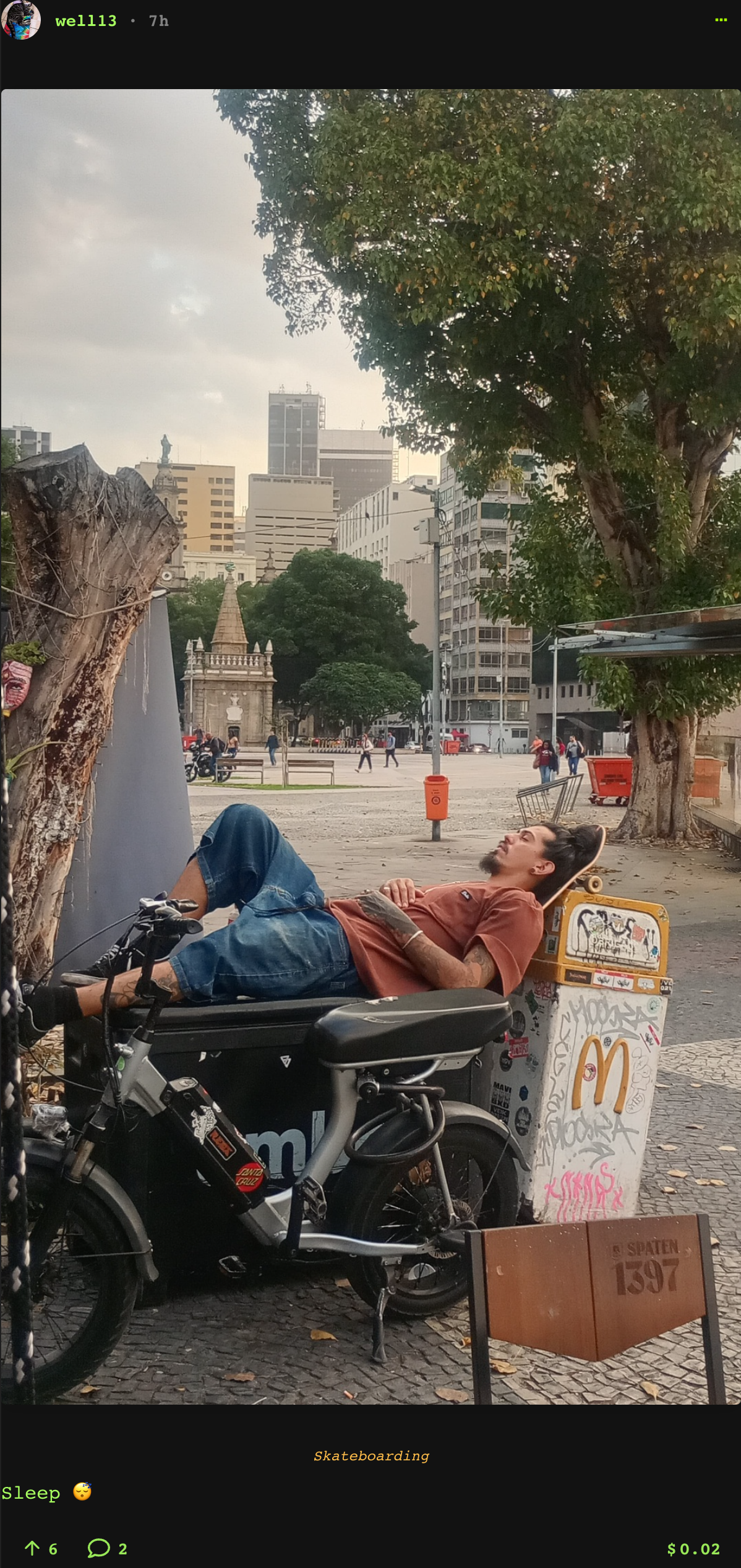
The home page is the Snaps feed: a live stream of what the community is posting.
Scroll, watch clips, upvote, and jump into the replies.
---
## ✍️ Posting a Snap
Use the composer at the top of the feed:

You can add:
- **Text** — your caption or thought.
- **Media** — photos and videos. Videos are uploaded, and you can trim them and
pick a thumbnail frame.
- **GIFs** — from Giphy, or make your own with the built-in GIF maker.
Hit post and your Snap goes on-chain (or via your SkateHive account if you're a
[lite account](../Get%20Started/accounts-and-identities)).
:::tip Cross-post while you're at it
When you post a Snap you can also share it to **Instagram** and **Farcaster** in
the same flow — see [Cross-posting](./cross-posting).
:::
---
## 👍 Voting & replies
- **Upvote** Snaps you like — use the vote-weight slider to control how much of
your voting power you give.
- **Reply** to join the conversation; replies are threaded.
Your upvotes help distribute rewards to skaters.
---
## 💰 Snaps earn rewards
Snaps earn **HBD** rewards from upvotes over a 7-day window. You can see your
"Snaps potential" in the wallet, and turn those rewards into real Bitcoin — see
[Earn in Bitcoin](./earn-in-btc).
---
## Spot Map
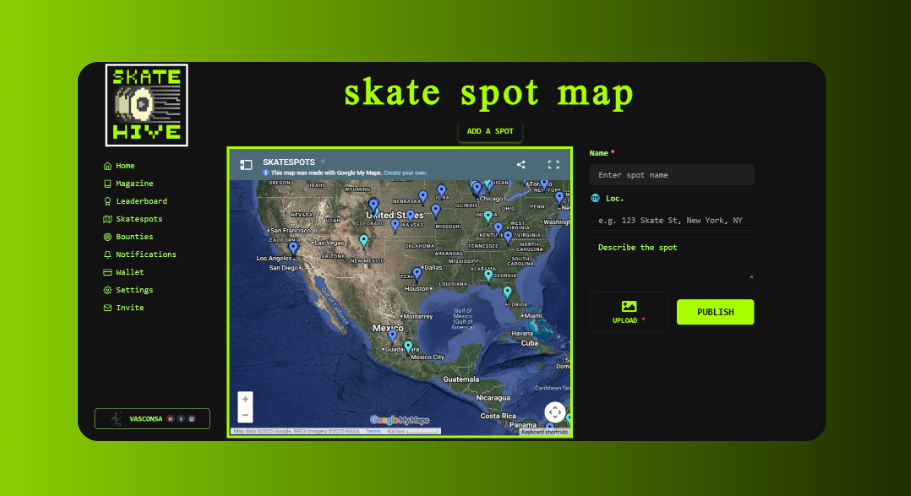
The Skatehive Spot Map lets the community share and discover skateboarding spots. It uses an embedded Google Maps with community-contributed locations, plus a Snaps-based spot list.
Access it at [skatehive.app/map](https://skatehive.app/map)
---
## 🗺️ Overview
The spot map page has two main sections:
- **Embedded Google Map**: A collaborative Google Maps with pins for skate spots worldwide
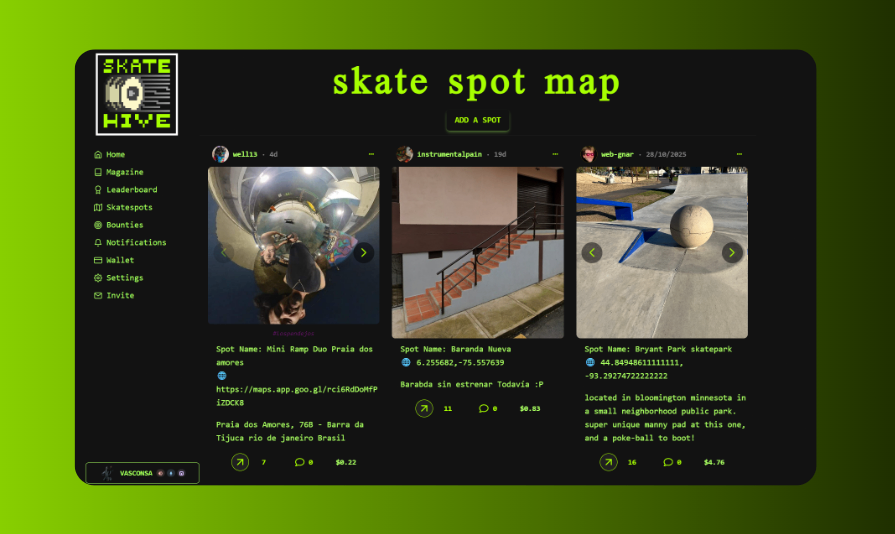
- **Spot List**: Recent spot submissions from the community as Snaps
---
## 🔍 Using the Map
### Browse Spots
1. Go to [skatehive.app/map](https://skatehive.app/map)
2. The embedded Google Map shows all community-added spots
3. **Zoom and pan** to explore different areas
4. **Click on pins** to see spot names and details
### Spot List
On the side (or below on mobile), you'll see recent spot submissions:
- Photos and descriptions from the community
- Posted as Snaps to the main community container
- Tagged with `#skatespot`
---
## ➕ Adding a New Spot
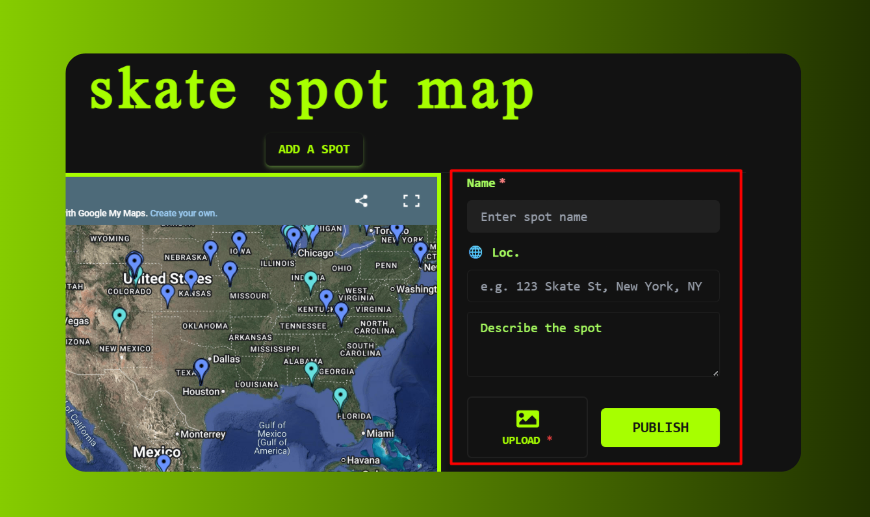
Use the **SpotSnapComposer** to add a new spot:
### Required Info
| Field | Description |
|-------|-------------|
| **Spot Name** | Give the spot a recognizable name |
| **Description** | What's there? Ledges, rails, gaps? |
| **Photos** | Upload images of the spot |
### Location Data (Optional but Recommended)
The composer can extract GPS coordinates from your photos automatically:
- **Latitude/Longitude**: Extracted from photo EXIF data
- **Address**: Can be auto-detected or manually entered
> 💡 **Tip**: Photos taken with GPS enabled on your phone will automatically populate the coordinates.
### Posting a Spot
1. Click the composer button on the map page
2. Enter the **Spot Name** (required)
3. Add a **description** or upload **photos** (at least one required)
4. Location data is optional - you can add it later by editing
5. Click **Publish** to post to the community
The spot appears as a Snap in the spot list. It's posted to the main Snaps container with the `skatespot` tag.
---
## 📸 Photo Features
### GPS Extraction
When you upload a photo:
- The app reads EXIF GPS data if available
- Coordinates auto-fill the lat/lon fields
- Works with most smartphone photos
### Image Upload
- Images are compressed and uploaded to Hive Images
- Multiple images supported per spot
- Captions can be added to each image
---
## 📝 Spot Post Format
When you publish, the post is formatted as:
```
Spot Name: [Your Spot Name]
🌐 [Lat], [Lon] ([Address])
[Your description]

```
---
## 🔗 How Spots Work
Spots are posted as **Snaps** (comments on the main Snaps container):
- They appear in the spot list on the map page
- Tagged with `hive-173115` (Skatehive community) and `skatespot`
- The Google Maps embed is separate and manually curated
> **Note**: Currently, new spot submissions appear in the Snaps list but need to be manually added to the Google Maps by community maintainers.
---
## 📱 Mobile Usage
The map page is responsive and works on mobile:
- Google Maps is interactive on mobile
- Spot composer available from the page
- GPS extraction from photos works on mobile
---
## 💡 Tips for Great Spot Submissions
1. **Take clear photos** - Show the main features and overall layout
2. **Enable GPS on your camera** - This auto-fills location data
3. **Include useful details** - Ledge heights, security info, best times
4. **Add context** - What city/neighborhood is it in?
---
**Go explore and share your favorite spots with the community! 🗺️🛹**
---
## Video Upload
Free video transcoding and IPFS hosting for all Skatehive members. Upload your clips, we handle the rest.
---
## 🎬 How It Works
1. Upload your video
2. Our servers transcode it to web-optimized format
3. Video is stored permanently on IPFS
4. You get an IPFS URL to use in your post
**Completely free.** No file size limits. Permanent storage.
---
## 📊 Real-Time Progress
Watch your upload in real-time:
- 🔄 **Receiving** (5%) - Server receiving your file
- 🎬 **Transcoding** (10-80%) - Converting to web format
- ☁️ **Uploading** (80-100%) - Storing on IPFS
- ✅ **Complete** (100%) - Done!
**Skateboard progress bar 🛹** moves as your video processes.
**Auto-close:** Terminal closes after 10 seconds on success. Click "Keep Open" to cancel.
---
## 📤 Upload Methods
### Web App
1. Open post composer
2. Click video upload button
3. Select file
4. Wait for processing
5. URL inserted automatically
### Mobile App
1. Record or select video
2. Tap upload
3. Processing happens in background
4. Post when ready
### Direct Upload
Use the API endpoint:
```bash
curl -X POST https://oracle-api.skatehive.app/upload \
-F "file=@your-video.mp4" \
-F "username=yourname"
```
Response includes IPFS URL.
---
## 🎥 Supported Formats
**Input:** MP4, MOV, AVI, MKV, WEBM
**Output:** Web-optimized MP4 (H.264)
**Max file size:** None (but large files take longer)
**Recommended:** Under 500MB for faster processing
---
## 🛠️ Advanced Options
### API Response
```json
{
"ipfs_url": "https://ipfs.skatehive.app/ipfs/Qm...",
"thumbnail": "https://ipfs.skatehive.app/ipfs/Qm...",
"duration": 15.5,
"size": 12458965
}
```
### Thumbnail Generation
Thumbnails auto-generated at 50% mark. Use in post previews.
### Multiple Servers
Skatehive runs redundant servers with automatic failover. If one is down, another handles your upload seamlessly.
---
## ❓ FAQ
**How long does transcoding take?**
Usually 1-3 minutes for typical skate clips (30sec-2min).
**Can I upload multiple videos?**
Yes! Upload as many as you want in parallel.
**What if upload fails?**
Server automatically retries. Check your internet connection if it keeps failing.
**Can I delete videos?**
IPFS is permanent storage. Content stays forever (that's the point!).
**Does it work on mobile data?**
Yes, but WiFi recommended for large files.
---
**Need help?** [Discord #help](https://discord.gg/skatehive)
---
## Wallet Guide
The Skatehive wallet is your hub for managing all your crypto assets across multiple blockchains. Access it at [skatehive.app/wallet](https://skatehive.app/wallet).
---
## 🏦 Overview
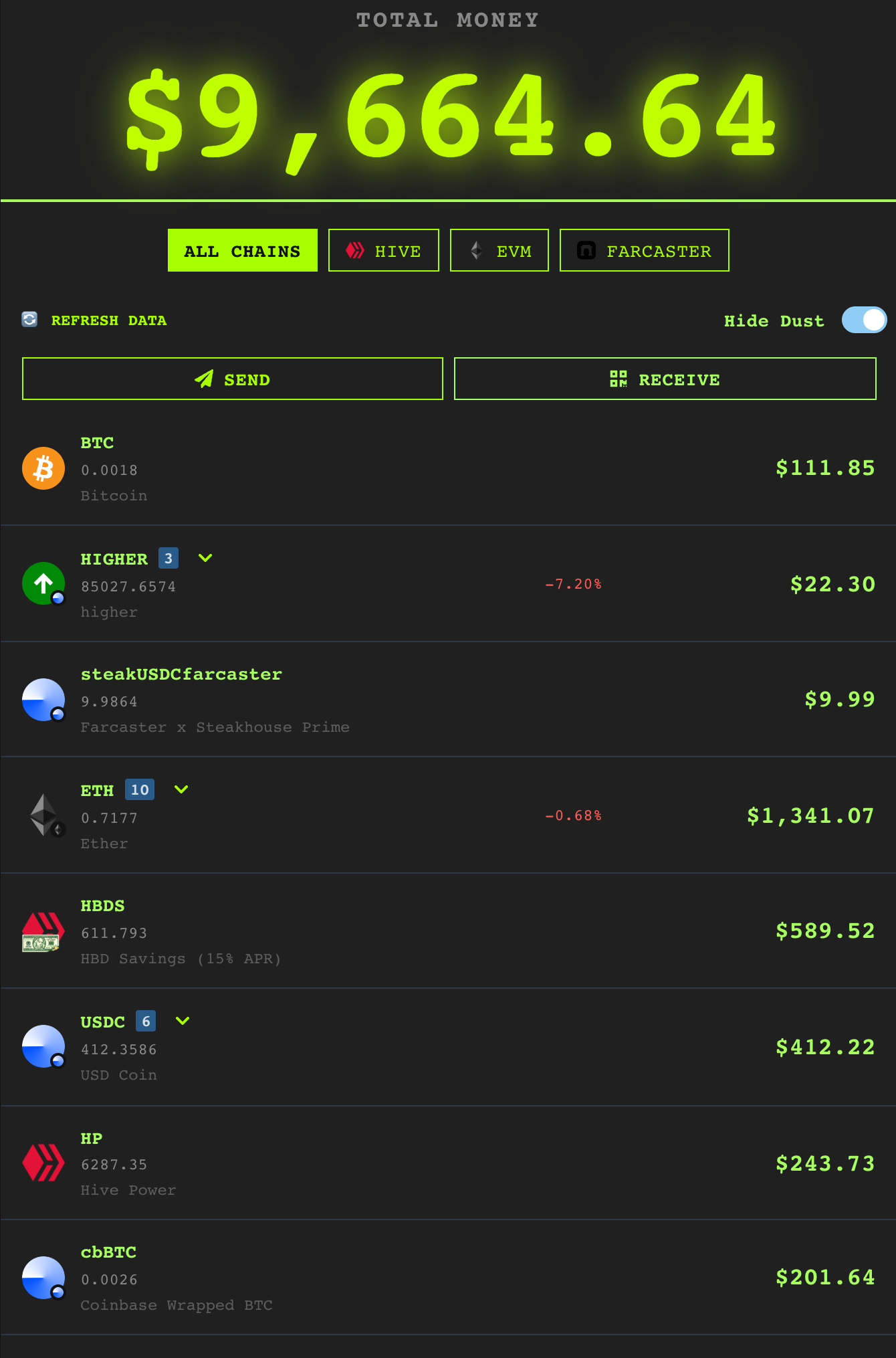
The wallet has four tabs — **Wallet Overview · Art · SkateBank · PIX** — and the
overview aggregates your balances across **Hive, EVM and Farcaster** into one
portfolio (filter with the All Chains / Hive / EVM / Farcaster pills):
- **Wallet Overview** — total value, every token across chains, send/receive, swap.
- **Art** — your NFTs.
- **SkateBank** — HBD savings (15% APR) and savings jars.
- **PIX** — Brazilian fiat (BRL) transfers via PIX.
You can also convert your rewards into **real Bitcoin** — see
[Earn in Bitcoin](./earn-in-btc).
---
## 💰 Hive Tokens
### HIVE
Your liquid HIVE tokens that can be:
- **Transferred** to other users via the Send button
- **Powered up** to Hive Power for increased influence
- **Traded** on exchanges
### Hive Power (HP)
Staked HIVE that gives you:
- **Voting power**: More HP = stronger votes on content
- **Curation rewards**: Earn by upvoting quality content
- **Resource credits**: Needed to post, vote, and transact on Hive
- **Governance**: Vote for witnesses who run the blockchain
> 💡 **Power Up**: Click "Power Up" to convert HIVE to HP. Power Down takes 13 weeks to convert back in weekly payments.
### Hive Backed Dollars (HBD)
A stablecoin pegged to ~$1 USD:
- **Stable value**: Great for savings
- **15% APR**: Earn interest by putting HBD in SkateBank savings
- **Send**: Transfer HBD to other users with optional memo
---
## 🏦 SkateBank (HBD Savings)
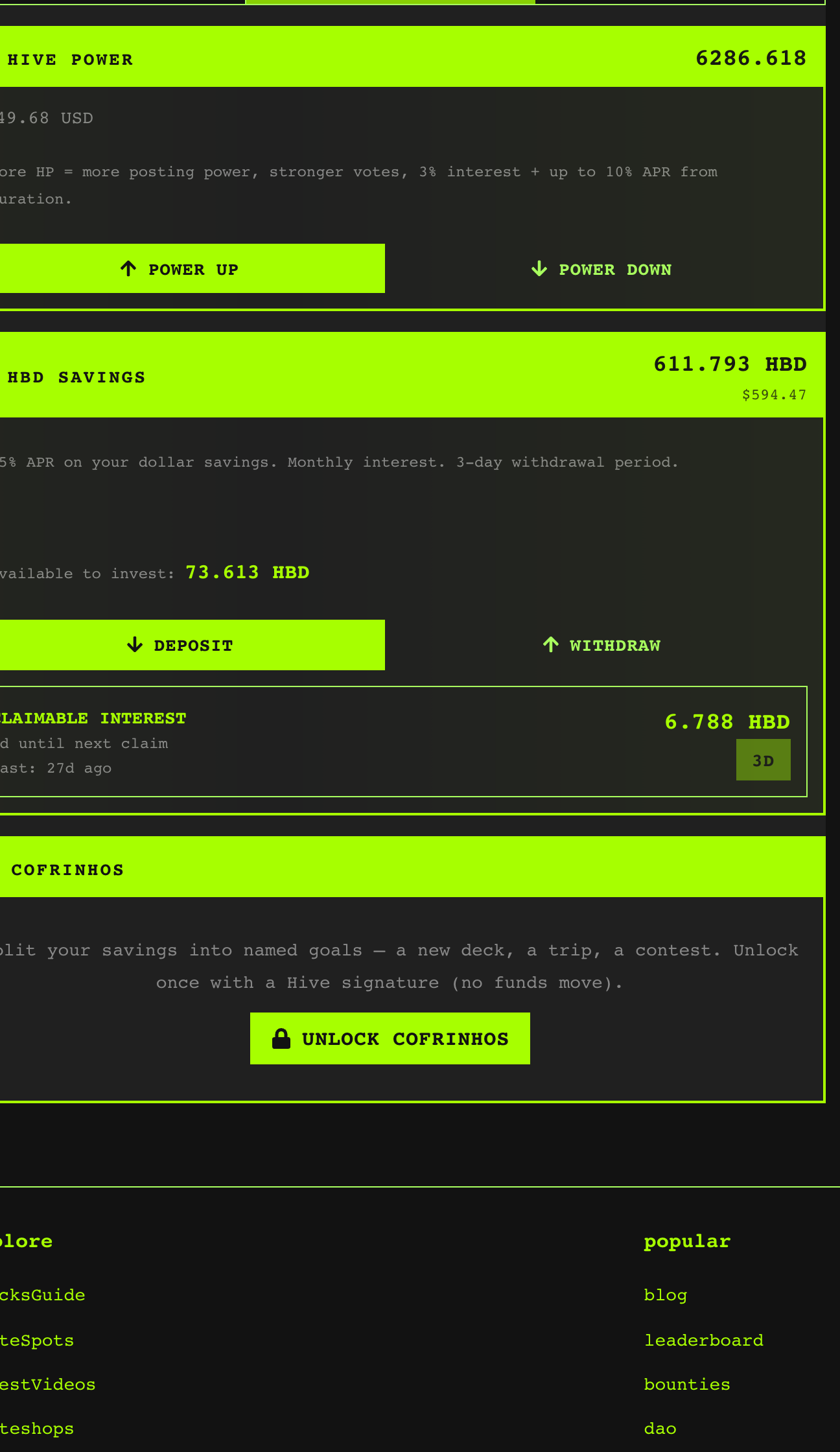
SkateBank is Skatehive's savings section where you earn **15% APR** on your HBD:
### How It Works
1. Go to [skatehive.app/wallet](https://skatehive.app/wallet)
2. Navigate to the **SkateBank** tab
3. You'll see:
- Your current HBD Savings balance
- Available liquid HBD to invest
- Estimated claimable interest
- Days until next interest claim
### Key Features
- **15% Annual Interest**: Guaranteed returns on your HBD savings
- **Monthly Interest Claims**: Claim your earned interest
- **3-Day Withdrawal Period**: Savings withdrawals take 3 days for security
- **Pending Withdrawals**: See any active withdrawal requests
### Actions
- **Add to Savings**: Move liquid HBD into savings to start earning
- **Withdraw from Savings**: Initiate a 3-day withdrawal back to liquid HBD
---
## 🔄 Swap
Swap right from the wallet, across chains:
- **Hive** — HIVE ↔ HBD conversions.
- **Bitcoin** — HBD/HIVE → real BTC, and BTC → HBD/HIVE, powered by Magi. See
[Earn in Bitcoin](./earn-in-btc).
- **ERC-20** — cross-chain token swaps sourced from 150+ liquidity sources for the
best price (on Ethereum, Base and more).
---
## 🐷 Savings Jars
Inside SkateBank you can create **savings jars (cofrinhos)** — goal-based buckets
to set money aside for something specific (a new deck, a trip, an event). Allocate
HBD to a jar and track progress toward your goal.
---
## 🇧🇷 PIX
Brazilian skaters can move between crypto and **BRL via PIX** directly in the
wallet. The **PIX** tab includes a transfer guide, an FAQ, and your PIX
transaction history.
---
## 📤 Send Tokens
Transfer tokens to other users:
1. Click **"Send"** on HIVE or HBD
2. Enter the **recipient's Hive username**
3. Enter the **amount**
4. Add a **memo** (optional, but required for exchanges)
5. Confirm with Hive Keychain or your login method
> ⚠️ **Double-check**: Blockchain transactions are irreversible. Always verify the recipient username.
---
## 🌐 Ethereum Assets
If you've connected an Ethereum wallet, the wallet shows:
### Your ETH Balance
Ethereum holdings on connected networks (Mainnet, Base)
### ERC-20 Tokens
Tokens in your Ethereum wallet including community tokens
### NFTs
View your NFT collection directly in the wallet
---
## 🔗 Connecting Wallets
### Hive Wallet
Connected when you log in with:
- Hive Keychain
- Ecency
- Or other Aioha-supported methods
### Ethereum Wallet
1. Click **"Connect Wallet"**
2. Choose your wallet (MetaMask, WalletConnect, Coinbase Wallet)
3. Approve the connection
4. Your assets appear automatically
---
## 📊 Portfolio Summary
The wallet shows:
- **Total Portfolio Value**: Combined USD value of all assets
- **Market Prices**: Current HIVE and HBD prices
- **Claim Rewards**: Claim any pending post/curation rewards
---
## 💡 Tips
1. **Put HBD in SkateBank** - 15% APR is excellent for stable savings
2. **Power up gradually** - More HP means more influence and curation rewards
3. **Claim rewards regularly** - Don't forget to claim your pending rewards
---
**Start building your stake in the skateboarding economy! 🛹💰**
---
## Accounts & Identities
SkateHive is built on one idea: **the way you sign up shouldn't limit what you can
do.** However you join, you can post, vote and comment right away — and connect
more identities over time.
---
## 🚪 Four ways in — all equal
You can join SkateHive through any of these, and each gets full functionality:
| Entry point | You sign in with |
|---|---|
| **Email** | A magic link — no password. |
| **EVM wallet** | MetaMask, WalletConnect, etc. |
| **Farcaster** | Sign in with Farcaster. |
| **Hive Keychain** | Direct Hive blockchain login (Keychain, HiveAuth, PeakVault). |
No matter which you pick, you get a SkateHive profile and can **post, vote and
comment immediately.**
---
## 🪶 Lite vs Full accounts
The only difference is *where your posts live on-chain*:
- **Lite account** — you haven't linked a Hive key yet (e.g. email / wallet /
Farcaster-only). Your posts and votes are broadcast for you through a shared
SkateHive account, but the app shows **your** name, avatar and profile
everywhere. You don't see any of the blockchain plumbing.
- **Full account** — you have your own Hive key (via Keychain or a stored posting
key). Posts go on-chain **under your own Hive username** with full ownership.
You never get stuck as "lite" — you can upgrade any time, and lite accounts keep
working forever.
---
## ⬆️ Upgrade paths (Lite → Full)
1. **Get sponsored** — any established skater can sponsor you a real Hive account.
Your posting key is created and stored securely, and you start posting under
your own name. See [Account Sponsorship](./sponsorship).
2. **Link an existing Hive account** — already have Hive from elsewhere? Link it
with a Keychain signature and post directly.
3. **Store your posting key** — have a Hive account and want convenience? Save your
posting key so you can log in with email/wallet **and** post without a Keychain
popup every time.
---
## 🔗 Connect more identities
One SkateHive account can hold **all** your identities — Hive, EVM wallet(s) and
Farcaster — so you log in with any of them and keep the same profile.
Manage this in **Settings → App Account**:
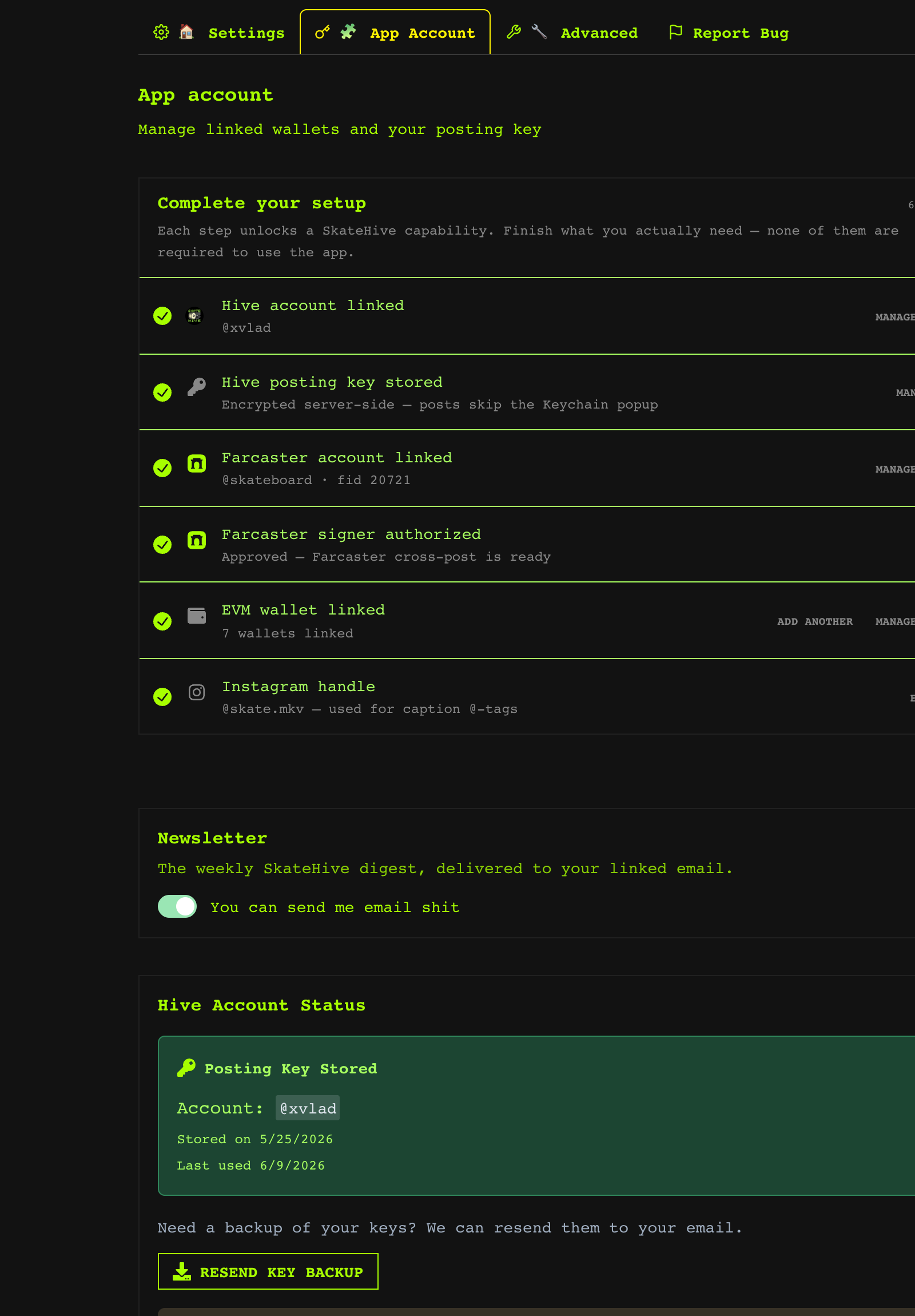
- **Link** an EVM wallet, Farcaster, or Hive account to your profile.
- **Merge** two accounts if you accidentally created separate ones (e.g. signed up
with email months ago, then with a wallet today) — everything is combined.
- Manage your **stored posting key**, newsletter, and Bitcoin address here too.
:::tip
Linking a Hive identity is what unlocks posting under your own username. EVM and
Farcaster links add wallet and social features on top.
:::
---
## 🤝 Merging accounts
If you try to link an identity that's already attached to another SkateHive
account, we'll offer to **merge** them. Merging preserves everything — all your
linked identities, profile data and history are combined into one account. Nothing
is lost.
---
## Create Account(Get Started)
# Create Your Account
Three ways to join Skatehive:
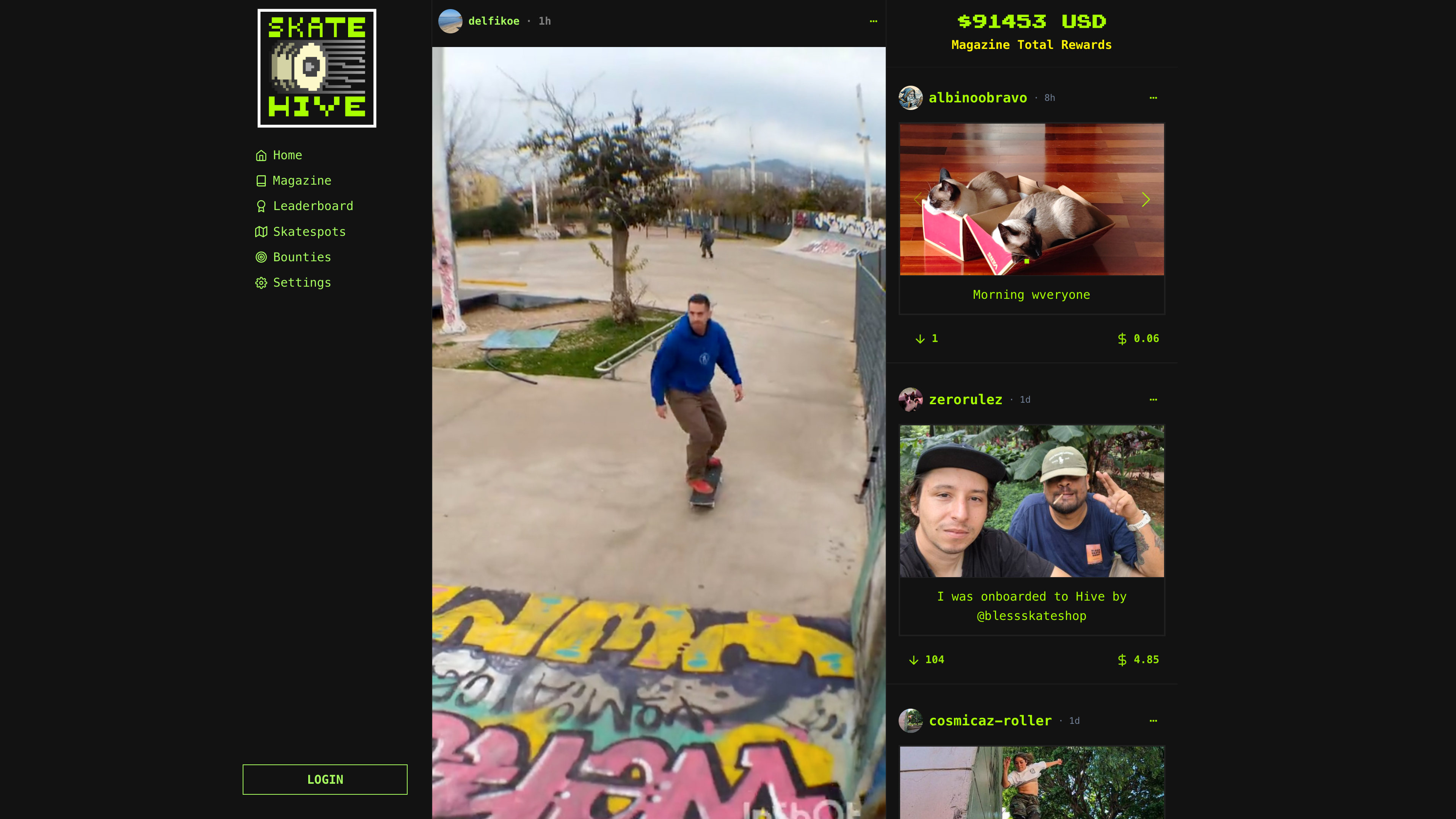
## 📧 Email (Fastest)
1. Click **Sign Up** on [skatehive.app](https://skatehive.app)
2. Enter email + username + display name
3. Check inbox for magic link
4. Click link → Done!
**No crypto needed.** Start posting immediately.
---
## ⛓️ Hive Account
Already have Hive? Connect with Keychain:
1. Click **Login** → **Hive** → **Keychain**
2. Enter username
3. Approve in Keychain popup
4. Done!
---
## 💎 Ethereum Wallet
Connect MetaMask or any Web3 wallet:
1. Click **Login** → **Wallet**
2. Choose wallet (MetaMask, Rainbow, WalletConnect)
3. Sign message
4. Done!
---
## 🔗 Link Multiple Identities
After signup, go to **Settings → Account** to link:
- ✅ Hive account
- ✅ Ethereum wallet
- ✅ Farcaster profile
Log in with any linked identity!
---
## 🎓 Upgrade to Full Hive Account
Email accounts post via shared `@skateuser`. Want your own Hive account?
**Option 1:** Get sponsored (~$0.60, free for you)
**Option 2:** Create yourself via [hive.io](https://signup.hive.io)
[Learn more about sponsorship →](./sponsorship.md)
---
**Need help?** [Discord #help](https://discord.gg/skatehive)
---
## Which Hive Wallet Should I Use?
When you connect to Skatehive, you'll be asked to choose a **Hive wallet provider**. Each has different strengths depending on your needs.
---
## 🔑 Quick Comparison
| Wallet | Type | Best For | Security | Ease of Use |
|--------|------|----------|----------|-------------|
| **Keychain** | Browser extension | Desktop users | ⭐⭐⭐⭐ | ⭐⭐⭐⭐⭐ |
| **HiveAuth** | Mobile app (QR) | Mobile-first | ⭐⭐⭐⭐ | ⭐⭐⭐ |
| **Ledger** | Hardware wallet | Maximum security | ⭐⭐⭐⭐⭐ | ⭐⭐ |
| **PeakVault** | Browser extension | Alternative to Keychain | ⭐⭐⭐⭐ | ⭐⭐⭐⭐ |
---
## 🏆 Recommended: Hive Keychain
**Best choice for most users.**
### What Is It?
Browser extension (like MetaMask for Ethereum) that securely stores your Hive keys and signs transactions.
### Pros
- ✅ Most popular and widely supported
- ✅ Works on desktop browsers (Chrome, Firefox, Brave, Edge)
- ✅ One-click login and transactions
- ✅ Manages multiple accounts
- ✅ Shows transaction history
- ✅ Free and open source
### Cons
- ❌ Desktop only (no mobile version)
- ❌ Requires installing extension
### How to Set Up
1. Go to [Hive Keychain website](https://hive-keychain.com/)
2. Install the extension for your browser
3. Create or import your Hive account
4. Return to Skatehive and click **Keychain** when logging in
---
## 📱 HiveAuth - Mobile Solution
**Perfect if you want to keep keys on your phone.**
### What Is It?
Mobile app that stores your keys on your phone. You scan a QR code on your computer to authorize transactions.
### Pros
- ✅ Keys stay on your mobile device (more secure separation)
- ✅ Works with desktop sites via QR code
- ✅ Supports multiple accounts
- ✅ Available for iOS and Android
### Cons
- ❌ Requires phone nearby for every login
- ❌ Slightly slower than browser extension
- ❌ Less widely adopted than Keychain
### How to Set Up
1. Download **HiveAuth** app (iOS App Store or Google Play)
2. Import or create your Hive account in the app
3. On Skatehive, select **HiveAuth**
4. Scan the QR code with the app
5. Approve the login request
---
## 🔐 Ledger - Maximum Security
**For users with significant Hive holdings or paranoid security.**
### What Is It?
Hardware wallet (physical device) that stores your private keys offline.
### Pros
- ✅ **Highest security**: Keys never touch the internet
- ✅ Protects against computer malware
- ✅ Industry-standard cold storage solution
- ✅ Supports multiple cryptocurrencies
### Cons
- ❌ Costs $79-$150+ to purchase device
- ❌ More complex setup
- ❌ Slower for frequent transactions
- ❌ Overkill for casual users
### How to Set Up
1. Purchase a Ledger device (Nano S Plus or Nano X)
2. Set up the device following Ledger's instructions
3. Install Hive app on your Ledger via Ledger Live
4. Connect Ledger to your computer
5. On Skatehive, select **Ledger** and follow prompts
### Who Should Use It?
- Investors with large Hive holdings
- Security-conscious users
- Those familiar with hardware wallets
---
## 🔷 PeakVault - Alternative Extension
**Newer alternative to Keychain.**
### What Is It?
Browser extension developed by the PeakD team (popular Hive frontend).
### Pros
- ✅ Clean, modern interface
- ✅ Works similarly to Keychain
- ✅ Developed by trusted Hive team
- ✅ Supports multiple accounts
### Cons
- ❌ Less widely adopted than Keychain
- ❌ Fewer features than Keychain
- ❌ May not work with all Hive dApps
### How to Set Up
1. Install PeakVault extension from [PeakD website](https://peakd.com/)
2. Import or create your Hive account
3. Return to Skatehive and select **PeakVault**
---
## 🆕 Don't Have a Hive Account Yet?
You'll need a Hive account before using any wallet. Create one at:
- [Hive Onboard](https://hiveonboard.com/) - Free accounts with phone verification
- [Ecency](https://ecency.com/signup) - Free accounts via referral
- [PeakD](https://peakd.com/register) - Account creation with small fee
> 💡 **Tip**: Once you have an account, use Keychain if you're on desktop. It's the easiest path to start skating! 🛹
---
## 🔐 Security Best Practices
No matter which wallet you choose:
1. ✅ **Never share your keys** - Especially your **Master** or **Active** keys
2. ✅ **Use Posting Key for Skatehive** - The Posting key is enough for most actions
3. ✅ **Back up your keys** - Write them down on paper and store safely
4. ✅ **Use strong passwords** - For extensions and apps
5. ⚠️ **Beware of phishing** - Always verify you're on `skatehive.app`
---
## ❓ Still Confused?
**Start with Keychain.** It's the most popular, easiest, and works great for 99% of users. You can always switch to a different wallet later.
**Questions?** Ask in the [Skatehive Discord](https://discord.gg/skatehive) or Telegram group!
---
**Happy skating! 🛹⚡**
---
## How to Login
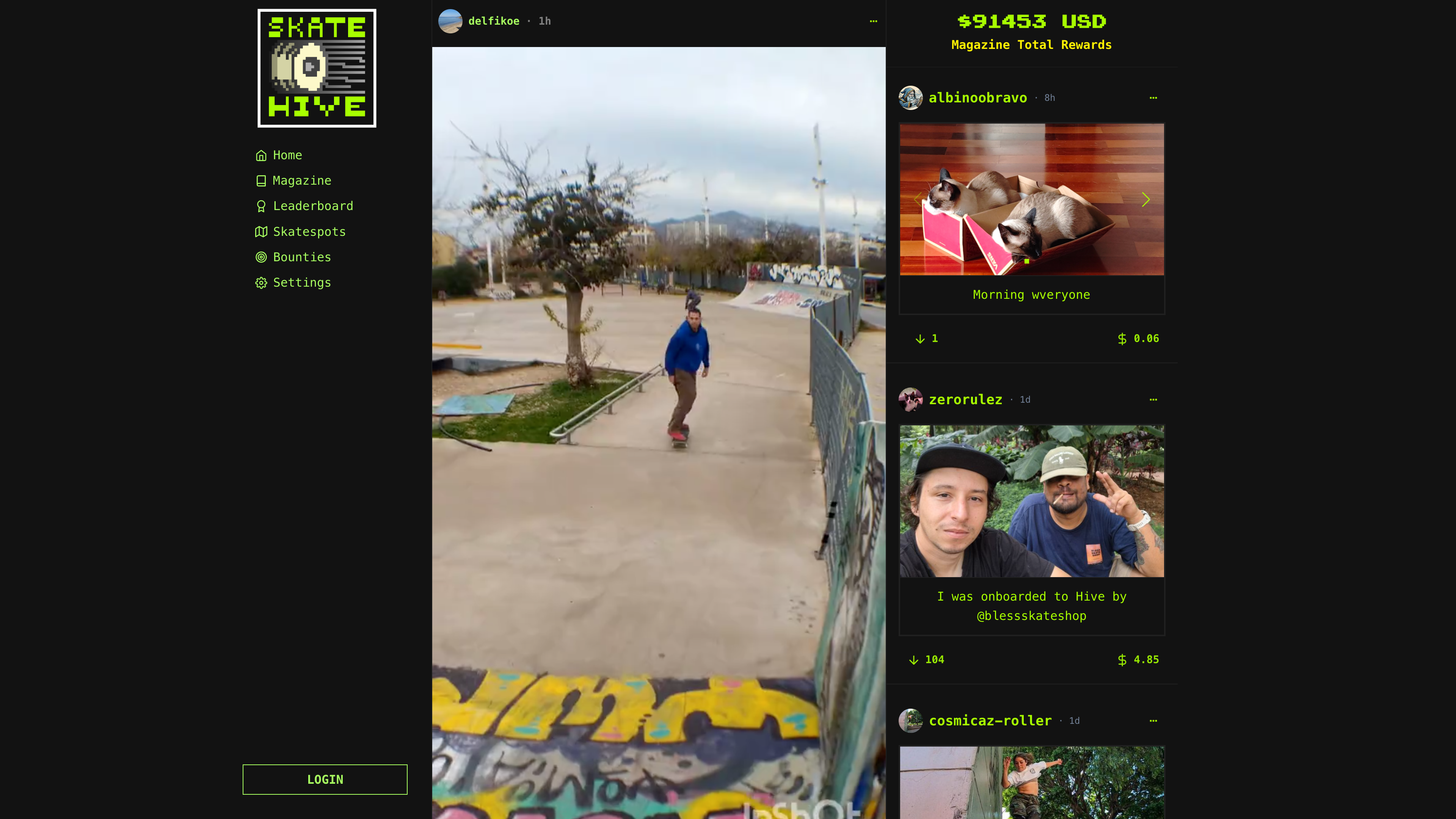
Multiple ways to access your account:
---
## 📧 Email Magic Link
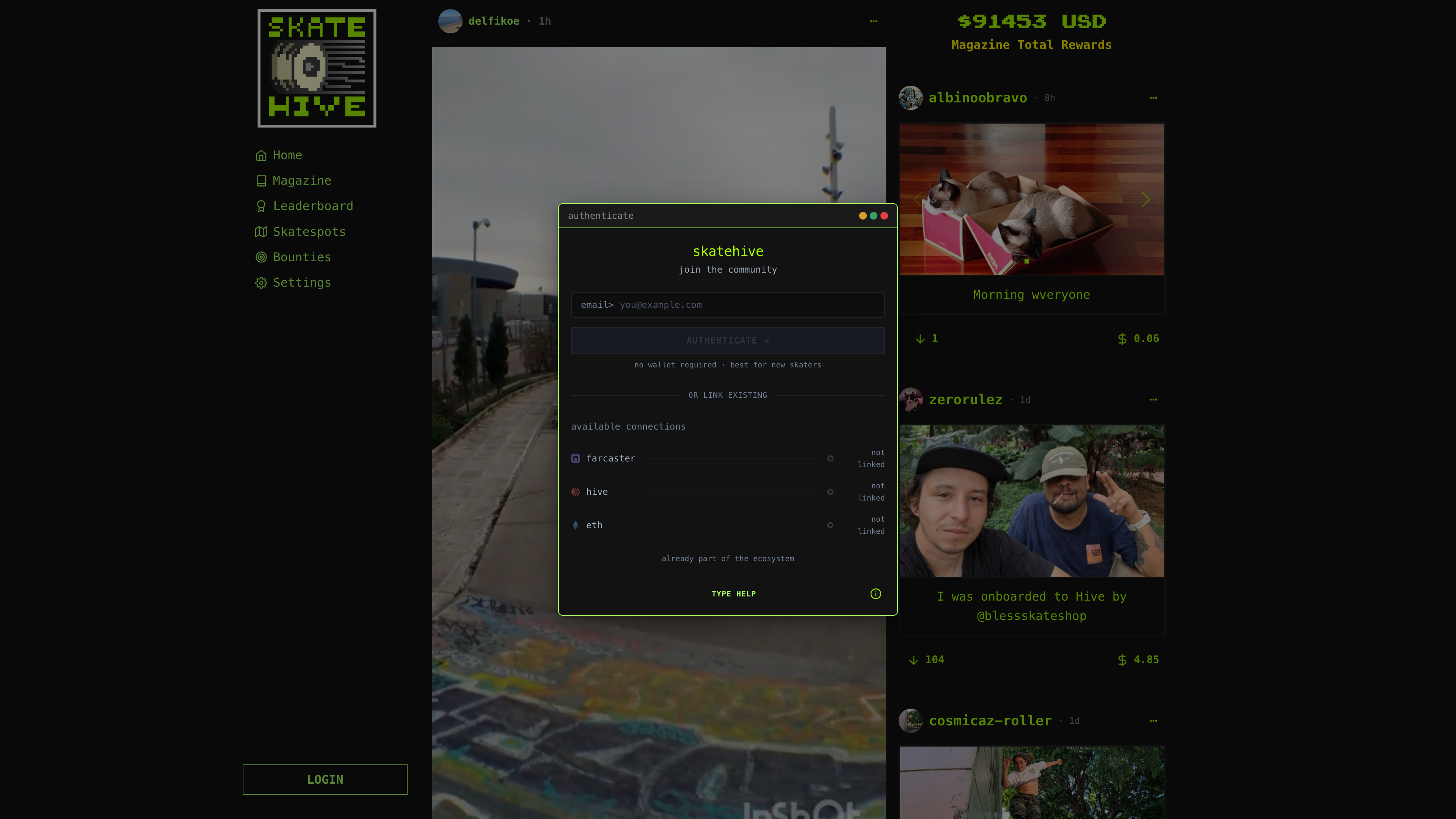
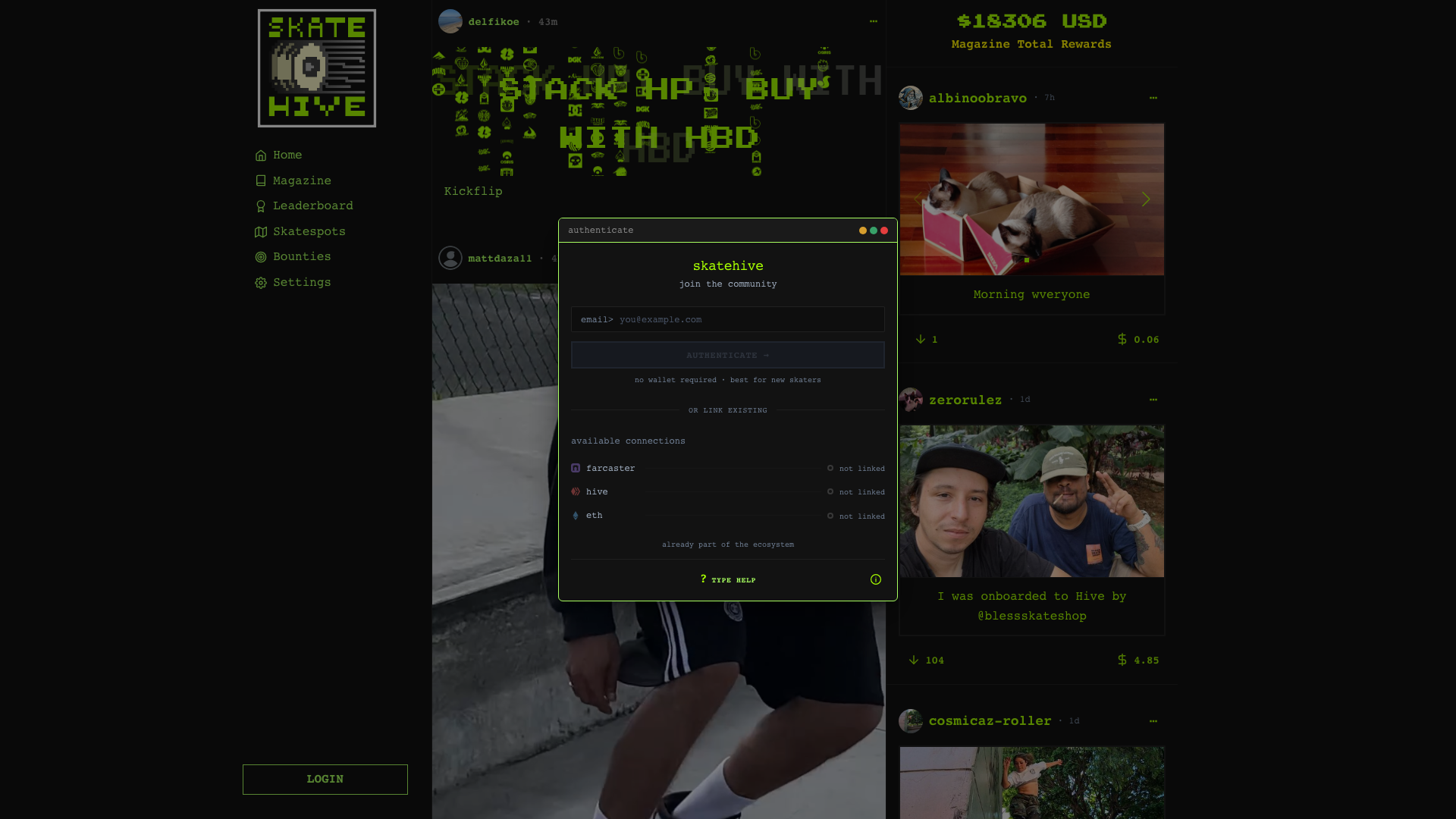
1. Click **Login**
2. Enter your email
3. Check inbox
4. Click link → You're in!
---
## ⛓️ Hive Keychain
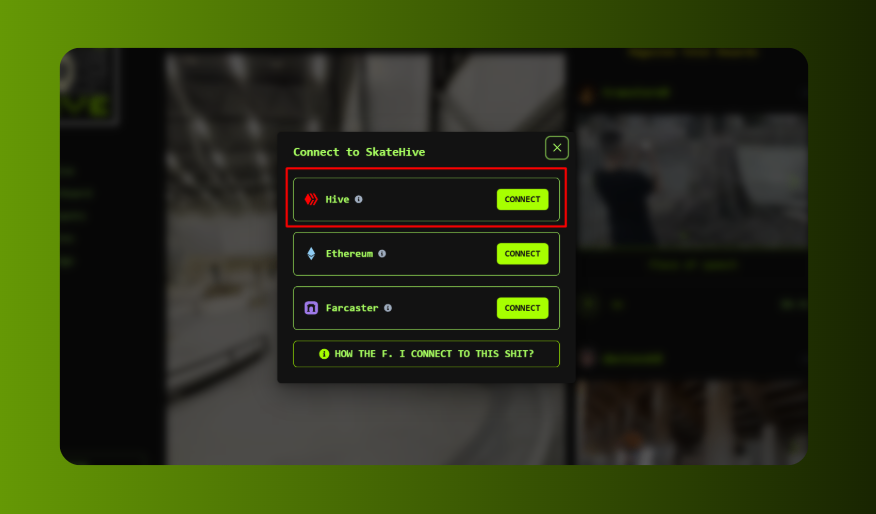
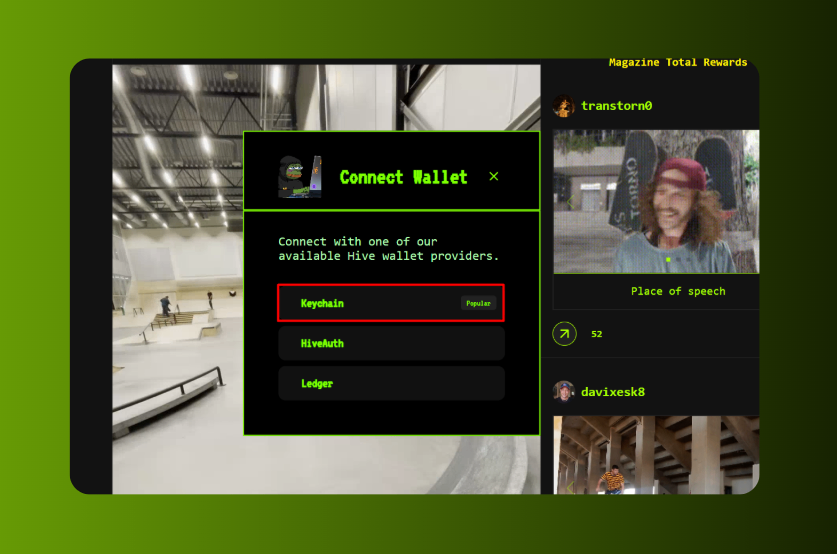
1. Click **Login** → **Hive**
2. Choose **Keychain**
3. Enter username
4. Approve popup
**Need Keychain?** [Download here →](https://hive-keychain.com/)
---
## 💎 Ethereum Wallet
1. Click **Login** → **Wallet**
2. Choose wallet (MetaMask, Rainbow, etc)
3. Connect
4. Sign message
**Safe:** Signature only verifies ownership. We never access your funds.
---
## 🎭 Farcaster
1. Click **Login** → **Farcaster**
2. Scan QR with Warpcast app
3. Approve
---
## 🔄 Multiple Devices
Sessions last **30 days**. Log in on:
- Desktop browser
- Mobile browser
- Mobile app
All at the same time!
---
## 🆘 Troubleshooting
**Email not arriving?**
Check spam. Wait 2min. Try different email.
**Keychain not working?**
Unlock extension. Refresh page. Try Hive Auth instead.
**Wallet won't connect?**
Disconnect other sites first. Use WalletConnect.
---
**Need help?** [Discord #help](https://discord.gg/skatehive)
---
## Invite Friends
Grow the community! Get your crew on Skatehive.
---
## 📲 Get Your Referral Link
1. Go to **Settings → Invite**
2. Copy your unique link:
```
https://skatehive.app/invite/yourname
```
3. Share everywhere!
---
## 🚀 Where to Share
**Social Media:**
- Instagram Stories (show QR code)
- Twitter/X
- TikTok bio
- WhatsApp groups
**In Person:**
- Show QR code at parks
- Put on board stickers
- Include in video descriptions
**Communities:**
- Discord servers
- Telegram groups
- Reddit r/skateboarding
- Local skate crews
**Example message:**
```
Posting my clips on Skatehive now 🛹
You own your content + earn crypto for good clips
Skaters only, no algorithm bs
Join: skatehive.app/invite/yourname
```
---
## 🆚 Invite vs Sponsorship
| Feature | Invite | Sponsorship |
|---------|--------|-------------|
| **Cost** | Free | ~$0.60 |
| **They get** | Email account | Full Hive account |
| **Setup time** | 30 seconds | 24 hours |
| **Best for** | Quick start | Long-term users |
**Workflow:**
1. Invite with link → they join instantly
2. They try Skatehive for a week
3. If they're active → sponsor them
4. Now they earn rewards!
[Learn about sponsorship →](./sponsorship.md)
---
## 💡 Tips
**Do:**
- ✅ Share genuinely (don't spam)
- ✅ Target active skaters
- ✅ Help them get started
- ✅ Engage with their content
**Don't:**
- ❌ Mass DM strangers
- ❌ Overpromise earnings
- ❌ Spam communities
- ❌ Abandon new members
---
## 📊 Track Your Invites
Go to **Profile → Invites** to see:
- Total invites sent
- Who joined
- Conversion rate
**Coming soon:** Referral rewards program!
---
## 🎨 Creative Ideas
**Video End Screens:**
```
Follow on Skatehive → [QR Code]
@yourname
```
**Stickers:**
- Print QR code
- Put on board/helmet
- Hand out at parks
**Crew Challenges:**
- Challenge friends to join
- First 5 get shoutouts
- Create crew content
---
**Start inviting:** [Get your link](https://skatehive.app/settings)
**Need help?** [Discord #help](https://discord.gg/skatehive)
---
## Useful Links
Here's a comprehensive collection of Skatehive resources and links organized by category.
## 🏠 Main Platforms
| **Skatehive App** | [skatehive.app](https://skatehive.app) | Main Skatehive platform - community, posting, and features |
| ------------------ | ------------------------------------------------ | ---------------------------------------------------------- |
| **Skatehive Docs** | [docs.skatehive.app](https://docs.skatehive.app) | Official documentation and guides |
## 🌐 Social Media & Community
| **Discord** | [chat.skatehive.app](https://chat.skatehive.app) | Join the Skatehive community Discord |
| ------------- | -------------------------------------------------------------- | ----------------------------------------------------- |
| **Twitter** | [@skatehive\_](https://x.com/Skate_Hive) | Official Skatehive Twitter account |
| **Instagram** | [@skatehive](https://instagram.com/skatehive) | We are here so skaters can find us |
| **GitHub** | [github.com/sktbrd](https://github.com/Skatehive) | Skatehive open-source repositories |
| **Farcaster** | [nounspace.com/s/skatehive](https://nounspace.com/s/skatehive) | Skatehive Space |
## 🔧 Developer Resources
| **Main Repository** | [github.com/SkateHive/skatehive3.0](https://github.com/SkateHive/skatehive3.0) | Skatehive documentation repository |
| -------------------- | ------------------------------------------------------------------------------ | ------------------------------------------- |
| 🔌 **Skatehive API** | [api.skatehive.app](https://api.skatehive.app) | Skatehive Api |
| 🍴 **Fork Guide** | [Fork Skatehive](./Devs/fork-skatehive.md) | Guide to fork and run Skatehive locally |
| 💻 **App Features** | [App Features](./Devs/app-features.md) | Comprehensive overview of platform features |
## 🏆 Hive Blockchain
| **Skatehive Witness** | [Vote for @skatehive witness](https://skatehive.app/witness) | Support Skatehive by voting for witness |
| --------------------- | ------------------------------------------------------------ | --------------------------------------- |
| **Curation Trail** | [hive.vote](https://hive.vote/dash.php?i=1&trail=steemskate) | Follow Skatehive curation trail |
## 🎨 Tools
| **IPFS Gateway** | [ipfs.skatehive.app](https://ipfs.skatehive.app) | Skatehive IPFS media hosting |
| ---------------- | ------------------------------------------------ | ---------------------------- |
## 📱 Mobile & Integration
| **Farcaster Miniapp** | Available in Farcaster | Native miniapp integration |
| --------------------- | -------------------------------------------------------------------- | ---------------------------------- |
| **Android App** | [Google Play](https://play.google.com/store/apps/details?id=app.skatehive) | Native Android app |
| **iOS App** | [App Store](https://apps.apple.com/app/skatehive) | Native iOS app |
| **Mobile Guide** | [Mobile App Docs](./mobile-app.md) | Setup and usage guide |
## 💰 Treasure
| **Hot Wallet** | [Skatehive.eth](https://zapper.xyz/account/0xB4964e1ecA55Db36a94e8aeFfBFBAb48529a2f6c) | |
| -------------------- | ----------------------------------------------------------------------------------------------------------- | --- |
| **Base Safe** | [Multisig](https://app.safe.global/transactions/queue?safe=base:0xc1afa4c0a70b622d7b71d42241bb4d52b6f3e218) | |
| **Builder Contract** | [Base Contract ](https://basescan.org/address/0x4c5086086fda01fb8fcffe491862e7504984a75f) | |
---
_This table is regularly updated. For the most current links and features, visit [skatehive.app](https://skatehive.app)_
---
## How to make your posts great
## 🛹 Your Skatehive Post is a Magazine Page of Skatehive Infinity Mag
When you post to Skatehive, you’re not just uploading content — **you’re writing a page in our community zine.**

The left side shows your post featured in the Skatehive magazine interface. The right is the raw content you created. That means: 📖 **every photo, line, thought, or poem you drop is part of our collective story.** So… make it count!
***
## ✍️ Make Your Post Hit Hard (and Look Cool)
Here are some creative and helpful suggestions:
### 🧭 Tell Us About the Spot
* Describe the session.
* Share who was there.
* Drop a Google Maps link if it’s public.
* Talk about the vibes, challenges, or weather — give the scene some color.
> _“I found this crusty spot behind an abandoned mall — perfect ledge height, dusty floor, but somehow it worked.”_
### 🧠 Use AI for Support — But Keep It You
* Ask ChatGPT to organize your ideas or fix grammar.
* But **write with your own tone** — AI can assist, not replace your voice.
### 🌐 Write in Any Language
* Spanish, Portuguese, Tagalog — all welcome.
* Most frontends (like Skatehive.app and PeakD) support **AI auto-translation**.
* Your local slang and culture enrich the zine.
### 🛹 Talk Gear
* What board setup are you riding?
* What wheels or trucks?
* Are you filming with a phone, a VX1000, or a GoPro?
* Mention gear brands, DIY rigs, or your filmer's style.
> _“Filmed on a cracked iPhone taped to a broomstick — but the tre flip came out clean.”_
### 🎤 Add Personality
* Include poems, sketches, music lyrics, playlist links.
* Add memes or AI art if it fits the vibe.
* Make it yours — posts with unique flair **stand out** and feel alive.
> _“The trick wasn’t even the hardest, but something about the way the light hit the spot made it feel like a dream.”_
***
## 🧪 Post Experiment Formula (Mix + Match)
```markdown
## 🎬 The Clip
[YouTube or 3Speak embed here]
## 📍 The Spot
[Backstory, location, crew]
## 🛹 Setup Check
Deck, trucks, wheels, gear used
## 🎭 Moodboard
Photos, poetry, sketches, maybe a playlist
## ❓ Question for the Crew
“What trick would you try here?” or “Any spots like this near you?”
```
***
📣 Every time you post, you add to the **Skatehive story**. **Skateboarding is art — make your post your page.** Now go create something rad.
---
## Mobile App
Skatehive in your pocket. iOS and Android.
---
## 📱 Download
- **iOS:** [App Store](https://apps.apple.com/app/skatehive/id6738086962)
- **Android:** Google Play (coming soon)
---
## 🔐 Login
### First Time
1. Tap **Login**
2. Enter Hive username + posting key
3. Enable Face ID / Touch ID (optional but recommended)
4. Done!
**Don't have keys?** [Create account first →](./create-account.md)
### Next Time
Just use Face ID / Touch ID. Or enter 4-digit PIN.
### Spectator Mode
Browse without logging in:
- View feed
- Watch videos
- See profiles
**To post/vote/comment:** Need to login.
---
## 🎨 Features
**Currently Available:**
- ✅ Feed (community posts)
- ✅ Snaps (quick photo posts)
- ✅ Video upload
- ✅ Profile view
- ✅ Upvote/comment
- ✅ Record clips directly in app
**Coming Soon:**
- Live streaming
- Direct messages
- Push notifications
- Wallet integration
---
## 📹 Video Upload
1. Record with in-app camera OR select from gallery
2. Tap upload
3. Processing happens in background
4. Post when ready
Videos automatically transcode and upload to IPFS.
---
## 🔄 Multiple Accounts
Switch between accounts easily:
1. Tap profile → Logout
2. See list of saved accounts
3. Tap to switch (Face ID required)
4. Or add new account
All keys stored securely in device keychain.
---
## 🆘 Troubleshooting
**Login not working?**
Make sure you're using **posting key**, not master password.
**Face ID not showing?**
Enable in Settings → Privacy → Face ID.
**Videos not uploading?**
Check internet connection. Large files need WiFi.
**App crashes?**
Update to latest version. Report bugs in [Discord #bugs](https://discord.gg/skatehive).
---
## 🔒 Security
- Keys stored in secure device keychain
- Biometric authentication
- Keys never leave your device
- No cloud sync (privacy first)
**Lost device?** Keys stay encrypted. Change your posting key on [Hive.io](https://wallet.hive.io) immediately.
---
**Download now:** [iOS App Store](https://apps.apple.com/app/skatehive/id6738086962)
**Need help?** [Discord #help](https://discord.gg/skatehive)
---
## Skatehive Auction
# Skatehive Auctions
#### **1. What is NounsBuilder?**
NounsBuilder is a tool that enables the creation of projects inspired by the **Nouns** model, an NFT project known for its continuous auction approach and community governance. It provides a modular framework to create NFTs with unique traits and periodic auctions.
---
#### **2. How Does Skatehive's NFT Auction Work?**
The Skatehive auction follows a model similar to Nouns, with specific adaptations for the skateboarding community. Here are the key aspects:
**a) NFT Creation**
- Each NFT is programmatically generated by combining different traits stored in an on-chain repository.

- These traits can include skateboard designs, decks, wheels, graffiti, or other skate-related visual elements.
- The creation process is fully autonomous through a smart contract, ensuring each NFT is unique.
**b) Continuous Auctions**
- NFTs are auctioned in a continuous process, with a new auction starting immediately after the previous one ends.
- Each auction has a fixed duration (e.g., 24 hours).
- Participants place bids in cryptocurrency (such as ETH) to acquire the NFT.
**c) Fund Distribution**
- Funds raised through the auctions are distributed according to the smart contract’s rules:
- Currently, all proceeds go to the **Community Treasury**, which can be used to fund projects, events, or skate-related initiatives.
**d) Decentralized Governance**
- Skatehive NFT holders have governance rights, allowing them to participate in decision-making for the project’s future.
- For example, they can vote on proposals to allocate treasury funds or add new traits to NFTs.
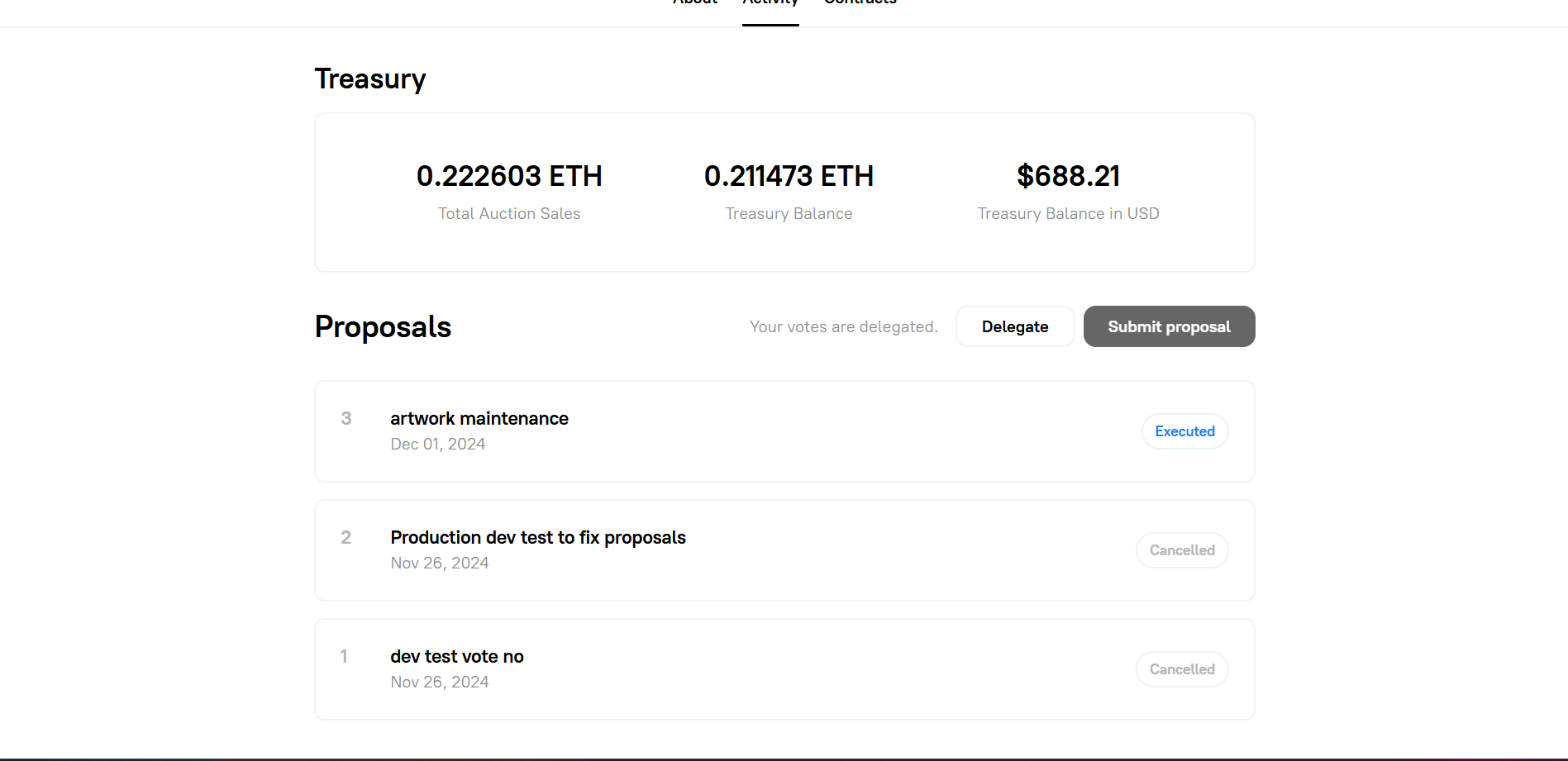
---
#### **3. Participating in the Auction**
To participate in the auction, users must:
1. Connect their cryptocurrency wallet (such as MetaMask) to the Skatehive platform.
2. Place bids during the auction period.
3. If they have the highest bid at the end of the auction, they receive the NFT in their wallet.
---
#### **4. Benefits of Skatehive NFTs**
- **Exclusivity**: Each NFT is unique and may appreciate in value over time.
- **Community**: Holders become part of an engaged community and have a say in decision-making.
- **Support for Skateboarding**: A portion of the funds is reinvested into skateboarding initiatives, promoting the culture and sport.
---
#### **5. Underlying Technology**
- **Smart Contracts**: All creation, auction, and distribution logic is executed via smart contracts on the blockchain (typically Ethereum or a Layer 2 like Base).
- **Transparency**: All transactions and rules are public and verifiable on the blockchain.
- **Interoperability**: NFTs can be traded on marketplaces like OpenSea or Blur.
---
#### **6. Example Workflow**
1. A new NFT is generated with unique traits.
2. The auction starts and lasts for 24 hours.
3. Users place bids.
4. At the end of the auction, the highest bidder wins, and the NFT is transferred to their wallet.
5. Funds are distributed according to the smart contract rules.
6. A new auction begins immediately.
---
#### **7. Final Considerations**
The Skatehive NFT auction on NounsBuilder is an innovative way to engage the skateboarding community, create value for participants, and fund meaningful initiatives. Transparency and decentralization ensure that all involved have a voice and receive fair benefits.
If you need more technical details or specific examples, just let me know! 🛹
---
## Sponsorship
# Account Sponsorship
Upgrade email accounts to full Hive accounts. Community members pay 3 HIVE or 1 ACC to sponsor newcomers.
---
## 🆕 Getting Sponsored
**Requirements:**
- Email account on Skatehive
- Active participation (posts, comments)
**Steps:**
1. Go to **Settings → Account**
2. Click **Upgrade to Hive Account**
3. Click **Request Sponsorship**
4. Share your link in [Discord #sponsorship](https://discord.gg/skatehive)
5. Wait for approval (usually < 24hrs)
**What you get:**
- ✅ Own Hive account (not shared @skateuser)
- ✅ Earn crypto rewards
- ✅ Vote with your own power
- ✅ Own your content permanently
---
## 🎯 Sponsoring Others
**Requirements:**
- Active Hive account
- 3 HIVE in wallet (~$0.60)
- Hive Keychain installed
**Steps:**
1. Someone shares sponsorship link with you
2. Click link → review request
3. Choose payment method:
- **Direct:** Transfer 3 HIVE (simple)
- **RC Delegation:** Use Hive Power (advanced)
4. Approve in Keychain
5. Done! Account created in 24hrs
**Cost breakdown:**
```
Account creation fee: 2.5 HIVE
Initial power-up: 0.5 HIVE
Total: 3.0 HIVE (~$0.60)
```
**You get:**
- Leaderboard recognition
- "Sponsor" badge
- Karma points 😎
---
## 💡 Tips
**For requestors:**
- Be active before requesting
- Write genuine intro
- Don't spam multiple people
- Thank your sponsor publicly
**For sponsors:**
- Check profile first
- Look for genuine engagement
- Help them get started
- Don't sponsor suspected bots
---
## ❓ FAQ
**Can I sponsor multiple people?**
Yes, unlimited!
---
**Need sponsorship?** Post in [Discord #sponsorship](https://chat.discord.app)
**Ready to sponsor?** Check the channel for requests!
---
## Table of contents
* [Advance](README.md)
* [Curation Trail](Advance/curation-trail.md)
* [How to Vote for the Skatehive Witness on the Hive Blockchain](Advance/hive-witness.md)
* [Learn Hive Tokens](Advance/manage-hive.md)
* [SkateHive + Zora Integration Guide](Advance/zora-coin.md)
* [Devs](devs/README.md)
* [Skatehive 3.0 Application Overview](Devs/app-features.md)
* [Fork Skatehive 3.0 Guide (Beginner Friendly)](Devs/fork-skatehive.md)
* [Features](features/README.md)
* [Airdrop System](Features/airdrop.md)
* [Bounties](Features/bounties.md)
* [DAO & Governance](Features/dao-governance.md)
* [Leaderboard](Features/leaderboard.md)
* [Spot Map](Features/spot-map.md)
* [Video Upload](Features/video-upload.md)
* [Wallet Guide](Features/wallet.md)
* [Get Started](get-started/README.md)
* [Useful Links]()
* [How to Login]()
* [How to make your posts great]()
* [Mobile App]()
* [Skatehive Auctions]()
---
## Get Started